


 Service Center
Send Envelopes Using Email
Email, as a globally universal standard communication method, eSignGlobal supports sending notifications via email by default. You can directly send detailed signature-related notifications to the signers via Email, ensuring that the signers can obtain the details of the signing task in a timely and clear manner, and ensuring the efficient and smooth operation of the business process.
Warning:
【Applicable Versions】Available for Experience Edition and above.
Notifying Signers via Email When Sending Envelopes
Envelope initiators can directly choose to notify signers via Email when sending envelopes (supports PC and H5). Email notifications cover all scenarios, including signing task push, 1-day reminder before expiration, envelope completion, signature reminders, envelope cancellation, and other aspects.
-
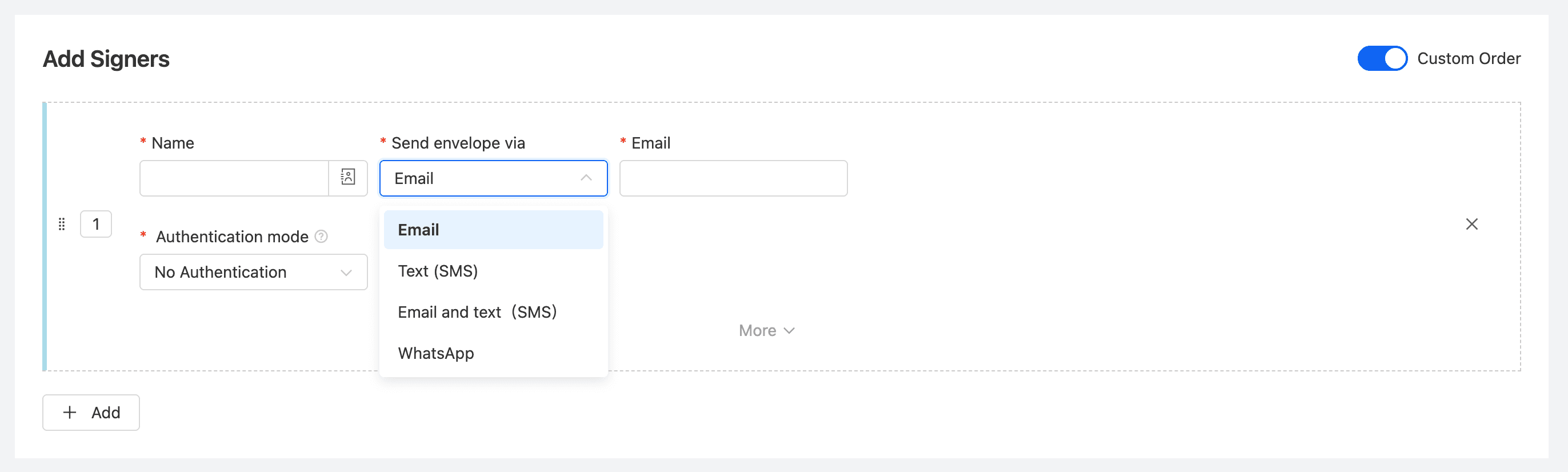
On the Add Signers page for initiating an envelope, select Email (default option) under [Send envelope via] for the specified signer.
-
In the Email component that appears below, fill in the correct email address. (When selecting signers from contacts or member lists, the email address is automatically displayed).
Warning: The email addresses entered for multiple signers under the same signing order (same-order node) cannot be duplicated.
Signers Receive Notifications and Sign Documents via Email
When you send an envelope via Email, the signers will directly receive signature-related notifications in their personal or work email inboxes.
-
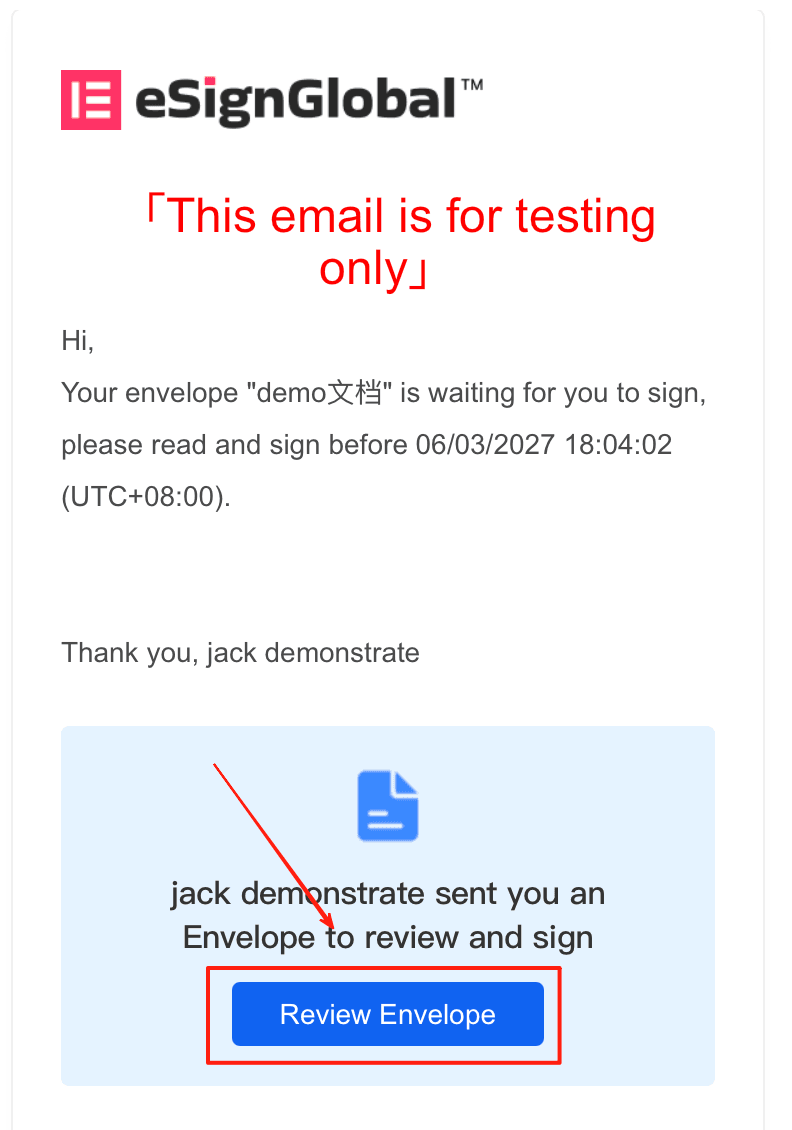
Check Email: The signer opens their email inbox on their mobile phone or computer and receives a notification email from eSignGlobal. The email usually contains basic information about the document, remarks, etc.
-
Click the Link: The email contains an exclusive signing link. The signer only needs to click the “Review Envelope” button or link in the email to open it in a browser or mobile page, browse, confirm, and complete the document signing.
Tip: To successfully receive Email notifications, please ensure that the signer’s email address is entered correctly, and remind the signer to pay attention to the inbox (check the spam/subscription mail folder if necessary).


