


 Service Center
Send Envelope Using Internal Messaging
In-app messages are a real-time message notification feature built into eSignGlobal. To ensure that you can handle signing tasks in a timely manner and keep track of envelope dynamics, the system will send all signing-related notifications to the signer via in-app messages by default. Compared to external communication tools, in-app messages have higher security and privacy, making it easy for users to manage all messages in one stop after logging into the platform.
[Applicable Versions] Available for Experience Edition and above.
Features
- Signing Notifications Sent by Default: The system enables the in-app message notification function by default, covering all scenarios such as signing task push, expiration reminder, envelope completion, signature reminder, and envelope cancellation. Signers do not need to subscribe manually and will not miss any important updates.
- No Additional Configuration Required: When initiating an envelope, in-app message notifications are automatically enabled as a basic service. The initiator does not need to select or configure anything extra in [Send envelope via], nor does he/she need to install any plug-ins, which simplifies the sending process.
- System Integration Advantages: Since in-app messages are deeply integrated into the eSignGlobal platform, signers can jump directly from the message center to the signing page, with the shortest operation path and a smoother experience.
Signers Receive Notifications and Sign Documents via In-App Messages
When the signer has an eSignGlobal account and is logged in (or after logging in), they can immediately check the notification in the app.
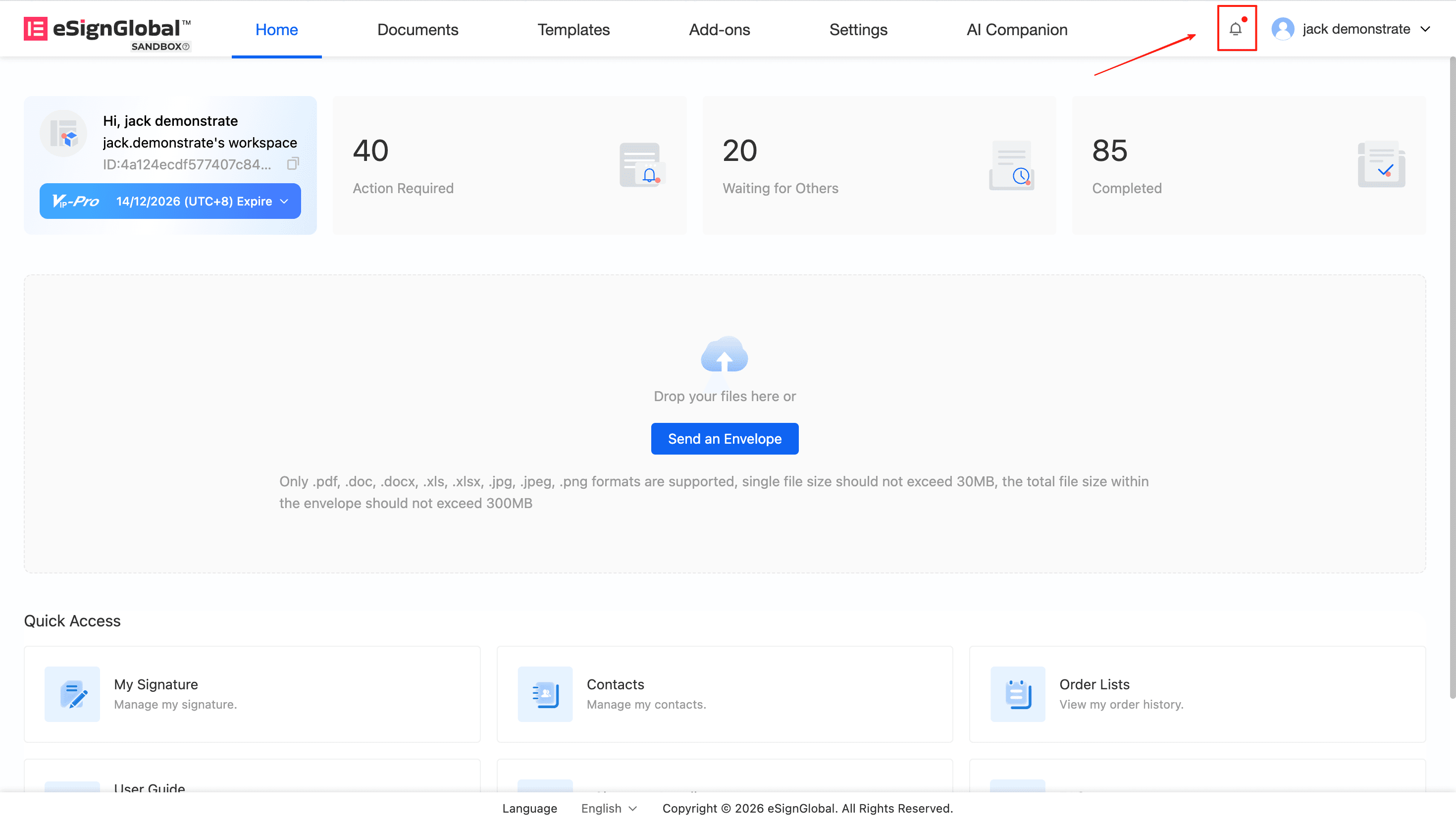
- Check Messages: After logging into eSignGlobal, click [Message Center] (bell icon) in the upper right corner of the page to see the latest signing task reminders.
- View Details: Click on a specific in-app message in the message list to view basic information such as the sender and deadline of the envelope.
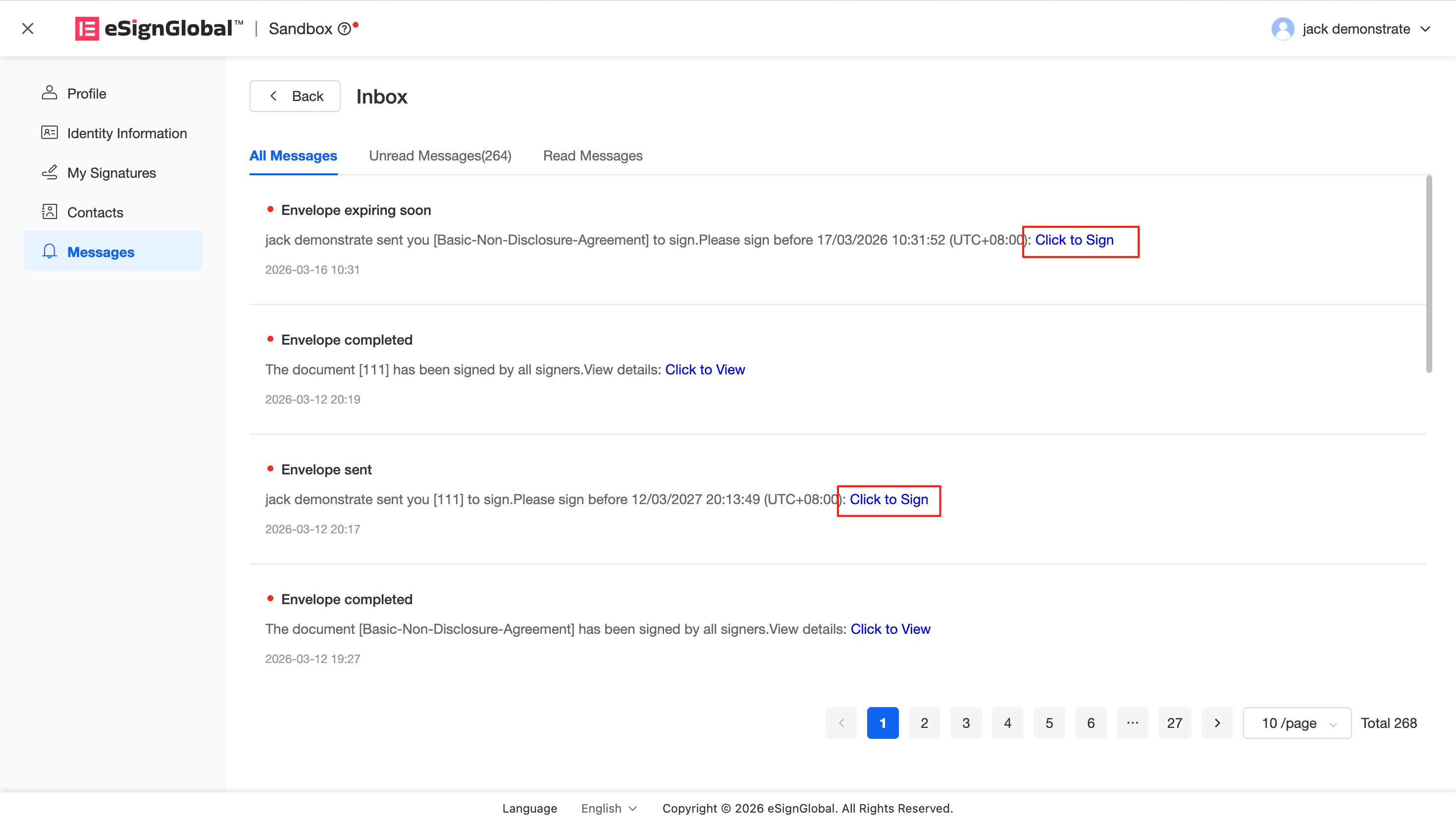
- Enter Signing: Click the “View Details” or “Go to Sign” button directly in the message content. The system will automatically guide the signer to the document signing page for browsing, confirmation and completion of signing.
Important:
- Account Requirements: In-app message notifications are only sent to signers who have an eSignGlobal account. If the signer receives notifications via external email or mobile phone number but has not registered/logged in to an eSignGlobal account, they will not be able to check such messages in the app.
- Enabled by Default: In-app message notifications cannot be manually turned off to ensure that every core link in the signing chain can be perceived by the signer.


