Service Center
AI Hub
Before using the features in this user manual, you need to understand the AI Hub (covering AI summary, AI translation, AI risk assessment, AI contract drafting, etc.) limitations corresponding to different versions:
- Trial version: does not support AI Hub features
- Basic version: does not support AI Hub features
- Professional version: supports AI Hub features
AI Hub is an intelligent assistant center provided by eSignGlobal, integrating multiple AI capabilities to help users quickly understand content, identify risks, and generate contract drafts before document signing, thereby achieving a more efficient and secure signing experience.
Note:
- AI features are in Beta version, and the content generated by AI is for reference only.
- Administrators enter the plugin center to install the required AI feature plugins.

[Wave the Magic Wand]
AI Translator
- After installing the AI plugin, you can enter [AI Hub - Translator] below the file list.
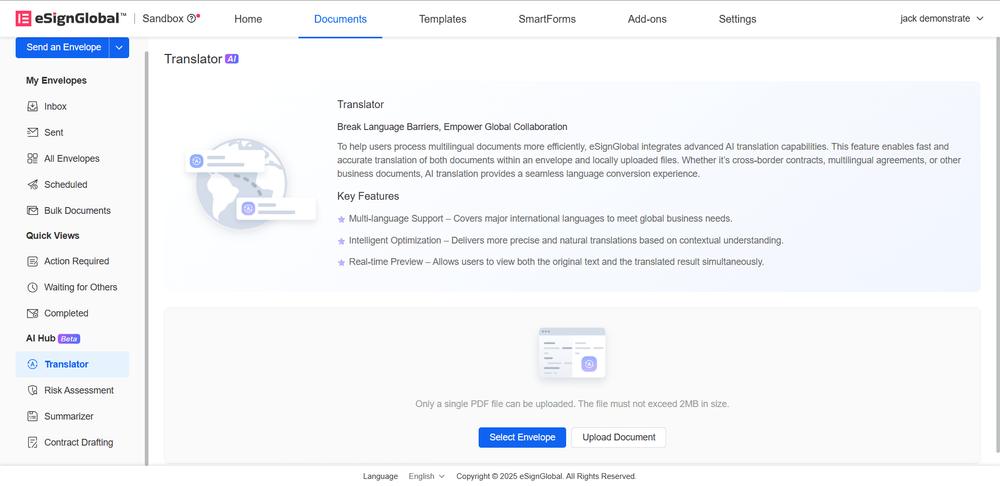
- Users can choose existing envelopes or upload files for AI translation, taking selecting envelopes as an example.

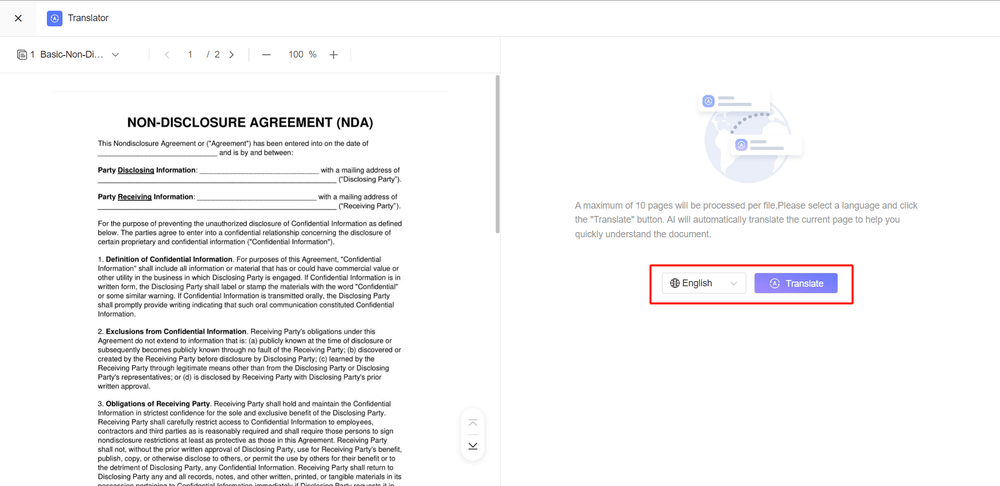
- Enter the translation page, select the language to be translated, click the translate button, and start translating the current page.
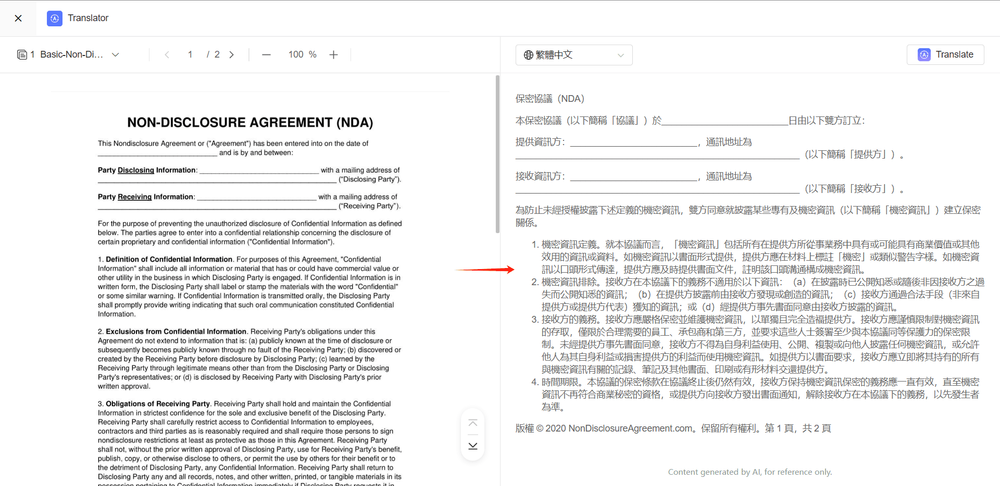
- The translation results can be viewed on the right side of the screen.
[Wave the Magic Wand] AI Risk Recognition
- After installing the AI plugin, you can enter AI Hub - Risk Recognition below the file list.

-
Users can choose existing envelopes or upload files for AI risk recognition, taking uploading files as an example.
-
Enter the risk recognition page, select the country/region, and then click the recognize button to recognize document risks based on the selected country/region laws.

-
The risk recognition results can be viewed on the right side of the screen.
[Wave the Magic Wand] AI Summary Generator
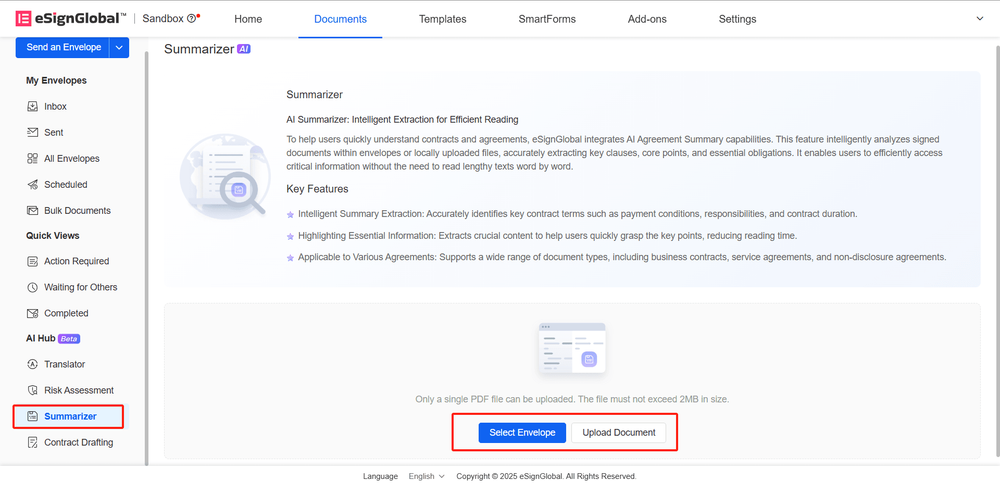
- After installing the AI plugin, you can enter AI Hub - Summary Generator below the file list.
-
Users can choose existing envelopes or upload files for AI summary generation, taking uploading files as an example.
-
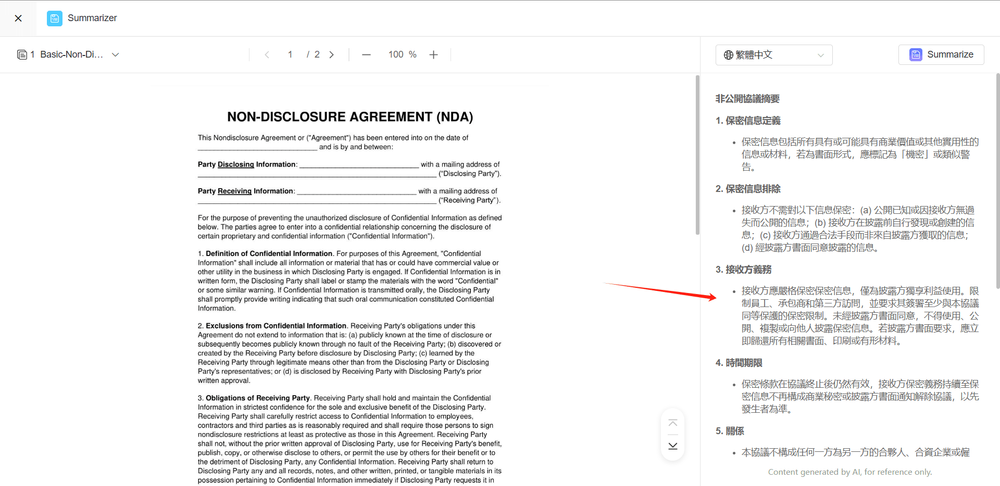
Enter the summary generator page, select the language for summary generation, and then click the generate summary button to generate a file summary.

-
The generated summary can be viewed on the right side of the screen.
[Wave the Magic Wand] AI Contract Drafting
-
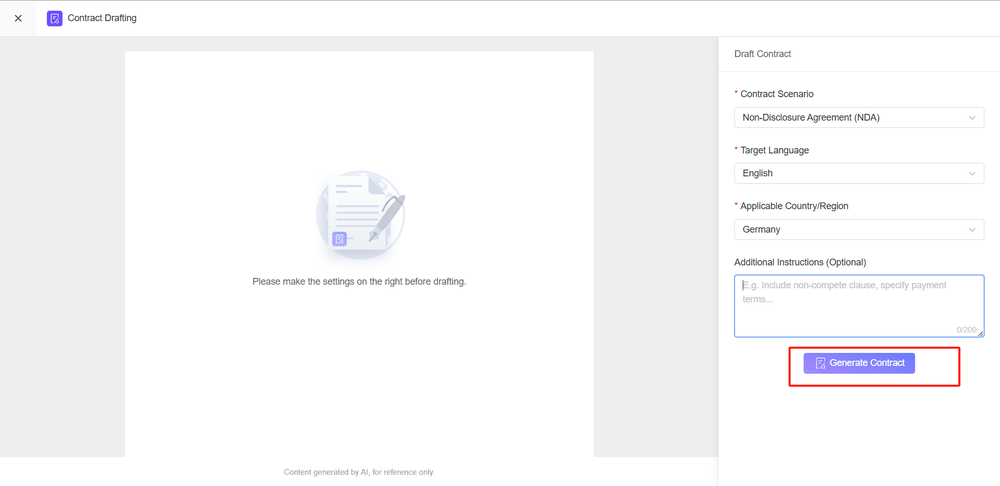
After installing the AI plugin, you can enter AI Hub - Contract Drafting below the file list. Click the start drafting button to enter the contract drafting page.

-
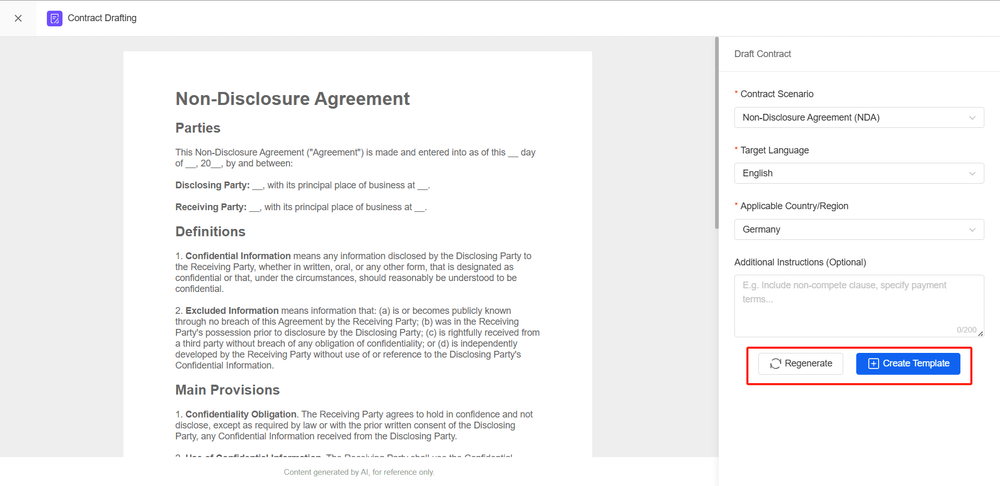
Select the contract scenario, target language, applicable country/region, and additional notes, and then click the generate contract button to start generating contract content.
-
If the generated contract file is not satisfactory, you can regenerate the contract; if the generated contract meets expectations, you can create a template.