


 Service Center
Send Envelopes Using WhatsApp
WhatsApp is a globally used communication tool with high frequency. eSignGlobal now supports connecting to WhatsApp notifications. By installing and configuring the WhatsApp Notification plugin, you can directly send signature-related notifications to signers via WhatsApp, which can effectively solve the problem of low delivery rates of traditional SMS and improve the signing experience for users.
Note:
【Applicable Versions】Professional version and above are supported by default.
Installing and Managing the WhatsApp Notification Plugin
Before using WhatsApp notifications, the workspace administrator or super administrator needs to install it in the plugin center first.
-
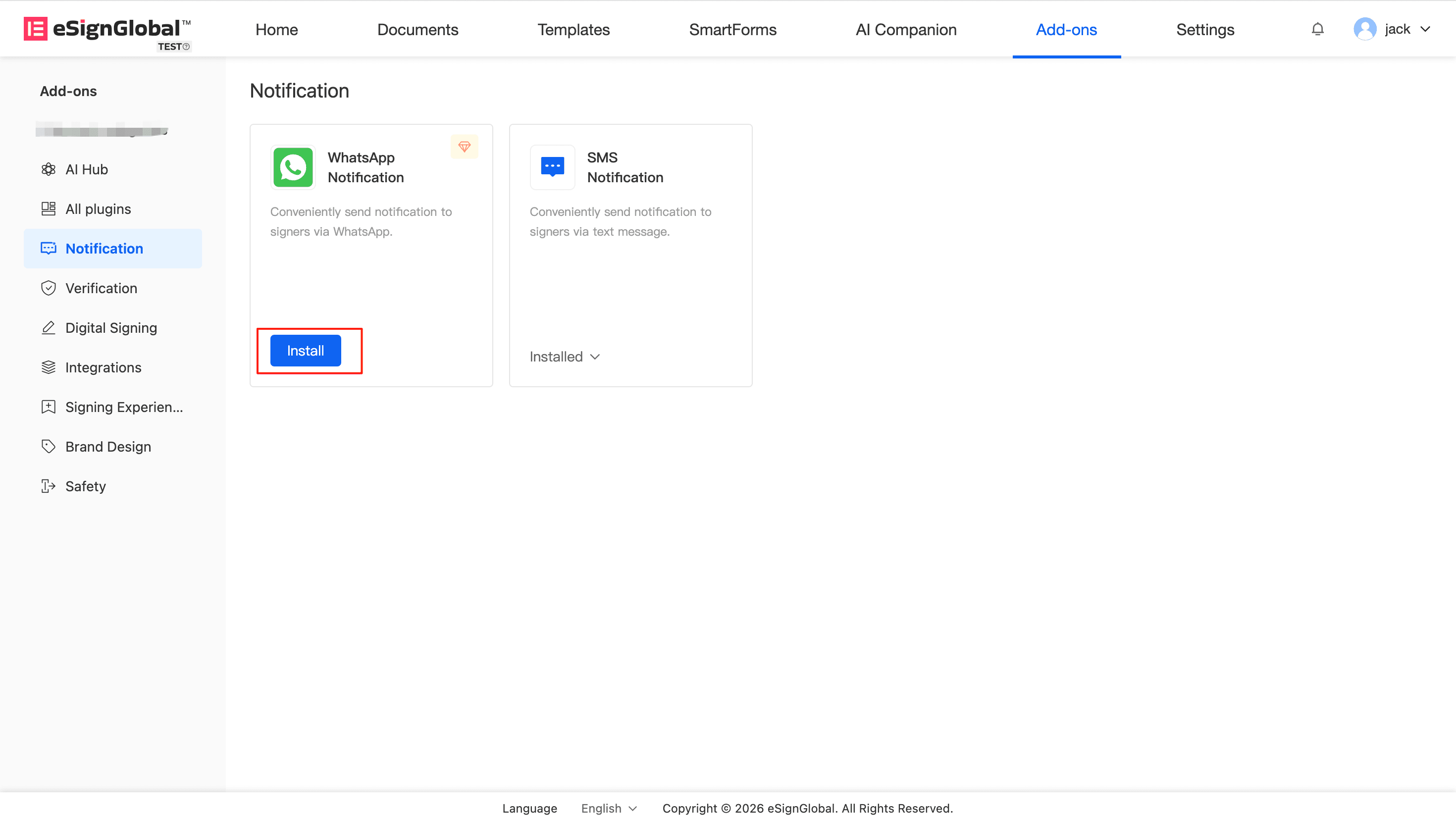
After logging into the platform, go to the plugin center and find the WhatsApp Notification (WhatsApp Notification) plugin.
-
Click to install.
Note:
Impact after installation: The notification method (Send envelope via) when sending envelopes will add the [WhatsApp] option. You can use WhatsApp to send envelopes on PC and H5.
Impact after uninstallation: If you uninstall the plugin later, envelope notifications will no longer be sent via WhatsApp.
Using WhatsApp to Notify Signers When Sending Envelopes
After completing the plugin installation, the envelope initiator can choose to notify the signer via WhatsApp when sending the envelope (supports PC and H5). WhatsApp notifications cover multiple scenarios, such as when signing tasks are pushed, when reminders are sent 1 day before expiration, when the envelope is completed, and when reminders are sent to sign, etc.
-
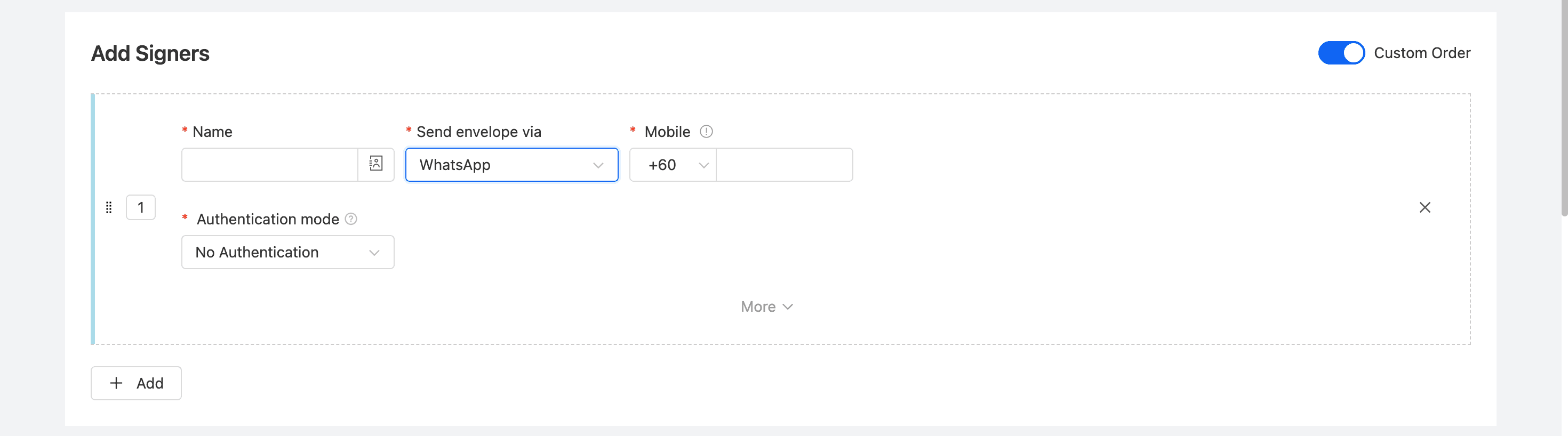
On the Add Signers page of the envelope initiation, select WhatsApp under [Send envelope via] for the specified signer.
-
In the Mobile component that appears below, select the signer’s country code and fill in the correct mobile phone number. (When selecting a signer from the contact list, the phone number is supported to be displayed).
Warning: The mobile phone numbers entered for multiple signers under the same signing order (same-order node) cannot be repeated.
Signers Receive Messages and Sign Documents via WhatsApp
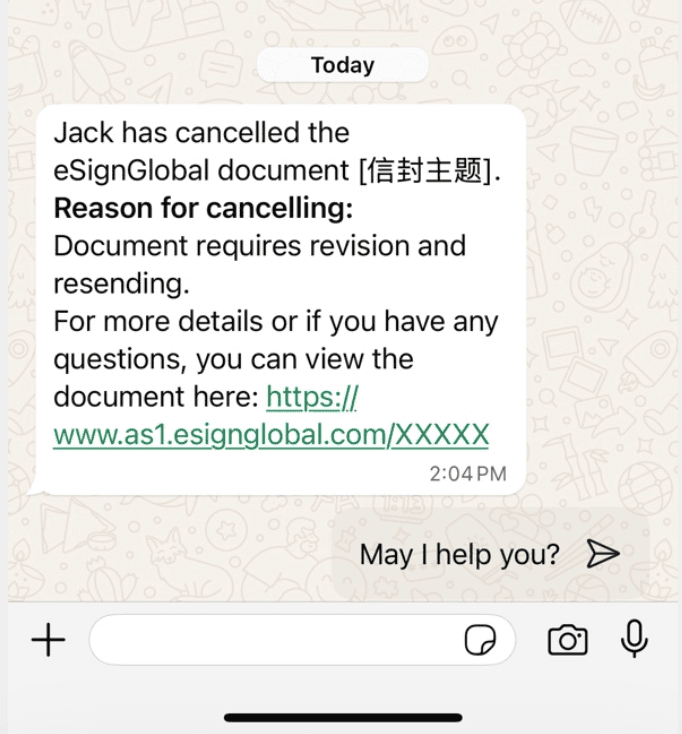
After you send an envelope via WhatsApp, the signer will directly receive signature-related notifications in their personal WhatsApp account.
-
Check Notifications: The signer opens the WhatsApp App on their mobile phone or computer and receives a prompt message from eSignGlobal.
-
Click the Link: The message contains a signing link. The signer only needs to click the link in the message to open it in a browser or mobile page, browse, confirm and complete the document signing.
Tip: To successfully receive WhatsApp notifications, please ensure that the signer’s mobile phone number is entered correctly and that WhatsApp is installed and registered on their mobile phone.


