


 Service Center
Automatic Reminder for Signatories
Learn how to set up automatic reminders in eSignGlobal so that after an envelope is sent, recipients are reminded to view or sign the envelope at specified intervals, replacing the original fixed T+7 reminder, accelerating business flow and improving the completion rate of signing.
Note:
- Applicable to: This feature requires enterprise super administrator permissions for global settings.
- Reminders are only sent to recipients who are currently up to sign but have not yet completed the operation.
Configure Automatic Reminder Frequency
As a super administrator, you can set the default automatic reminder frequency for envelopes across the workspace, saying goodbye to the single T+7 reminder and implementing a more flexible follow-up mechanism.
Note:
- The set global automatic reminder rules will apply to newly sent envelopes after saving, but will not affect envelopes that have already been sent and are in transit.
Description: By setting flexible reminder intervals in the background, the system will automatically send follow-up notifications to unsigned recipients.
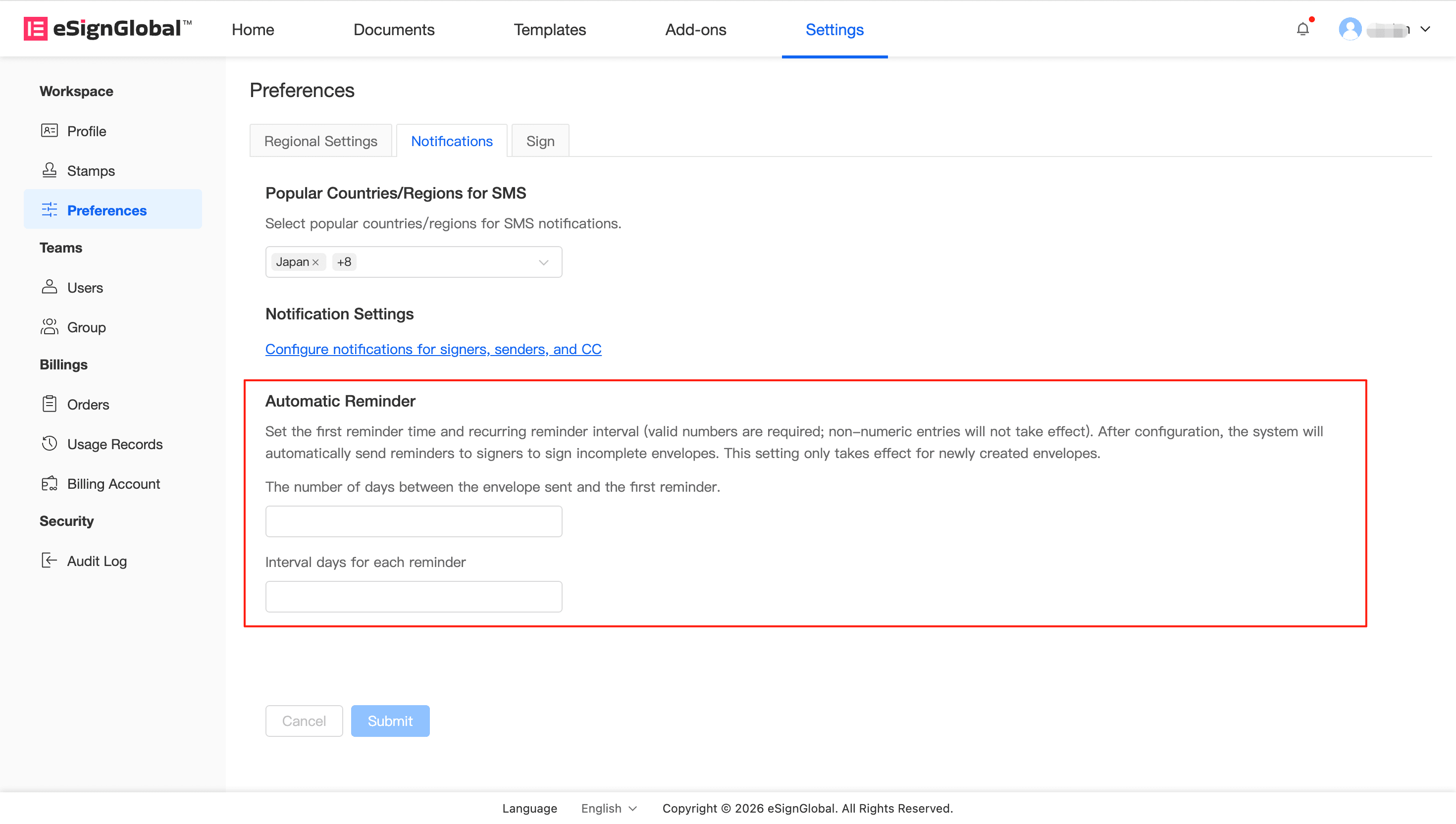
- Go to Settings > Preferences and find the configuration page related to Notification.
-
Find the Automatic Reminder module and turn on the reminder function.
-
Set First Reminder Time: Enter how many days after the envelope is sent to send the first reminder (for example: after 3 days).
-
Set Subsequent Reminder Interval: Enter how many days after the first reminder to send a reminder notification again (for example: remind every 2 days).
-
Click Save after confirming that everything is correct. The system will automatically send reminders according to the set frequency.
Tip:
- Reasonable interval settings help promote fast signing; however, it is recommended not to set it too frequently (such as reminding every day) to avoid causing notification disturbances to recipients.


