


 Service Center
Template Management
Before using the functions in this user manual, you need to understand the template management limitations corresponding to different versions:
- All versions support the template management function eSignGlobal provides users with comprehensive template management services, supporting operations such as modifying template names, editing, enabling, disabling, and deleting templates, making it convenient for users to flexibly manage their required templates.
Editing Templates
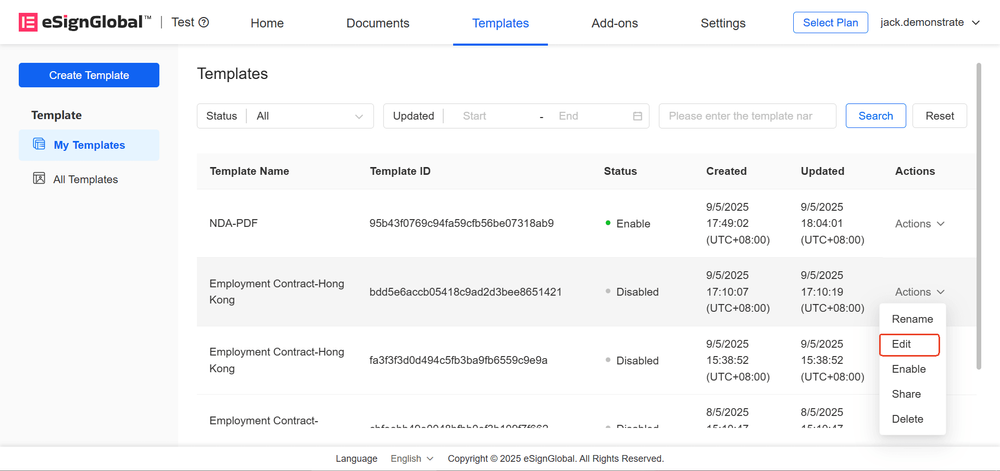
- Only templates in the “Disabled” state support editing operations. Click the “Edit” button to enter the editing page.
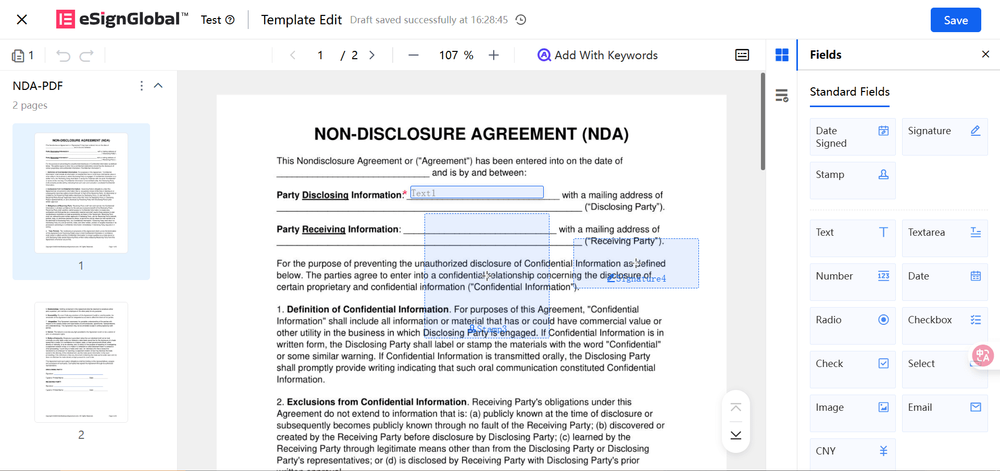
- After entering the template editing page, you can view existing template controls. Users can add controls (through dragging), delete or adjust existing controls.
Tip:
- For control configuration methods, please refer to the “Create Template” operation manual.
- After completing the editing, click “Save”. The updated template will be stored in “My Templates” and “All Templates”.
Modifying Template Names
-
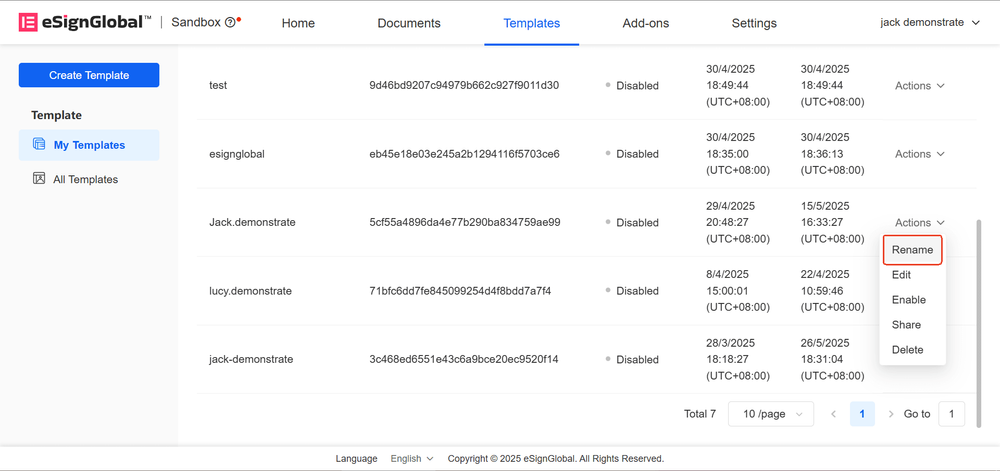
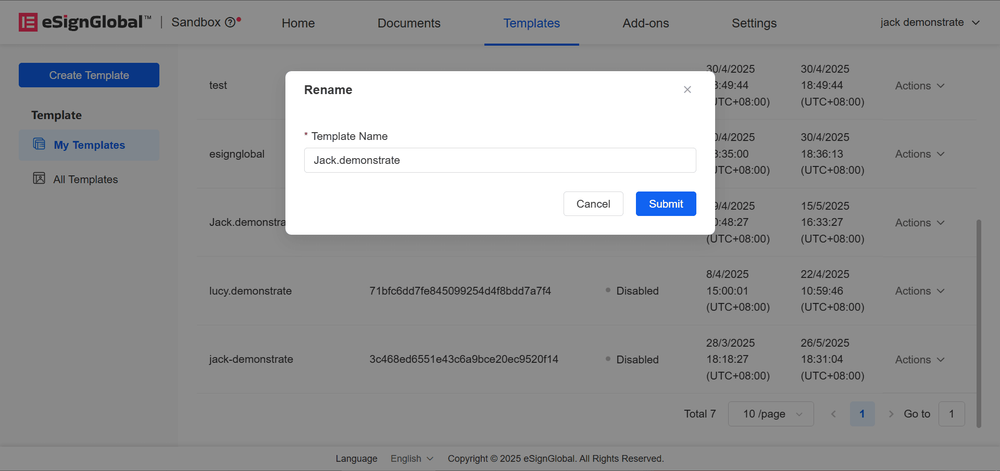
Only templates in the “Disabled” state support “Modify Name”.
-
Click “Modify Name”, users can enter a new name in the pop-up window, confirm and click “Submit” to complete the modification.
Enabling Templates
- For templates in the “Disabled” state, users can click “Enable”.
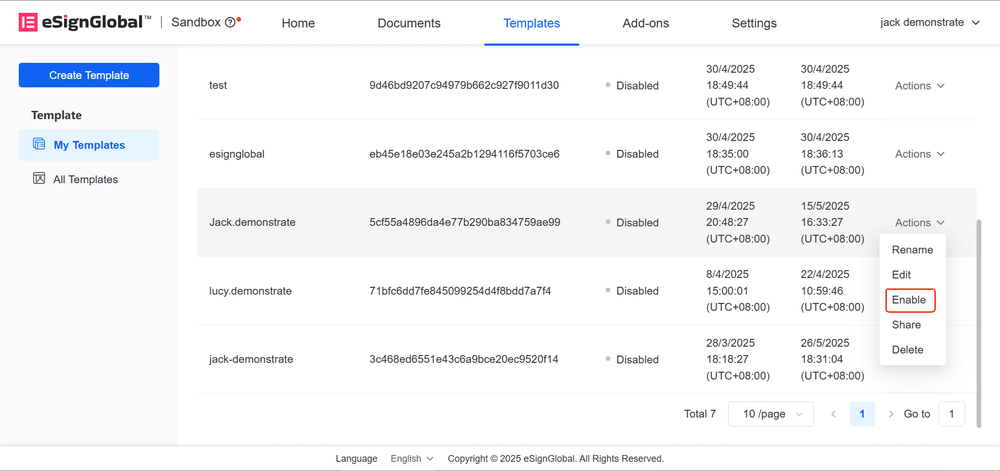
- After successful enabling, the template status will change to enabled.
Note:
- After the template is enabled, users with permissions can initiate envelopes through this template.
Disabling Templates
-
For templates in the “Enabled” state, users can click “Disable”.
-
After disabling, the template status will change to “Disabled”.
Note:
- After the template is disabled, all users will be unable to use this template to initiate envelopes.
Deleting Templates
-
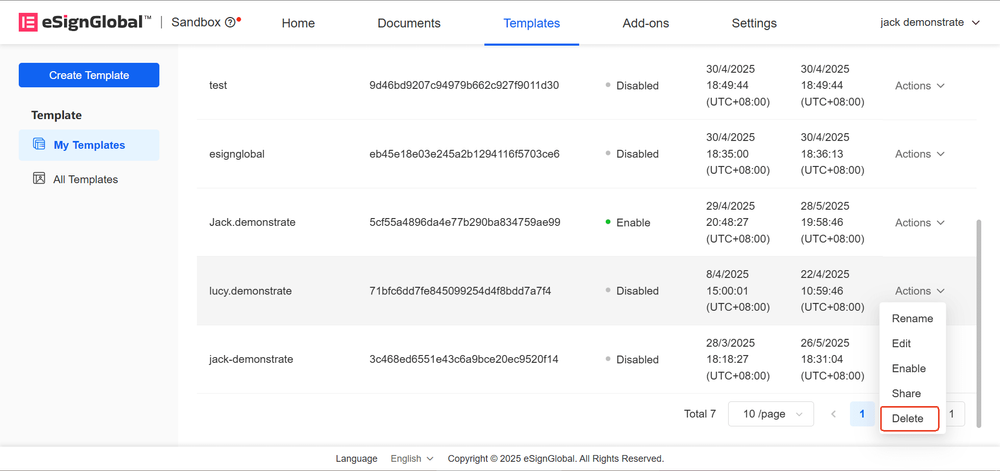
For templates in the “Disabled” state, users can click “Delete” to delete the template when it is no longer needed.
-
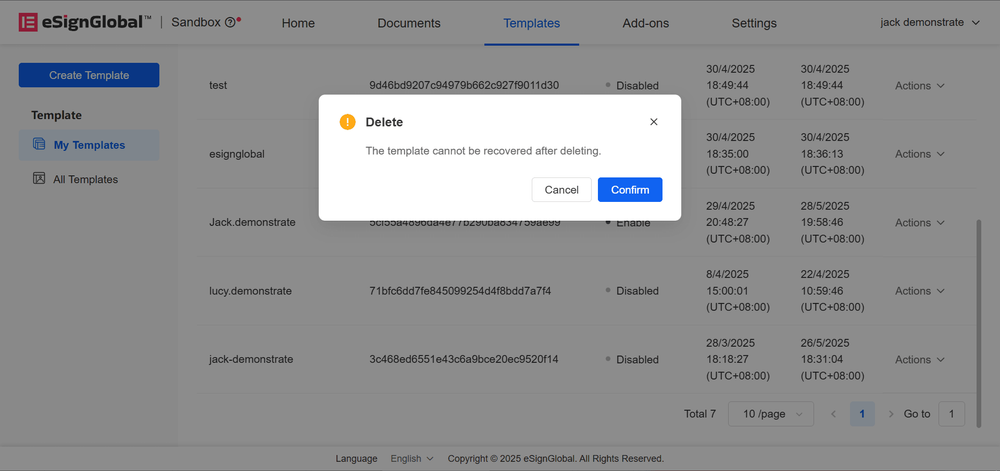
Click the “Confirm” button.
-
After successful deletion, the template will be permanently removed from the list.
Note:
- The deletion operation is irreversible, and the related data cannot be restored.


