Service Center
Template Categorization
eSignGlobal supports setting classification labels for templates to facilitate quick management of templates.
Category Label Management
-
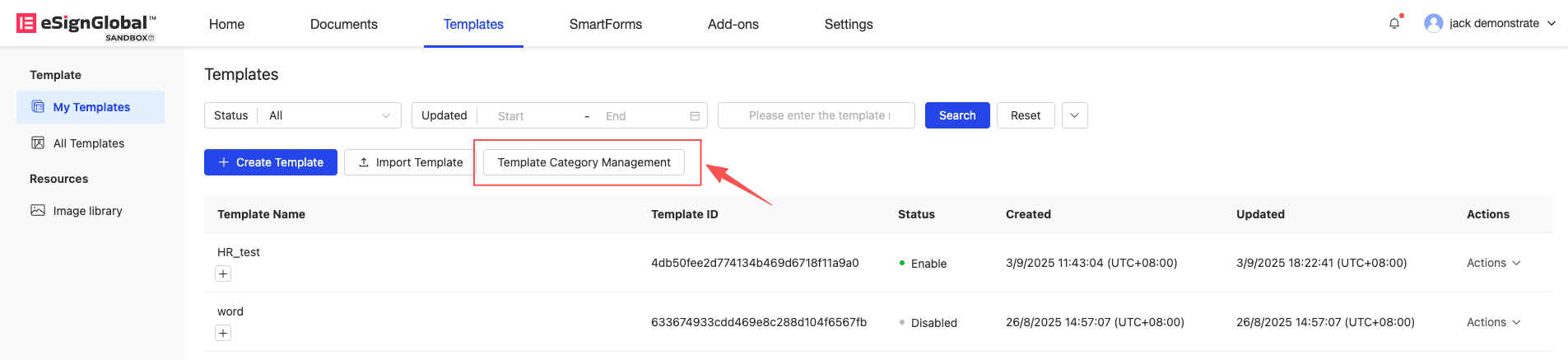
Workspace super administrators and administrators can click the “Manage Template Categories” button on the template list page to manage template categories.
-
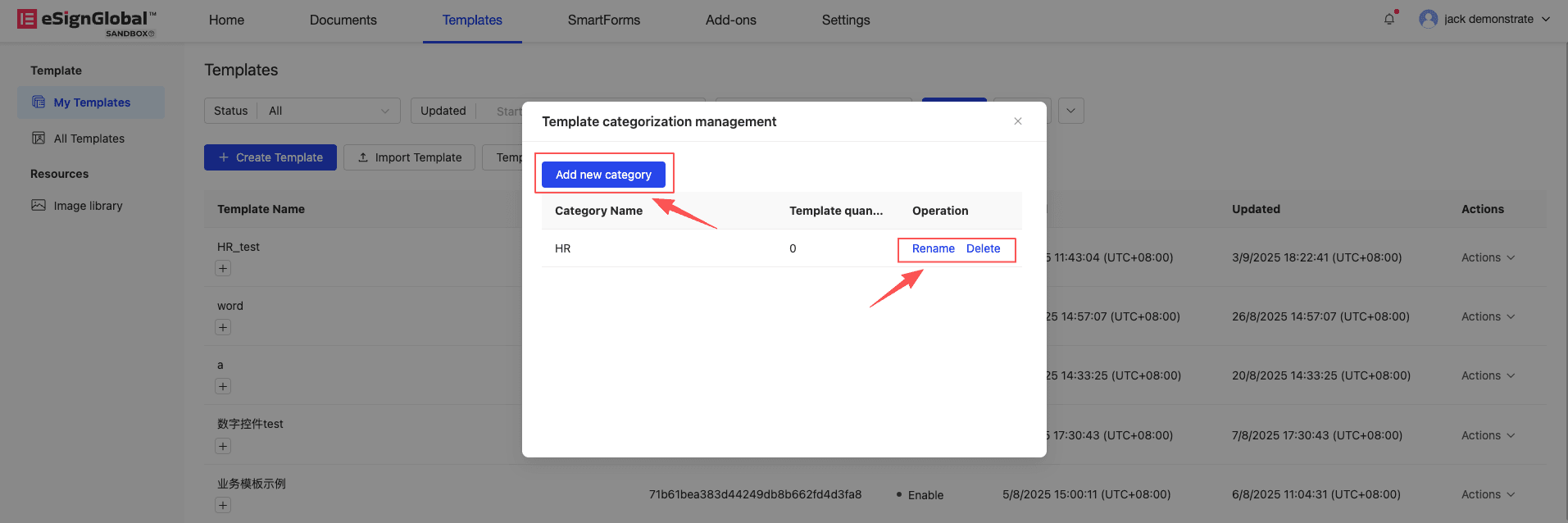
In the category management pop-up window, you can add categories, delete categories, and rename categories. A workspace can support configuring up to 20 template categories.
Setting Categories for Templates
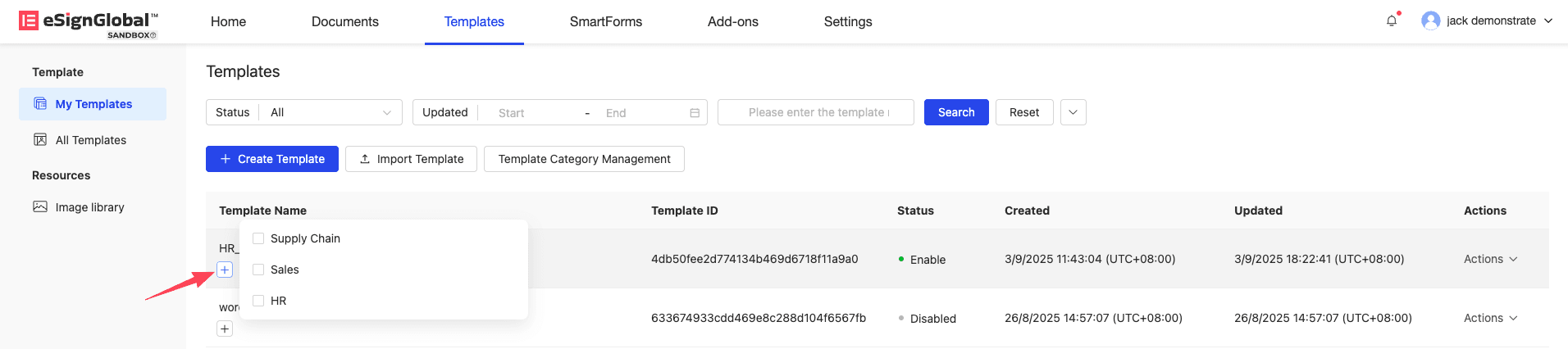
- Template owners, administrators, and super administrators can click the plus sign below the template, select the label to be set for the template, and successfully add a category to the corresponding template.