

 Service Center
Send Envelopes with Lark Base
I. Functional Overview
Lark Bitable Signing Sidebar Plugin is an efficiency tool deeply integrated with eSignGlobal and Lark Base, helping enterprise users directly within a Base to:
-
Initiate electronic contract signing with one click
-
Automatically notify signatories and track signing progress
-
Real-time sync of signing status and completed contract files
Through this plugin, the contract signing process no longer relies on manual downloading, uploading, and status synchronization, truly achieving “Data as Process”.
II. Prerequisites
Before using the plugin for the first time, please ensure the following preparations are completed:
-
Install eSignGlobal App
-
The current Lark Organization must have installed the eSignGlobal app from the App Market
-
The app must be registered and bound to the current Tenant
-
-
Usage Scenario Restrictions
-
The plugin only supports use within Bitable - Data Tables
-
Opening in scenarios such as Workflows or GetForm is not supported
-
III. Plugin Installation and Entry
-
Open a Lark Base
-
Search for “eSignGlobal” in the Plugin Center
-
Click to install the plugin
-
Open the plugin in the right sidebar of the Data Table
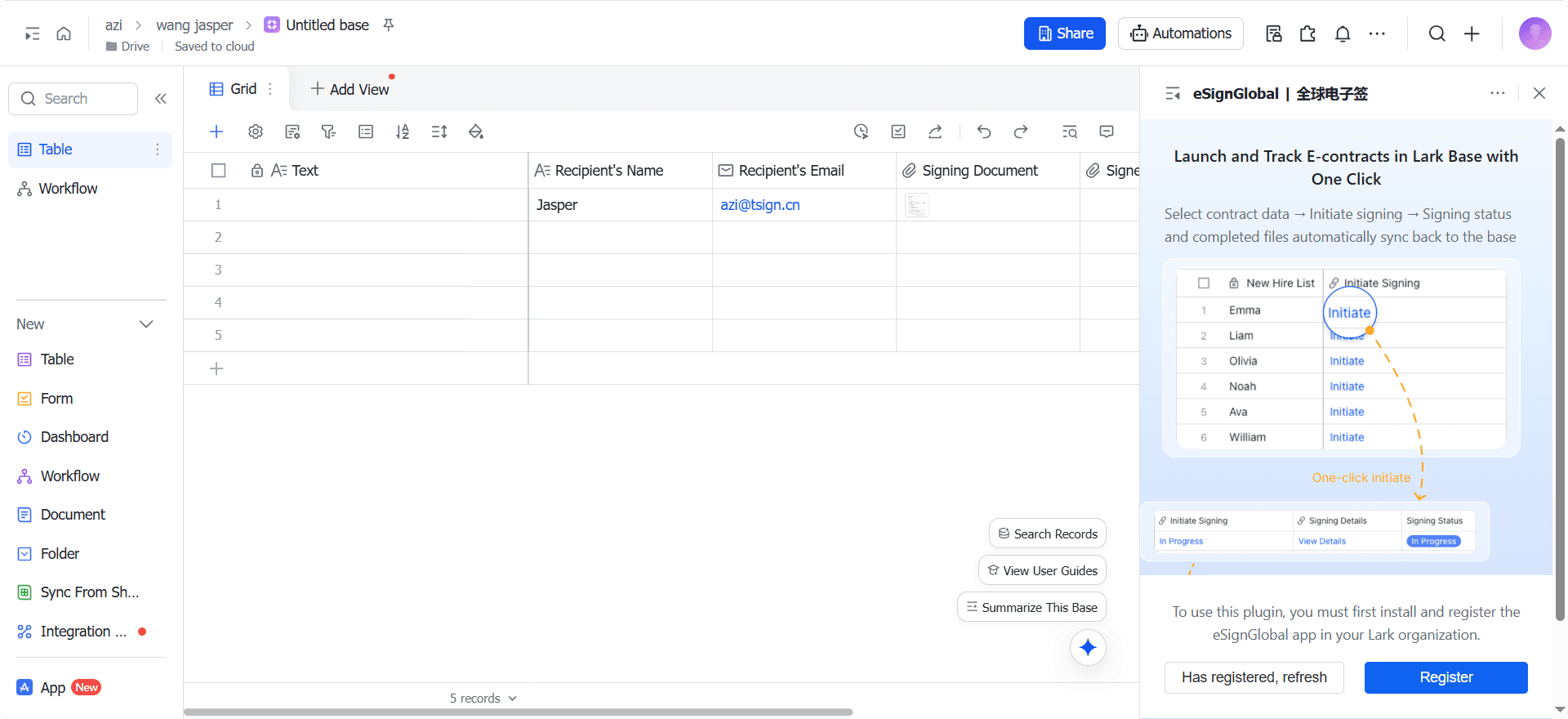
If it is detected that the current Workspace has not installed or registered the eSignGlobal app, the plugin will prompt to go to the App Market to complete installation or contact the administrator to register.
IV. Plugin Configuration Instructions
When using for the first time or when rules need adjustment, plugin configuration must be completed first.
4.1 Overall Plugin Configuration Process
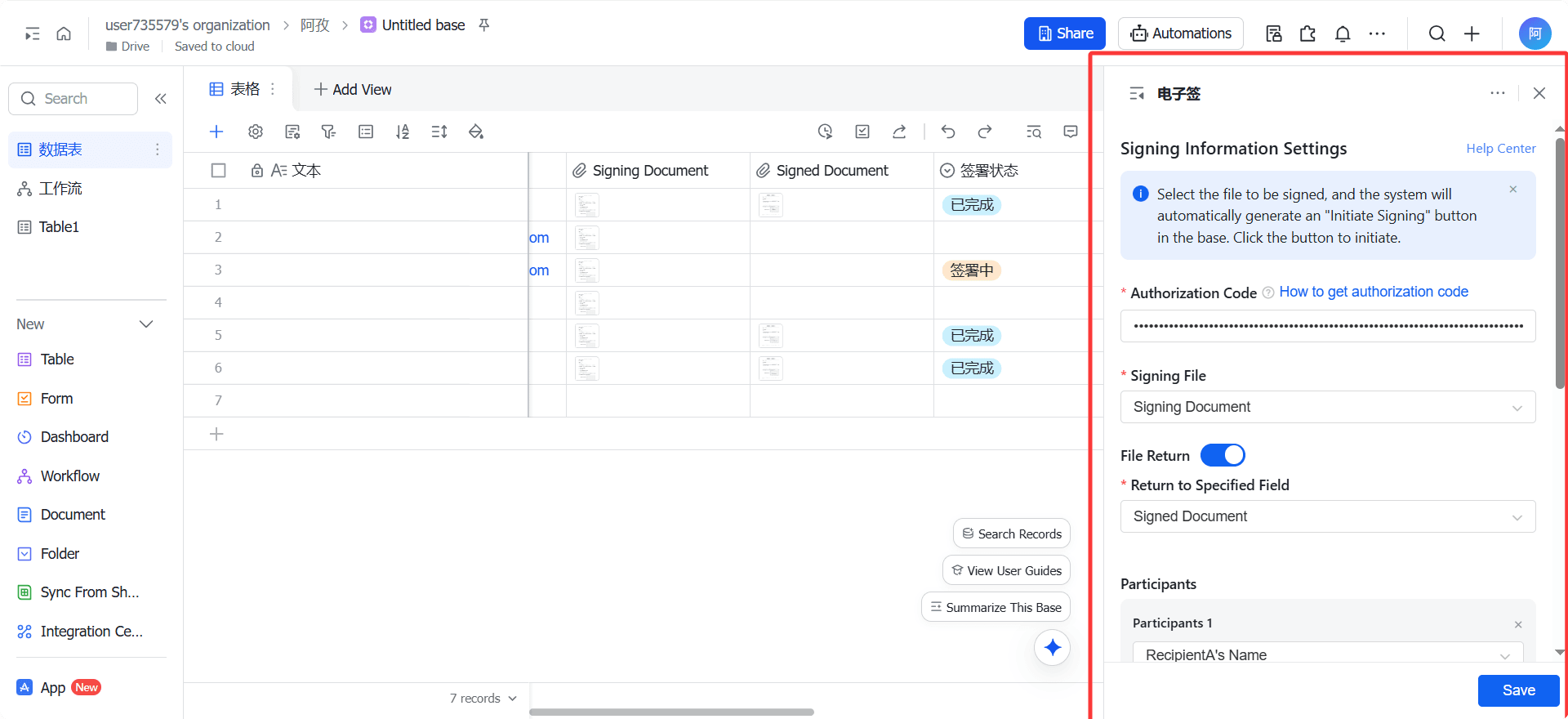
-
Enter Authorization Code
-
Configure Signing File Field
-
Configure Participant Information
-
Configure File Return and Status Synchronization
-
Save Configuration and Generate System Fields
After successful saving, an [Initiate Signing] button field will be automatically generated in the Base.
4.2 Authorization Code Configuration
Function Description:
The authorization code is used to authorize the plugin to write signing statuses and files back to the Base.
4.3 Signing File Configuration
Function Description:
Specify the source of the contract file used to Send for signing.
Configuration Requirements:
-
Only supports associated [Attachment] fields in the Base
-
A single row supports one or more files
4.5 Envelope Information Configuration
Envelope Subject
- Associable field types: Text / Formula (fx)
Envelope Notes
- Associable field types: Text / Formula (fx)
Envelope information will be displayed as content on the signing email and signing page.
V. Initiate Signing Operation Instructions
5.1 Initiate Signing Entry
After the plugin configuration is saved successfully:
-
The [Initiate Signing] field will be automatically generated in the Base
-
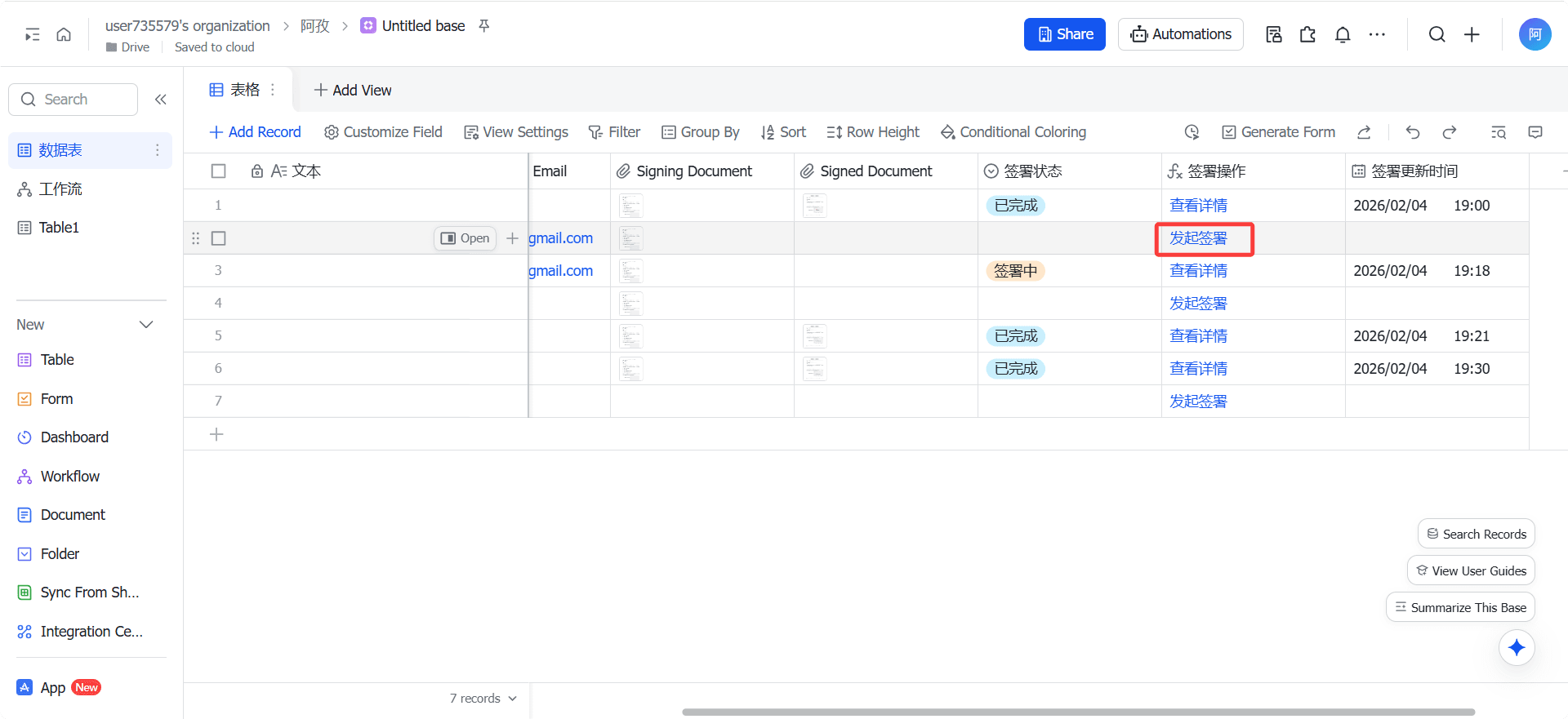
Each row of data displays the “Initiate Signing” button by default
5.2 Initiate Signing Process
-
Ensure the current row has complete signing information filled in
-
Click [Initiate Signing]
-
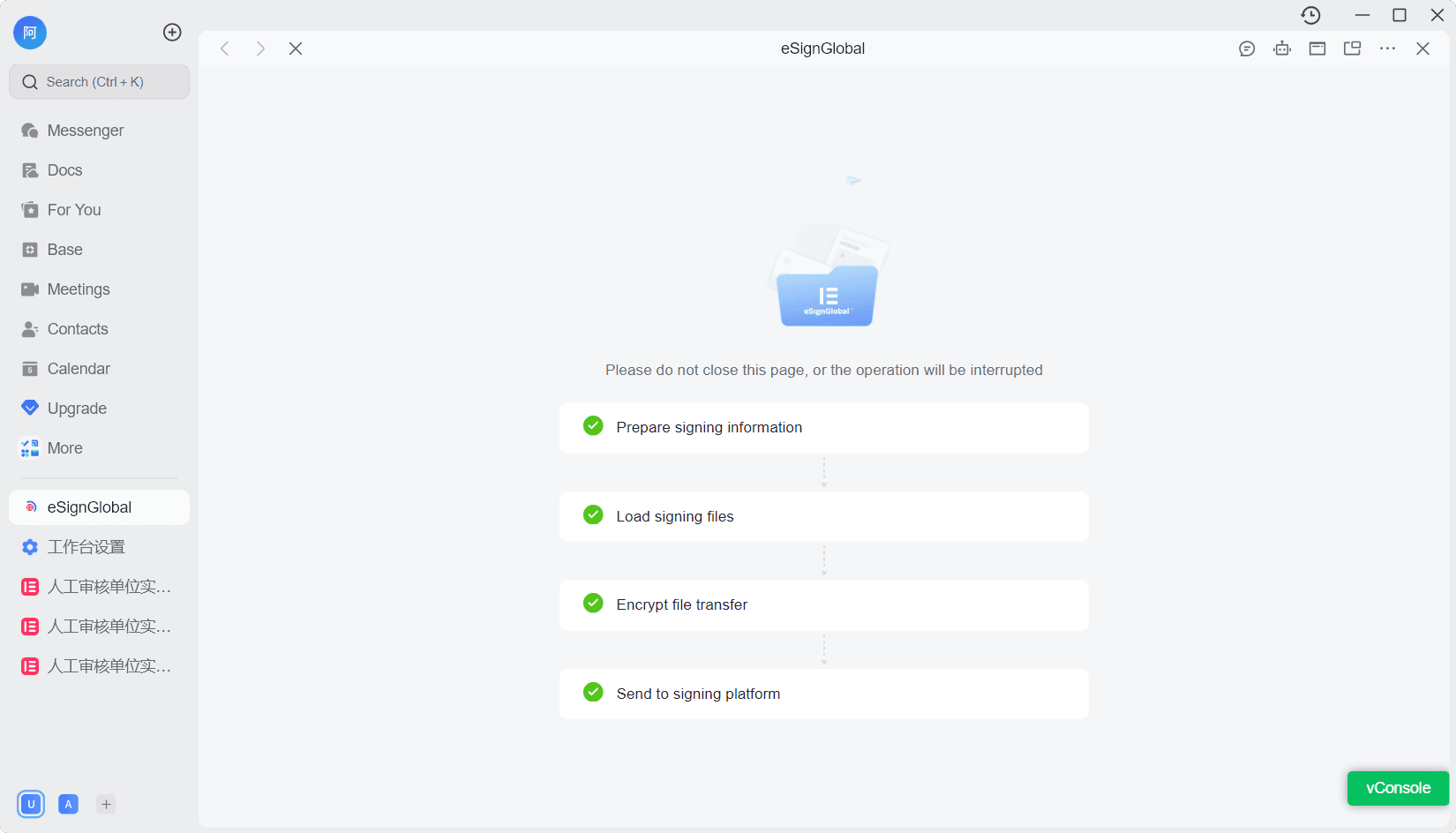
The system validates the following content:
-
Whether the current Tenant is bound to eSignGlobal
-
Whether signable files exist
-
Whether the current user is logged into eSignGlobal
-
-
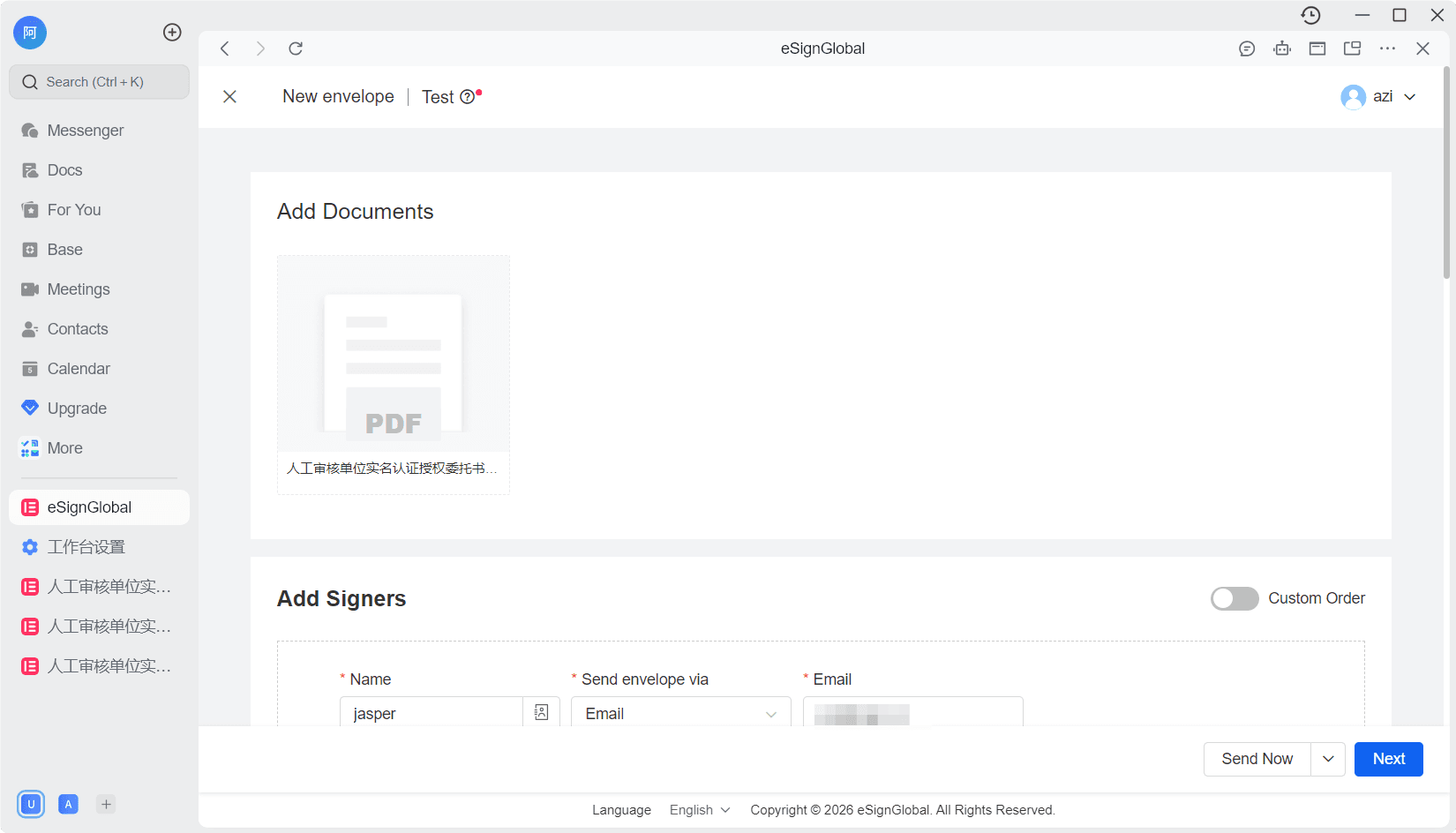
After validation passes, redirect to the eSignGlobal Send Envelope page
-
Confirm information and click “Send”
5.3 Post-initiation Operational Restrictions
When the signing status is any status other than “Pending”: initiating signing again directly is not allowed, and the button will be displayed as: [View Details]
VII. Exceptions and Tips
7.1 Common Exceptions
-
Invalid authorization code
-
Signing file does not exist or format is not supported
-
Base field is deleted or the type is modified
When a field exception occurs:
- The system will notify the person who Initiated signing via Lark message
IX. Summary
Through the Lark Bitable Signing Sidebar Plugin, you can:
-
Strongly bind the contract signing process with business data
-
Significantly reduce manual operation and communication costs
-
Achieve automated management of contract statuses and files
Applicable to: high-frequency signing scenarios such as sales contracts, HR agreements, procurement contracts, etc.