eSignGlobal × Lark Base Integration
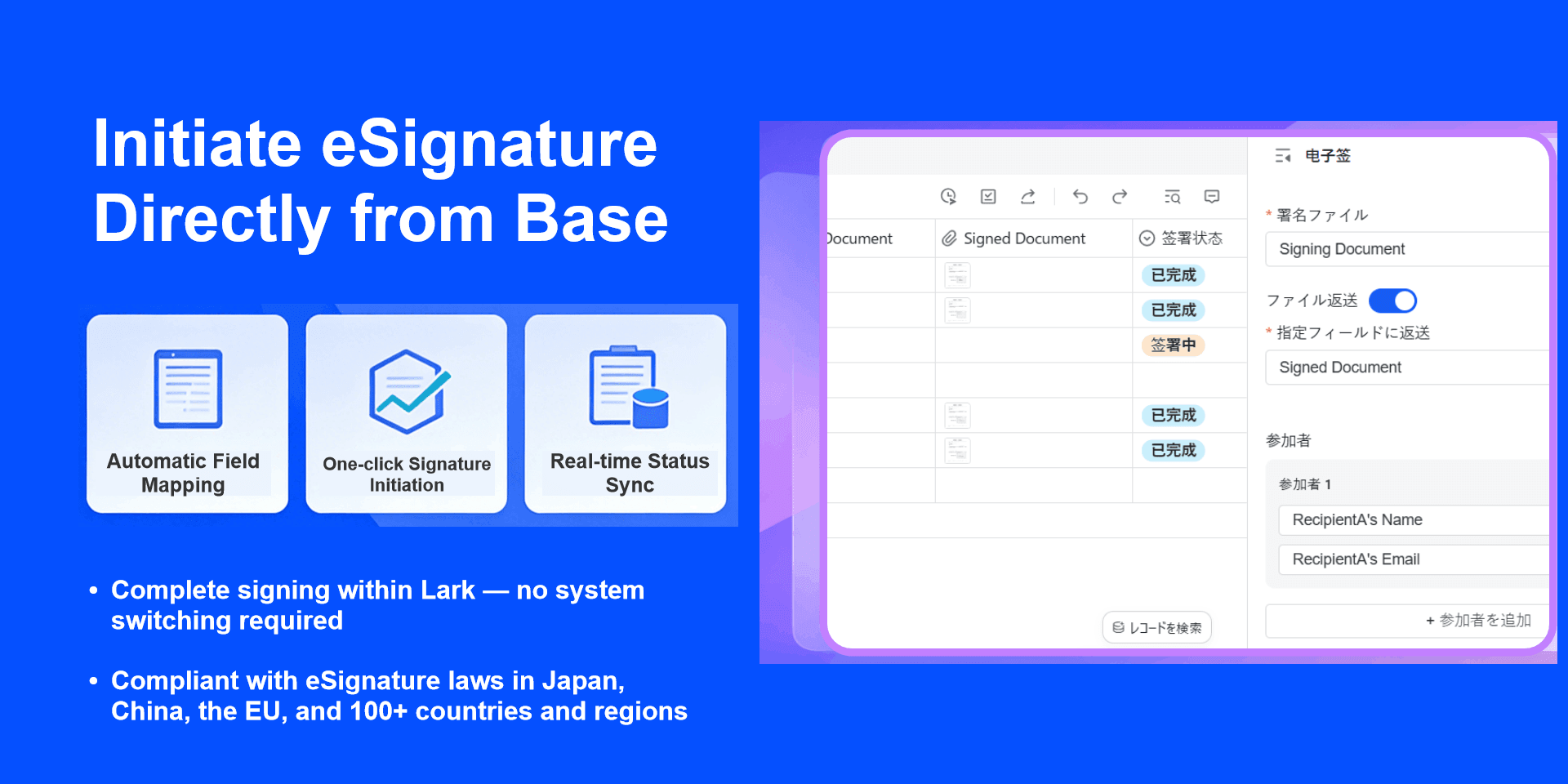
Through the deep integration of eSignGlobal and Lark Base, companies can initiate contract signing, automatically import field data, track progress in real-time, and automatically return and archive signed documents within Base without switching systems. This truly achieves closed-loop management from business data to contract signing.

In the traditional process, business data is in Lark, but contracts are in another system. Manual export, copy and paste, and repeated entry are not only inefficient but also prone to errors.

Through this integration:

  • Base form data is automatically brought into the signing process
  • Base files are automatically attached as signing attachments
  • Signing completion automatically returns to Base
  • Signing progress is synchronized in real time
  • Signing notifications are sent directly via Lark messages

The business flow and signing flow are fully connected, reducing human intervention and improving compliance and efficiency.
Introduction to Key Features

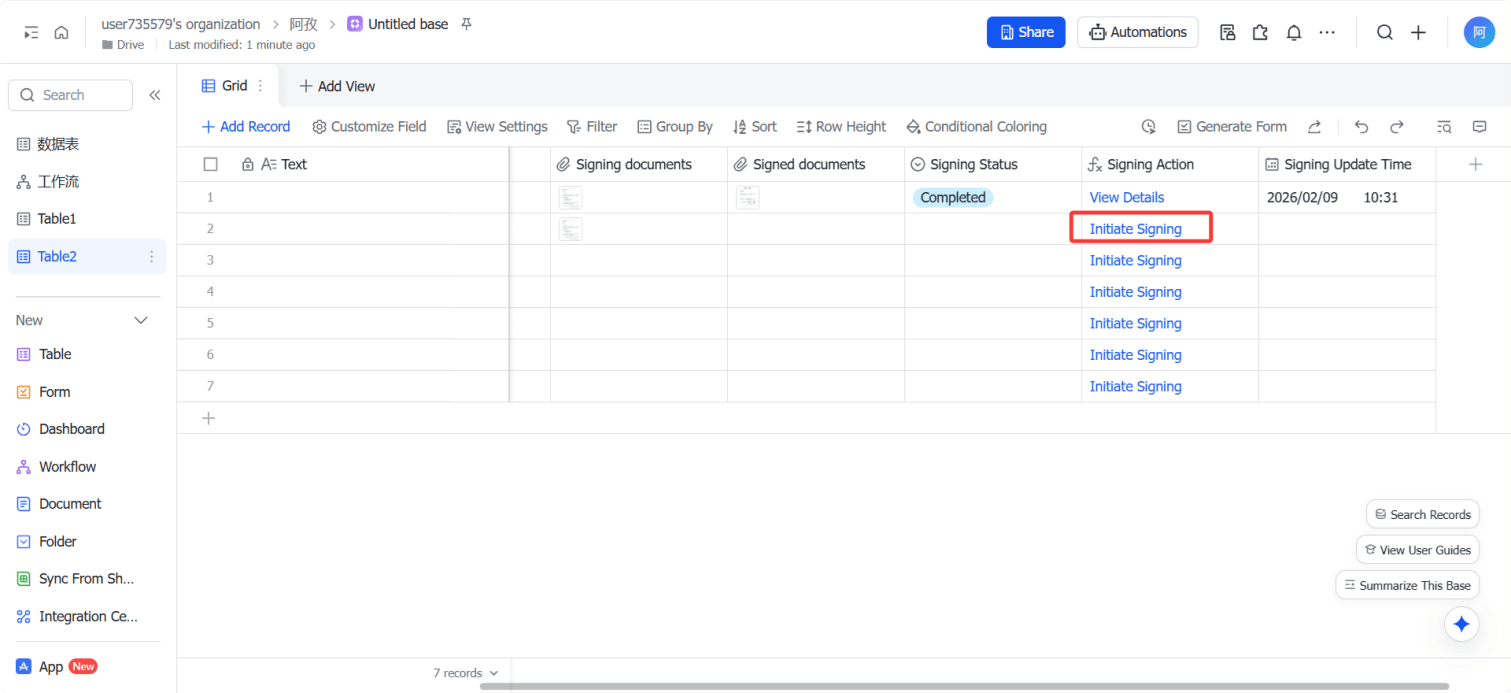
 Initiate signing directly within Lark Base

No need to log in to the eSignGlobal platform, you can initiate the signing process with one click on the Base table record page.

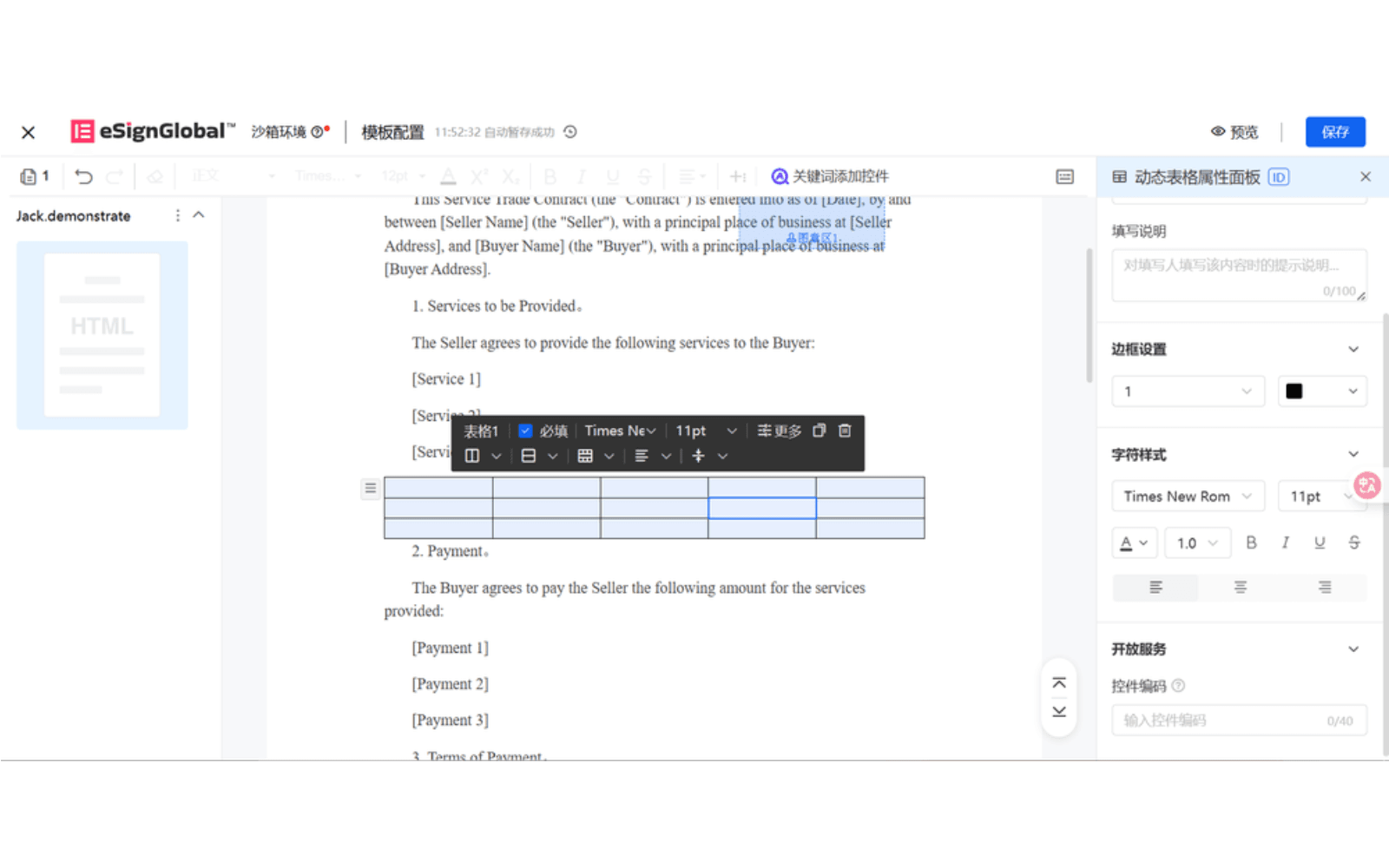
Signing templates can be preset, the operation is simple, and business personnel do not need additional training.

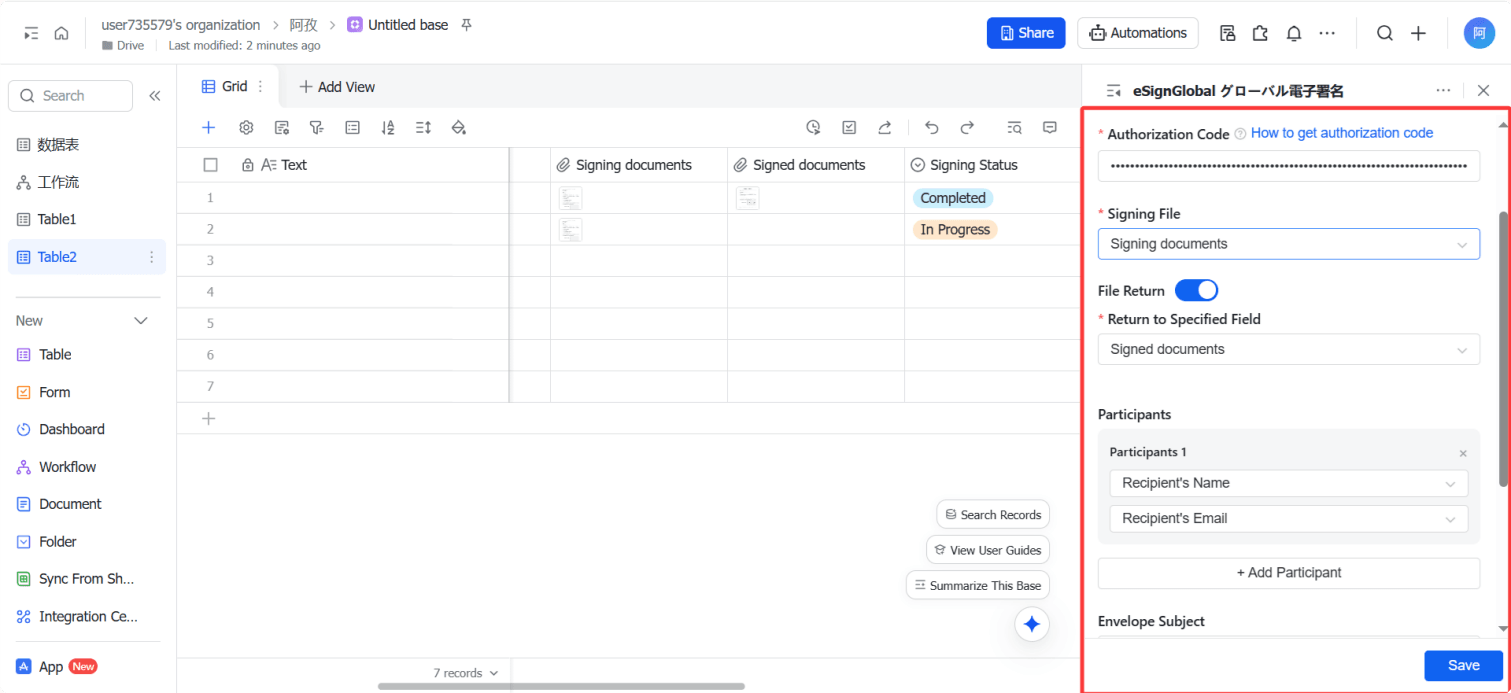
Base fields are automatically brought into the signing document

Fields in Base (such as name, company name, amount, date, etc.) can be automatically mapped to the corresponding positions in the signing document.

Avoid repeated filling and manual errors, and ensure data consistency.

Base files are automatically added to the signing process

Contract files, attachments, or generated documents uploaded in Base can be directly initiated as signing documents.

No need to download and upload again, reducing steps.

Automatically return to Base after signing is completed

The final signed document is automatically returned to the corresponding record.

All versions are clearly retained for easy archiving and auditing.

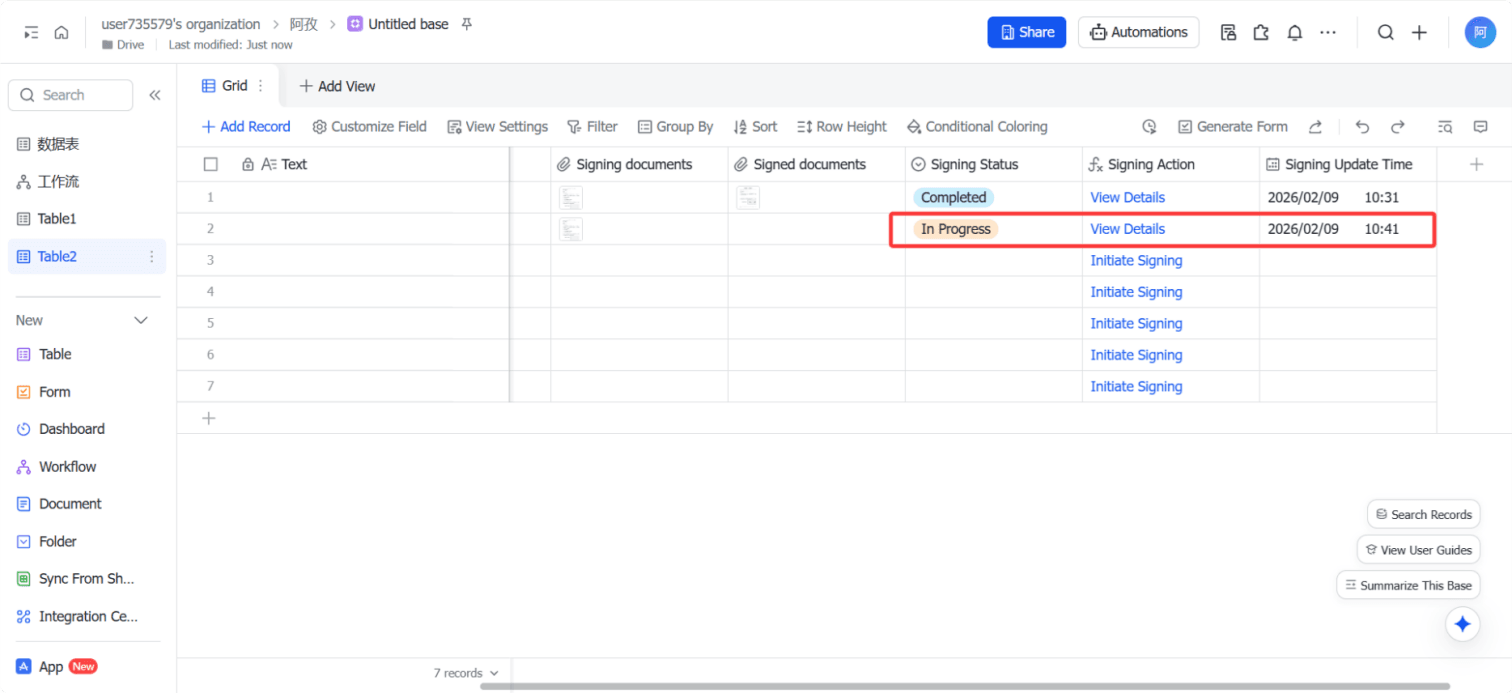
View signing progress in real time

You can view in real time in Base:

  • Pending signature
  • Signed
  • Rejected
  • Completed

No need to jump to the system, the project leader can grasp the status at any time.

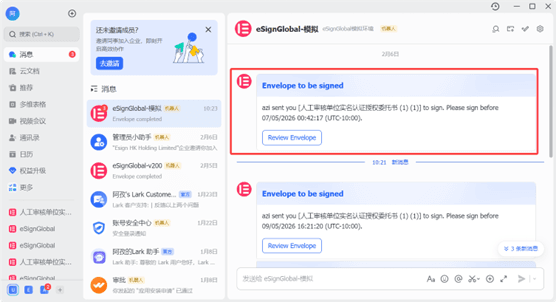
Notify signing directly through Lark messages

Signing notifications can be pushed through Lark messages.

After receiving the message, the signer can directly click to enter the signing page to complete the operation, improving the response speed.

Frequently Asked Questions

View answers to the most frequently asked questions about eSignGlobal integration