Service Center
SMS Verification
Before using the features in this user manual, you need to understand the SMS verification limits corresponding to different versions:
- Trial Version: SMS verification function is not supported
- Basic Version: SMS verification function is not supported
- Professional Version: SMS verification function is supported
eSignGlobal supports notifying the signatory via SMS and supports identity verification using SMS verification codes.
Initiator Settings
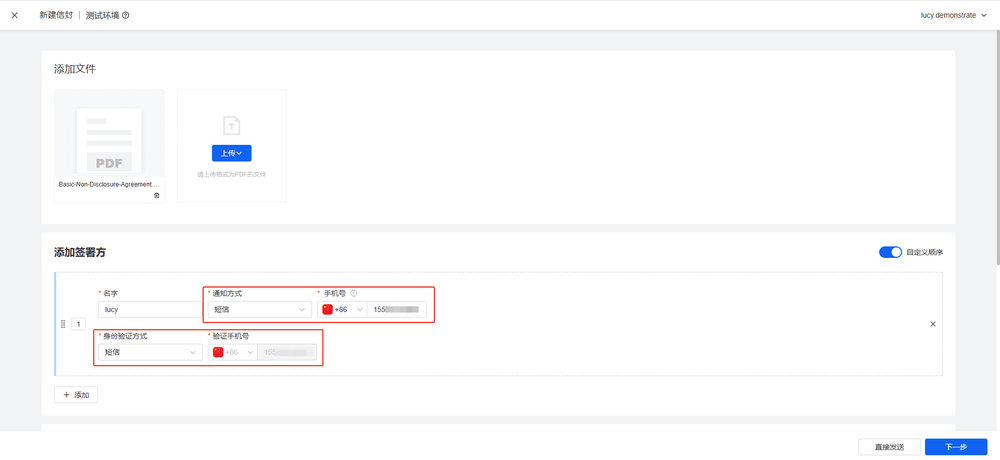
- The initiator specifies the notification method and identity verification method on the initiation page. When selecting [SMS] or [Email + SMS], the initiator fills in the signatory’s mobile phone number. The signatory receives signing reminders or performs identity verification through this number.
Note:
- If both the notification method and identity verification method use SMS, the two mobile phone numbers must be consistent.
Signatory SMS Verification
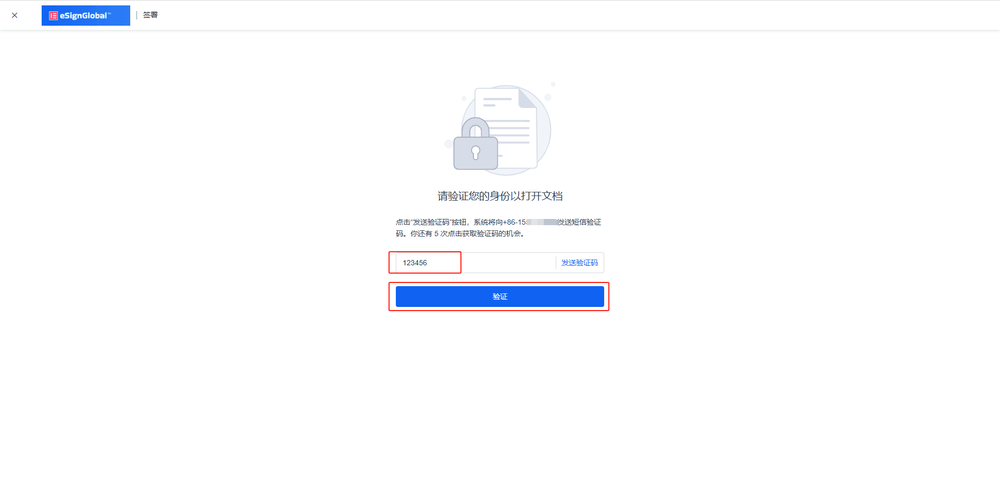
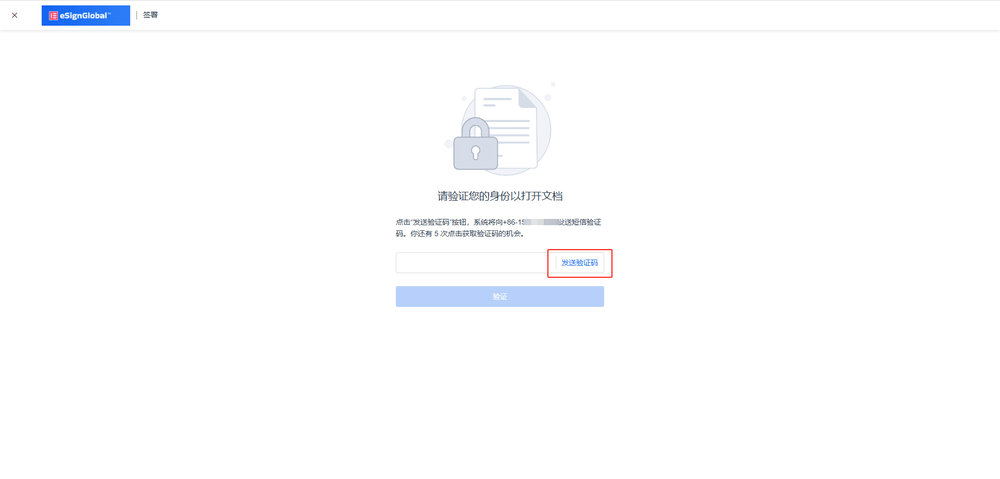
- When the signatory needs to use SMS for identity verification, click [Send Verification Code].
- After entering the 6-digit verification code received on the mobile phone, click [Verify] to complete the identity verification step.