Service Center
Email OTP Authentication
eSignGlobal supports signers to authenticate their identity via Email OTP.
Installing the Email OTP Add-On
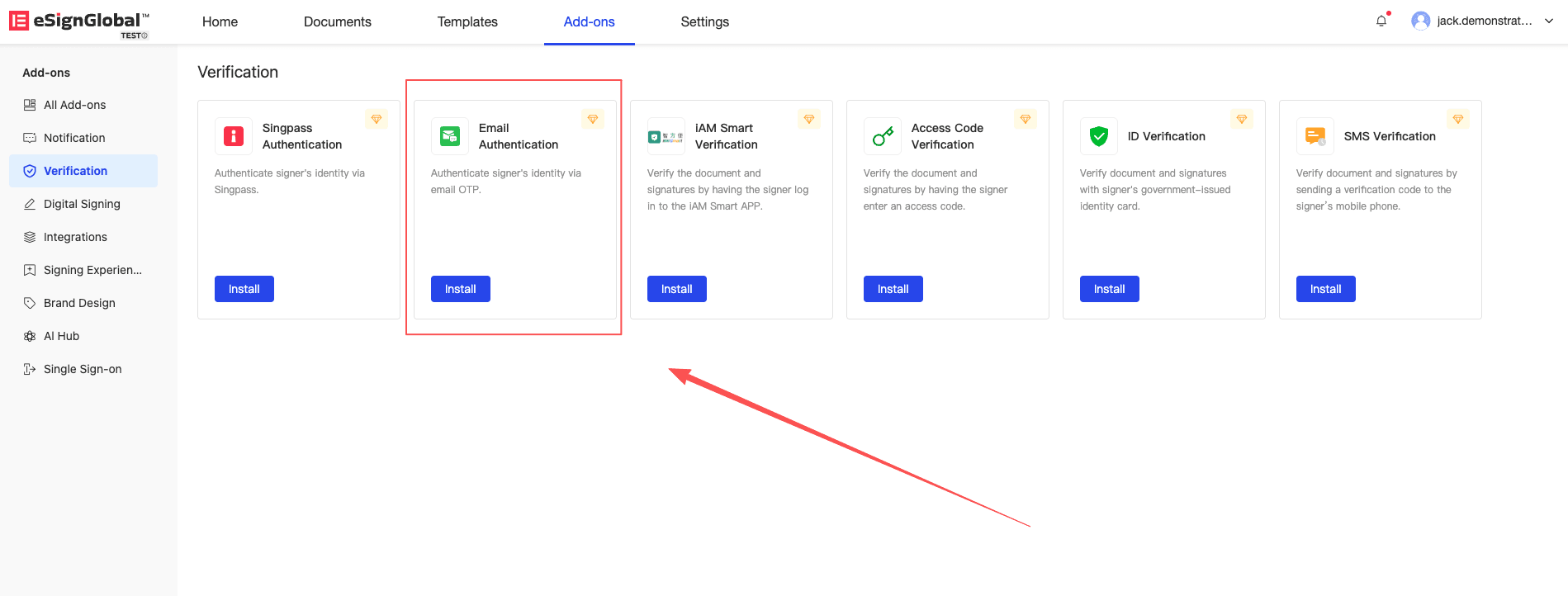
- Workspace administrators need to install the Email OTP authentication plugin in the plugin center.
sender Sets Up Email OTP Authentication
-
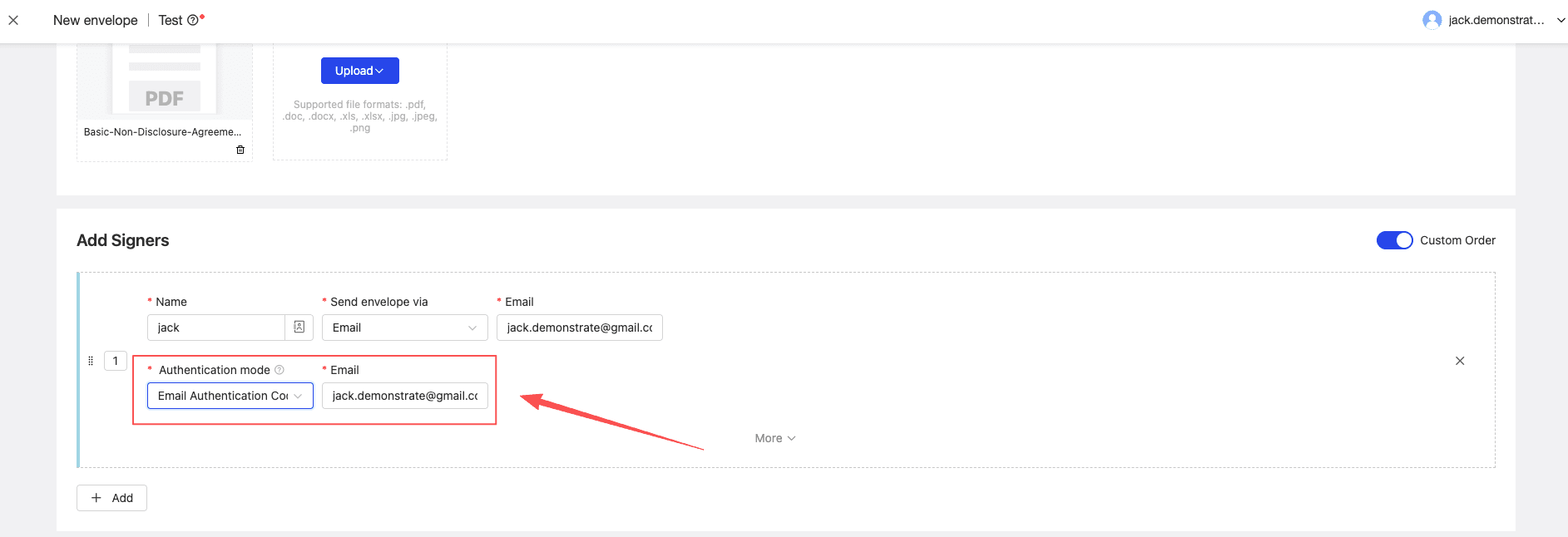
Specify the authentication method for the signer as Email OTP and fill in the authentication email
Note:
- When selecting email authentication, the authentication email will automatically display according to the signatory’s notification email
- When changing the notification email, the authentication email will not change accordingly
Signer Uses Email OTP for Authentication
-
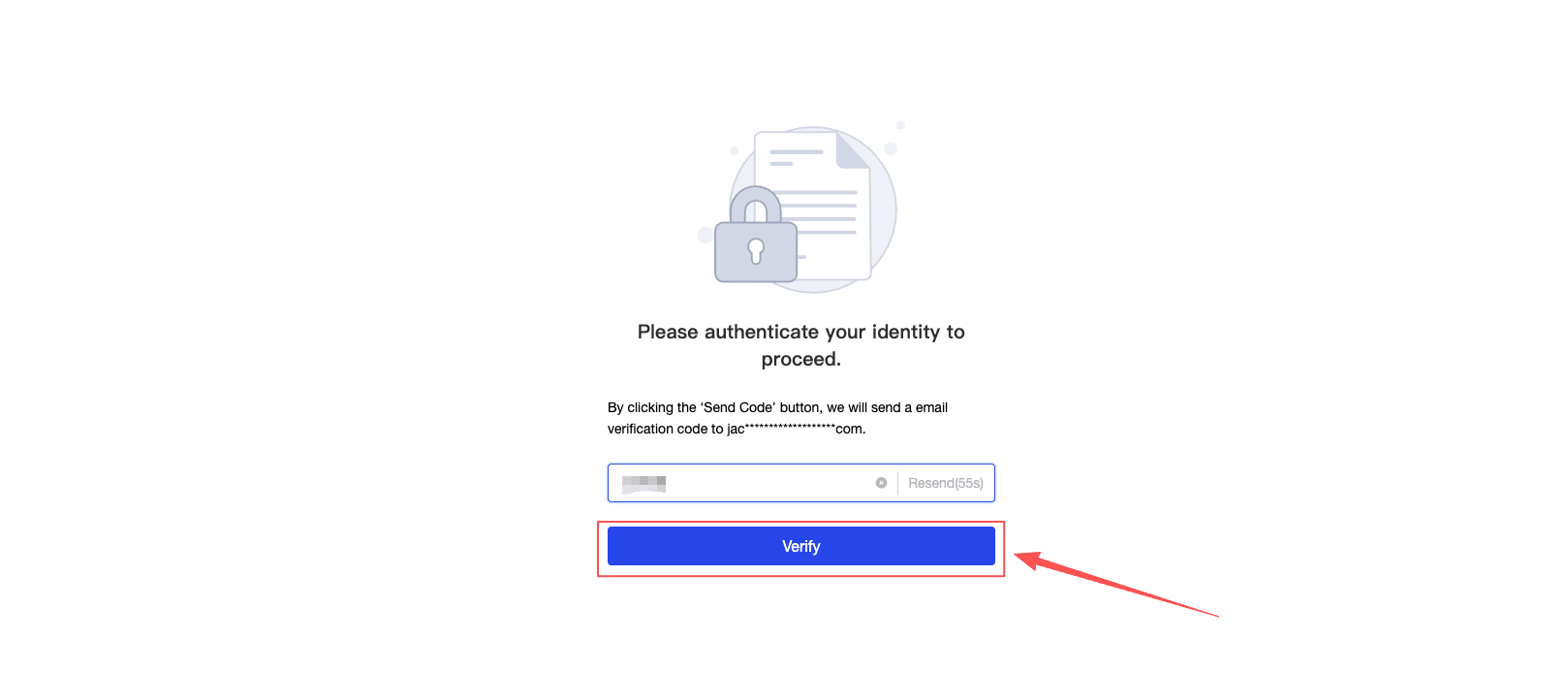
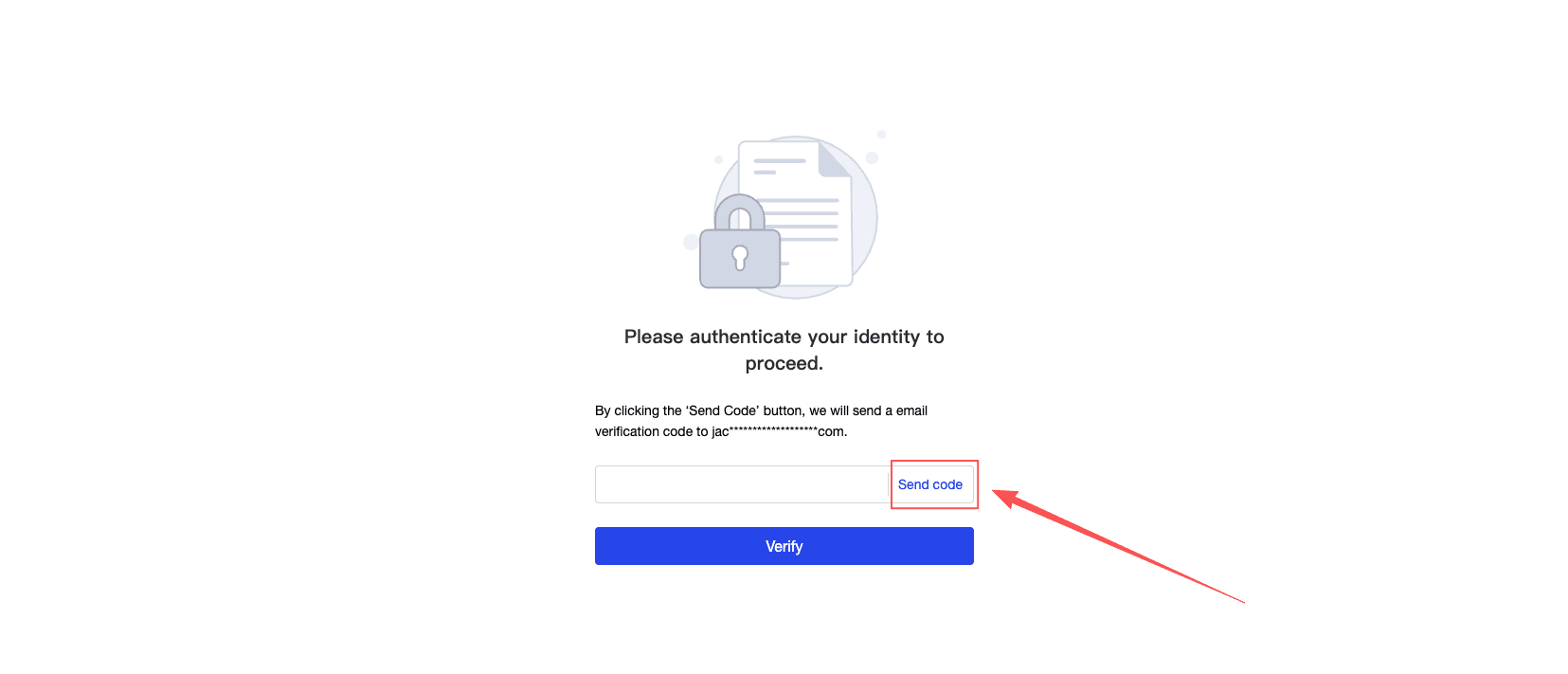
The signer clicks to send the verification code and enters the 6-digit OTP verification code received in the email.
-
Click the verify button, and upon successful verification, enter the signing page.