

eSignGlobal and Lark Datasheet Integration Officially Launched: Full Automation of Electronic Contract Signing and Archiving


In March 2026, eSignGlobal completed the integration with Lark (Feishu International Version) for multi-dimensional tables, and officially launched the multi-dimensional table signing sidebar plugin. Users can directly initiate electronic contract signing within Lark's multi-dimensional table. After signing, the signed PDF will be automatically returned and filled into the table attachment field. The signing progress is synchronized to the table status column in real time. The entire process does not require manual downloading, uploading, or manual updating of records. The plugin is now online and can be installed by searching for "eSignGlobal|Global Electronic Signature" in the Lark multi-dimensional table plugin center.
What problems does it solve?
In previous workflows, teams using multi-dimensional tables to manage contract data typically had to switch back and forth between the table and the electronic signature platform: exporting data from the table, entering the signing system to initiate the contract, downloading the signed file, and then manually uploading it back to the table for archiving. Each step relied on manual operation, with multiple process breakpoints and a high error rate.
eSignGlobal's integration with Lark's multi-dimensional tables embeds the signing process directly into the multi-dimensional table. Where the data is, the process is. The entire chain from initiation to archiving is completed within the same interface.
Three core functions
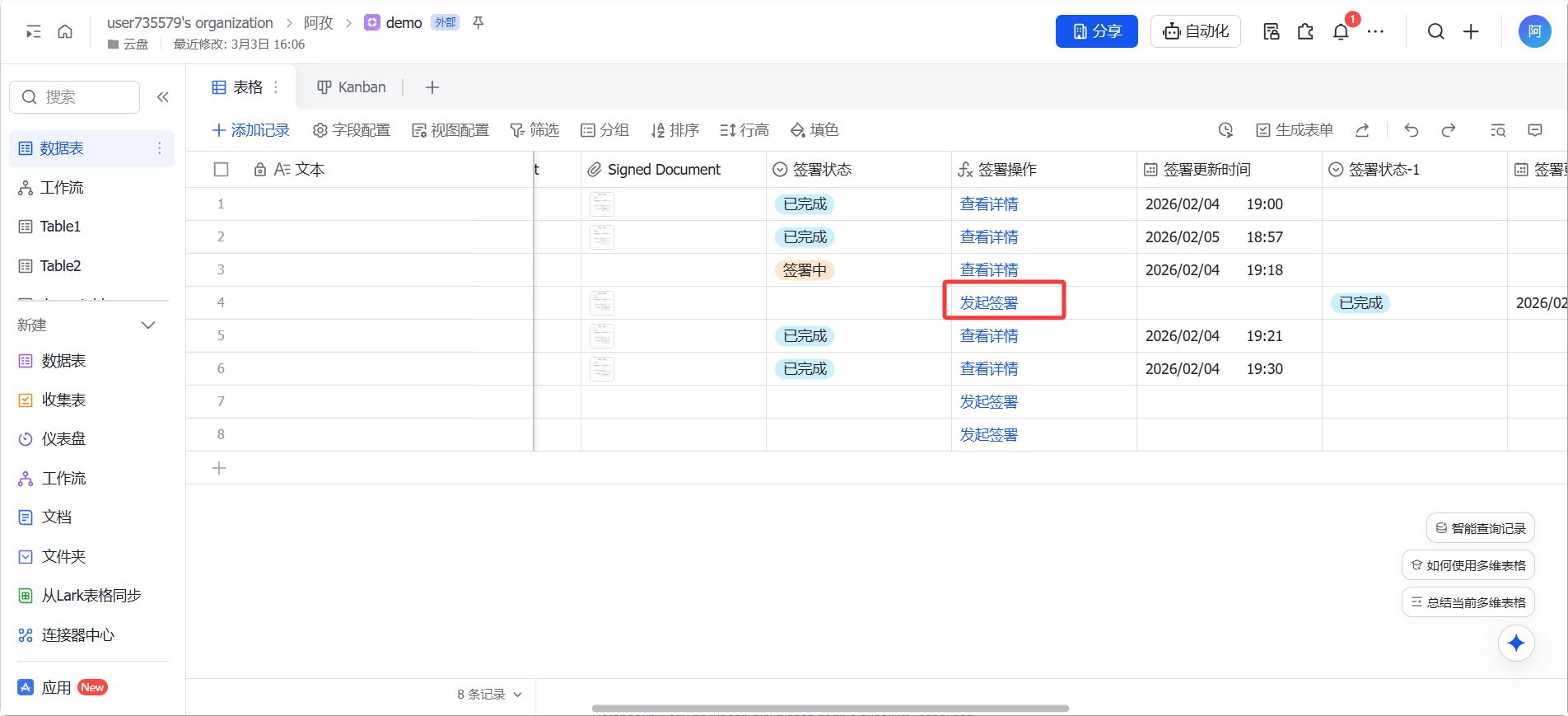
One-click initiation of signing within the multi-dimensional table
After the signing information in the table is filled in, click the automatically generated [Initiate Signing] button to directly send the contract without switching to other systems. The signing information is read directly from the table, eliminating the need for secondary entry.
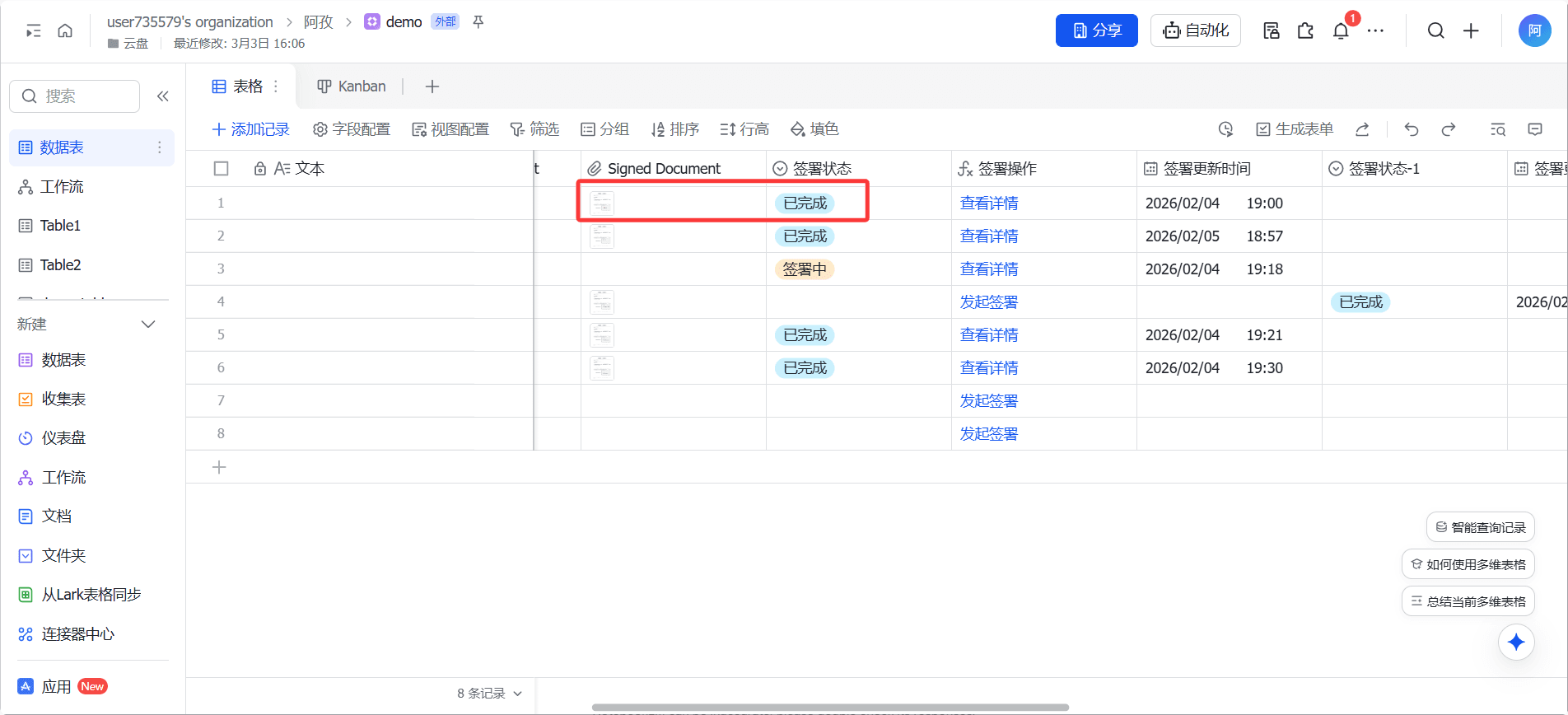
PDF automatically returned after signing
After the signing party completes the signing, the signed PDF file is automatically returned and accurately filled into the [Attachment] field of the multi-dimensional table. Contract archiving does not require manual intervention, and the records are accurate and traceable.
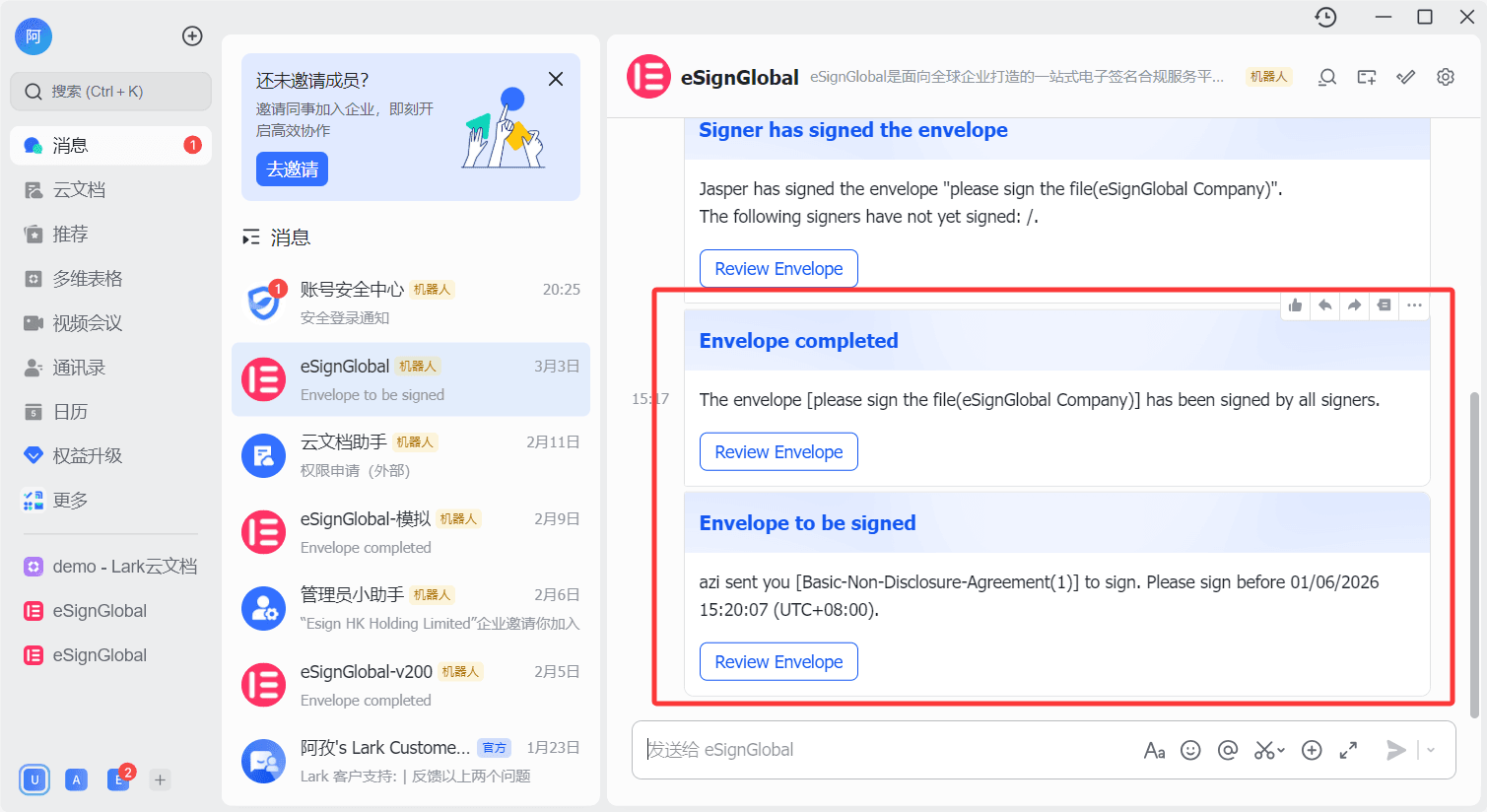
Real-time synchronization of signing progress and message notifications
The signing status (pending sending, signing in progress, completed) and corresponding time nodes are automatically updated to the table status column; after initiating the signing, the system automatically pushes Lark message cards to the signing party. The signing party can click the link to directly complete the signing without additional notification.
Applicable scenarios
eSignGlobal's integration with Lark's multi-dimensional tables is suitable for business scenarios that heavily rely on multi-dimensional tables for data management, including:
Sales contracts: Customer information, contract terms, and signing status are managed uniformly in the multi-dimensional table
Personnel agreements: The entire process of initiating and archiving agreements for onboarding, resignation, job transfer, etc., is recorded.
Procurement contract: Progress tracking and file archiving of multiple contracts within the procurement cycle
Current Status of eSignGlobal's Integration with the Feishu Ecosystem
In addition to the Lark Datasheet signing plugin, eSignGlobal has currently completed integration with multiple Feishu ecosystem products: Feishu approval processes have been integrated with the unified signing and management solution, supporting out-of-the-box use; the Feishu integration platform Anycross has been connected to the eSignGlobal standard signing interface, and applications on Feishu can introduce electronic signature capabilities through connectors.
User Guide
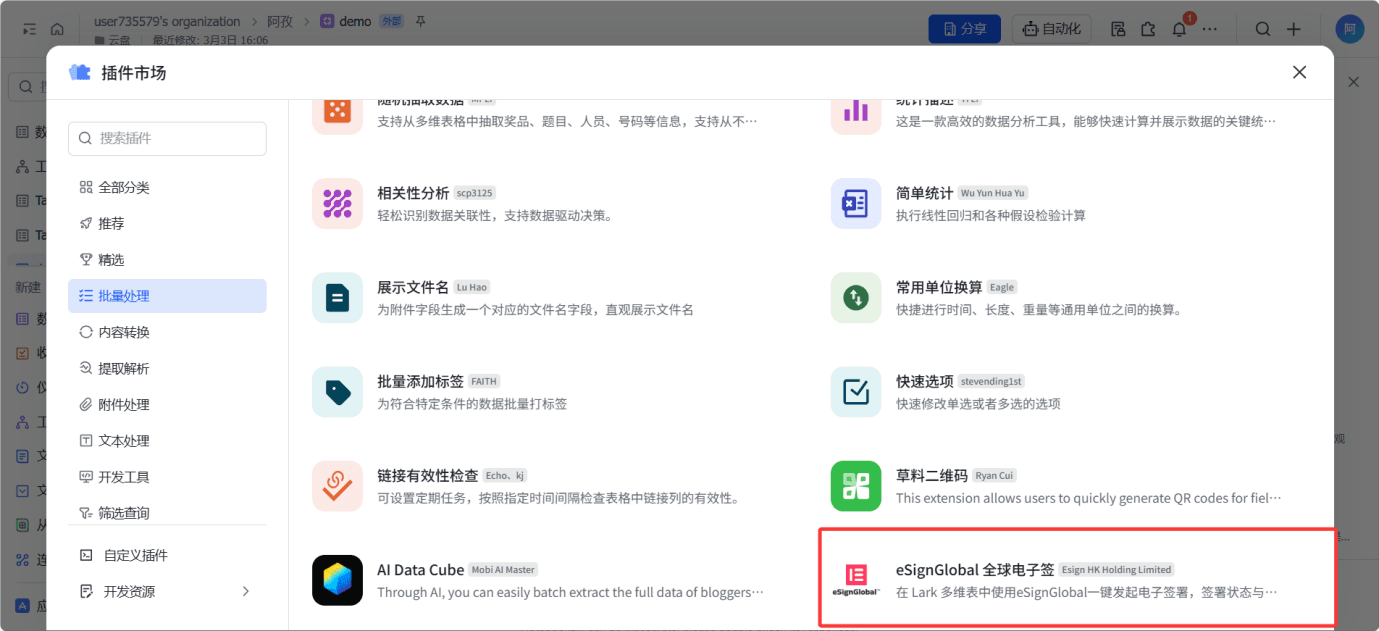
Search for "eSignGlobal|Global Electronic Signature" in the Lark Datasheet Plugin Center to install it.
Introduction to eSignGlobal
In 2025, eSignGlobal ranked first in Asia Pacific and sixth globally, entering the first echelon of the global electronic signature field. eSignGlobal is oriented towards global cross-border contract signing business scenarios, and has three independent data centers in Hong Kong, Singapore, and Frankfurt, complying with the regulatory requirements of more than 100 countries and regions such as the EU eIDAS and the US ESIGN.
FAQ
Q: What functions does the integration of eSignGlobal and Lark Datasheet support?
A: The integration of eSignGlobal and Lark Datasheet supports three core capabilities: initiating electronic contract signing with one click within the Datasheet, automatically returning the signed PDF to the attachment field after signing, and synchronizing the signing status (pending sending/signing/completed) to the table status column in real time, and automatically pushing Lark message cards to the signing party. No manual downloading, uploading, or manual status updates are required throughout the process.
Q: Where are the signed contract files stored?
A: After signing, the signed PDF file is automatically returned and filled into the [Attachment] field of the corresponding row in the Datasheet. The file is bound to the data record, eliminating the need for manual downloading or manual uploading. It can be directly viewed and exported in the Datasheet.
Q: How does the signing party receive the signing notification?
A: After initiating the signing, the system automatically pushes Larkmessage cards to the signing party. The signing party can click the link in the card to directly enter the signing interface to complete the operation, without the need for additional email notifications or manual follow-up.
 +852-69190348
 sales@esignglobal.com
 support@esignglobal.com
 Live chat

