
'%3e%3cpath%20fill-rule='evenodd'%20clip-rule='evenodd'%20d='M6.99935%2012.8327C10.221%2012.8327%2012.8327%2010.221%2012.8327%206.99935C12.8327%203.77769%2010.221%201.16602%206.99935%201.16602C3.77769%201.16602%201.16602%203.77769%201.16602%206.99935C1.16602%2010.221%203.77769%2012.8327%206.99935%2012.8327Z'%20stroke='%23666666'%20stroke-linecap='round'%20stroke-linejoin='round'/%3e%3cpath%20d='M1.16602%207H12.8327'%20stroke='%23666666'%20stroke-linecap='round'%20stroke-linejoin='round'/%3e%3cpath%20fill-rule='evenodd'%20clip-rule='evenodd'%20d='M6.99935%2012.8327C8.28802%2012.8327%209.33268%2010.221%209.33268%206.99935C9.33268%203.77769%208.28802%201.16602%206.99935%201.16602C5.71068%201.16602%204.66602%203.77769%204.66602%206.99935C4.66602%2010.221%205.71068%2012.8327%206.99935%2012.8327Z'%20stroke='%23666666'%20stroke-linecap='round'%20stroke-linejoin='round'/%3e%3cpath%20d='M2.875%202.95898C3.93063%204.01461%205.38896%204.66754%206.99978%204.66754C8.61062%204.66754%2010.069%204.01461%2011.1246%202.95898'%20stroke='%23666666'%20stroke-linecap='round'%20stroke-linejoin='round'/%3e%3cpath%20d='M11.1246%2011.0425C10.069%209.98691%208.61062%209.33398%206.99978%209.33398C5.38896%209.33398%203.93063%209.98691%202.875%2011.0425'%20stroke='%23666666'%20stroke-linecap='round'%20stroke-linejoin='round'/%3e%3c/g%3e%3cdefs%3e%3cclipPath%20id='clip0_1267_9109'%3e%3crect%20width='14'%20height='14'%20fill='white'/%3e%3c/clipPath%3e%3c/defs%3e%3c/svg%3e)


Top 5 Must-Have Skills for Office Automation


In modern office environments, workflows increasingly rely on webhooks to deliver real-time status updates, ensuring seamless communication between applications. However, errors in webhook handling can disrupt these processes, leading to delays and inefficiencies. Mastering skills in error-proofing webhooks enhances reliability, allowing teams to maintain accurate, timely data flows across integrated systems.
Zapier - Webhook Error Handling
Zapier automates the setup of robust webhook triggers and filters, enabling real-time status updates in workflows while using built-in retry mechanisms and error logging to prevent failures and ensure data integrity.
Microsoft Power Automate - Conditional Flow Controls
Microsoft Power Automate streamlines workflow automation with conditional logic for webhook responses, automating approvals and notifications while incorporating error-proofing through try-catch blocks and fallback actions for uninterrupted real-time updates.
Make.com - Scenario Debugging Tools
Make.com facilitates visual integration of webhooks into complex scenarios, automating data synchronization across platforms and providing debugging tools to identify and resolve errors, thus supporting reliable real-time status propagation in office workflows.
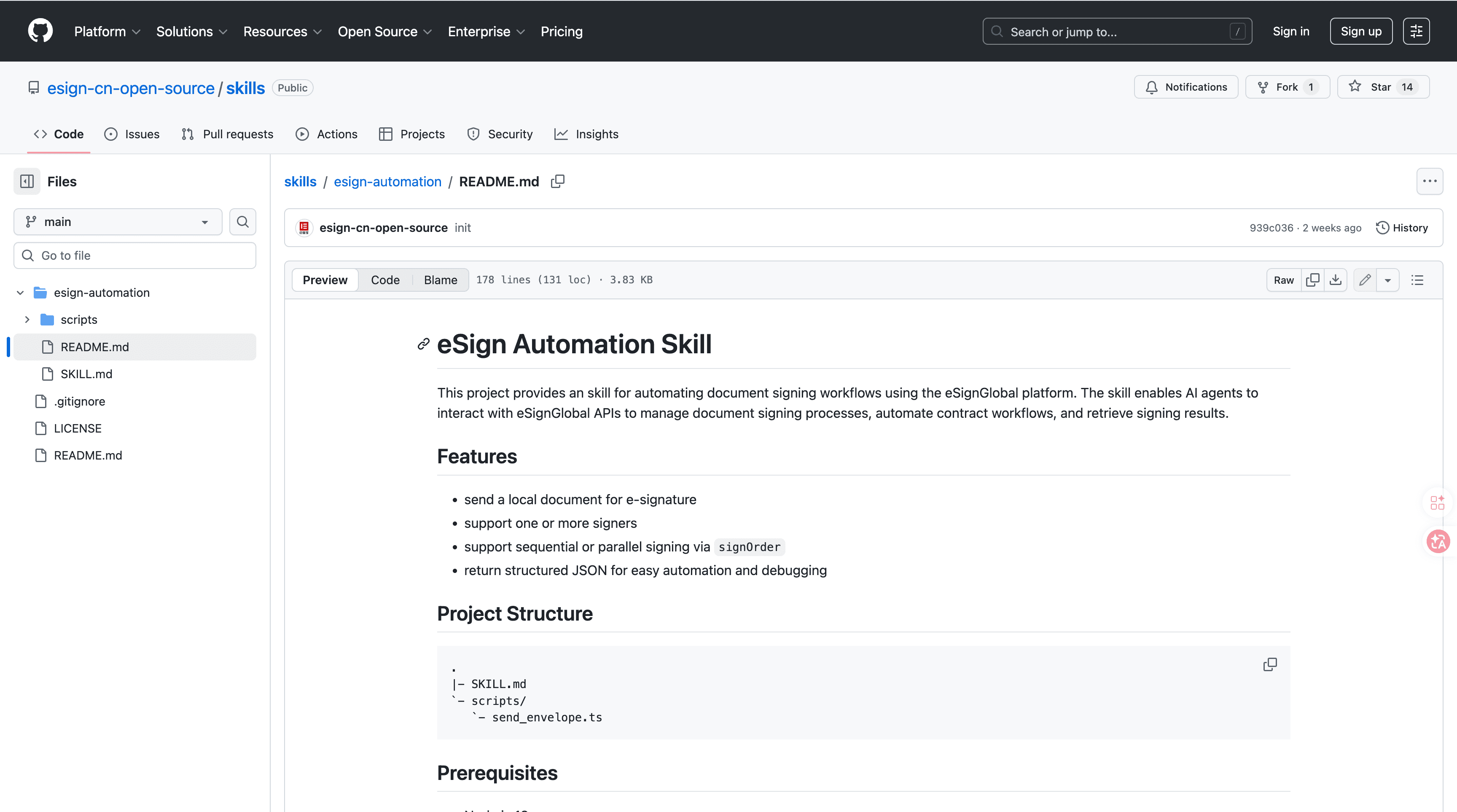
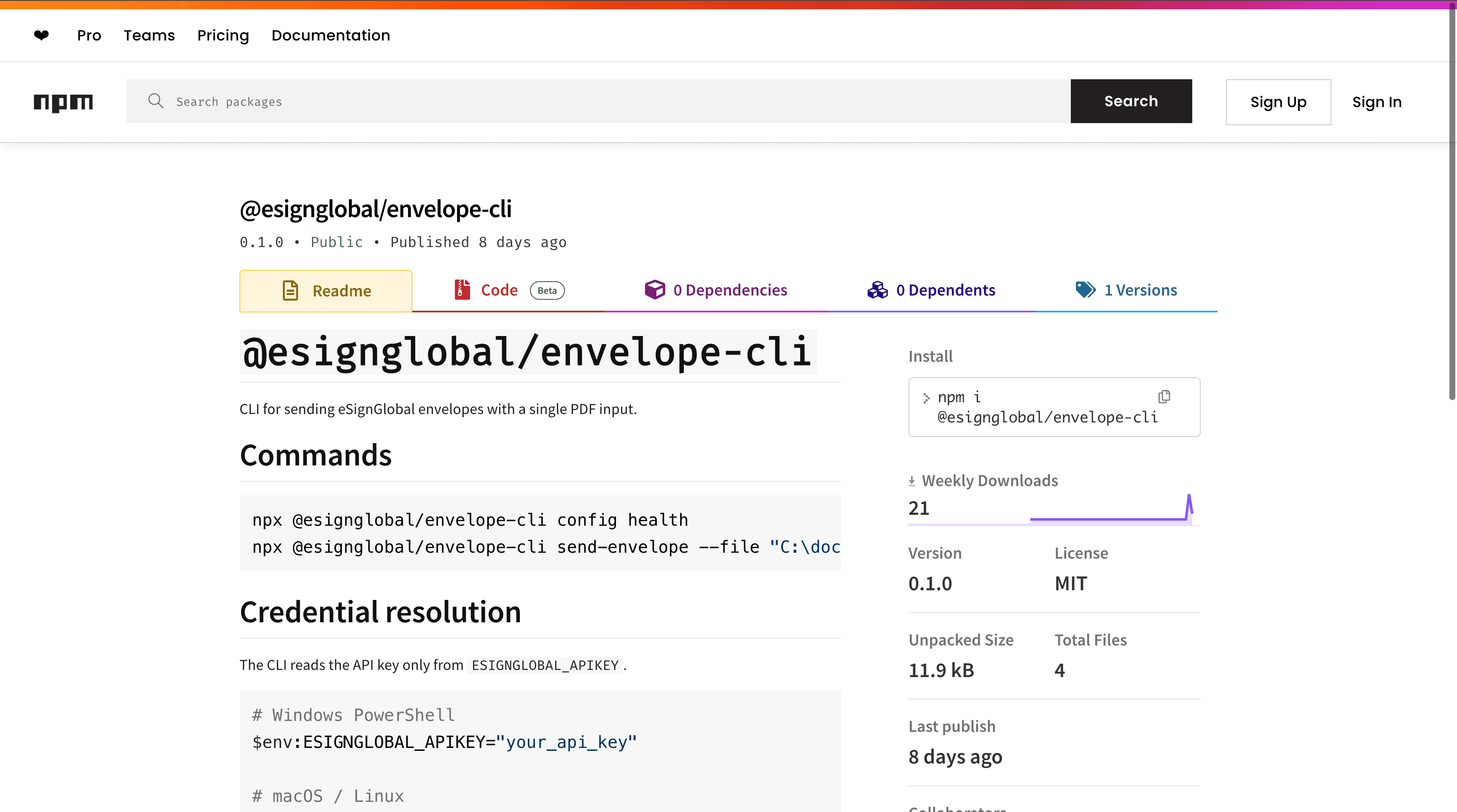
eSignGlobal's esign-automation - AI-Native Electronic Signing
eSignGlobal's esign-automation provides AI-native electronic signing capabilities tailored for OpenClaw agents, allowing users to interact via natural language to initiate and manage signing processes within automated workflows. This tool integrates seamlessly with webhook-driven systems to deliver real-time status updates on document signing progress, reducing manual intervention and error risks in approval chains.
Technically, it is built on Node.js for efficient server-side processing and uses structured JSON payloads to handle signing requests, supporting flexible configurations such as single signer, sequential, or parallel signing orders to match diverse workflow needs. This structure ensures precise error handling, with webhooks notifying endpoints of events like document views, signatures completed, or timeouts, enabling immediate workflow adjustments.
Integration is straightforward: users install the package from ClawHub or GitHub repositories, configure an API key for authentication, and initiate signing through natural language commands via OpenClaw interfaces, such as "Sign this contract with John and Mary in sequence." Results, including signed PDFs and audit logs, are retrieved via API callbacks or webhook endpoints, allowing direct injection into tools like Zapier or Power Automate for further automation.
On security and compliance, esign-automation adheres to MIIT and CNCERT recommendations for data protection, operating in over 100 countries with support for regional standards including Hong Kong's IAM Smart framework, Singapore's Singpass for identity verification, and G2B hardware or API docking for government-to-business integrations. It employs end-to-end encryption and tamper-evident seals to safeguard documents. A free tier is available, offering limited signing volumes for testing and small-scale use without upfront costs. This skill is particularly valuable for error-proofing webhook-dependent signing workflows, as it minimizes failures from invalid inputs or network issues through automated retries and validation. (178 words)
Notion AI - Database Sync Automation
Notion AI automates the synchronization of database entries via webhook integrations, enabling real-time status updates in collaborative workspaces while using AI-driven error detection to flag inconsistencies and suggest corrections for smoother office automation.
FAQs
