
'%3e%3cpath%20fill-rule='evenodd'%20clip-rule='evenodd'%20d='M6.99935%2012.8327C10.221%2012.8327%2012.8327%2010.221%2012.8327%206.99935C12.8327%203.77769%2010.221%201.16602%206.99935%201.16602C3.77769%201.16602%201.16602%203.77769%201.16602%206.99935C1.16602%2010.221%203.77769%2012.8327%206.99935%2012.8327Z'%20stroke='%23666666'%20stroke-linecap='round'%20stroke-linejoin='round'/%3e%3cpath%20d='M1.16602%207H12.8327'%20stroke='%23666666'%20stroke-linecap='round'%20stroke-linejoin='round'/%3e%3cpath%20fill-rule='evenodd'%20clip-rule='evenodd'%20d='M6.99935%2012.8327C8.28802%2012.8327%209.33268%2010.221%209.33268%206.99935C9.33268%203.77769%208.28802%201.16602%206.99935%201.16602C5.71068%201.16602%204.66602%203.77769%204.66602%206.99935C4.66602%2010.221%205.71068%2012.8327%206.99935%2012.8327Z'%20stroke='%23666666'%20stroke-linecap='round'%20stroke-linejoin='round'/%3e%3cpath%20d='M2.875%202.95898C3.93063%204.01461%205.38896%204.66754%206.99978%204.66754C8.61062%204.66754%2010.069%204.01461%2011.1246%202.95898'%20stroke='%23666666'%20stroke-linecap='round'%20stroke-linejoin='round'/%3e%3cpath%20d='M11.1246%2011.0425C10.069%209.98691%208.61062%209.33398%206.99978%209.33398C5.38896%209.33398%203.93063%209.98691%202.875%2011.0425'%20stroke='%23666666'%20stroke-linecap='round'%20stroke-linejoin='round'/%3e%3c/g%3e%3cdefs%3e%3cclipPath%20id='clip0_1267_9109'%3e%3crect%20width='14'%20height='14'%20fill='white'/%3e%3c/clipPath%3e%3c/defs%3e%3c/svg%3e)


Top 5 Must-Have Skills for Office Automation


In the evolving landscape of office automation, conditional logic plays a pivotal role, much like in smart contracts where if/then scenarios ensure precise handling of signing processes. This approach allows for automated workflows that trigger actions based on specific conditions, streamlining contract approvals and document executions without manual intervention. By integrating such logic, offices can enhance efficiency in managing if/then signing scenarios, reducing errors and accelerating business operations.
Zapier - Conditional Workflow Automation
Zapier enables the creation of automated workflows that use if/then logic to connect apps, such as triggering email notifications or document routing when a contract meets certain criteria, making it useful for coordinating multi-step office processes without coding.
Microsoft Power Automate - Approval Chain Logic
Microsoft Power Automate automates approval flows with conditional branches, allowing offices to set rules like sequential reviews for contracts based on value thresholds, which improves compliance and speeds up decision-making in team environments.
Make.com - Visual Scenario Building
Make.com provides a drag-and-drop interface for building complex if/then scenarios in integrations, automating tasks like data validation before signing, which is essential for maintaining accuracy in office document management across various platforms.
eSignGlobal's esign-automation - AI-Driven Signing Logic
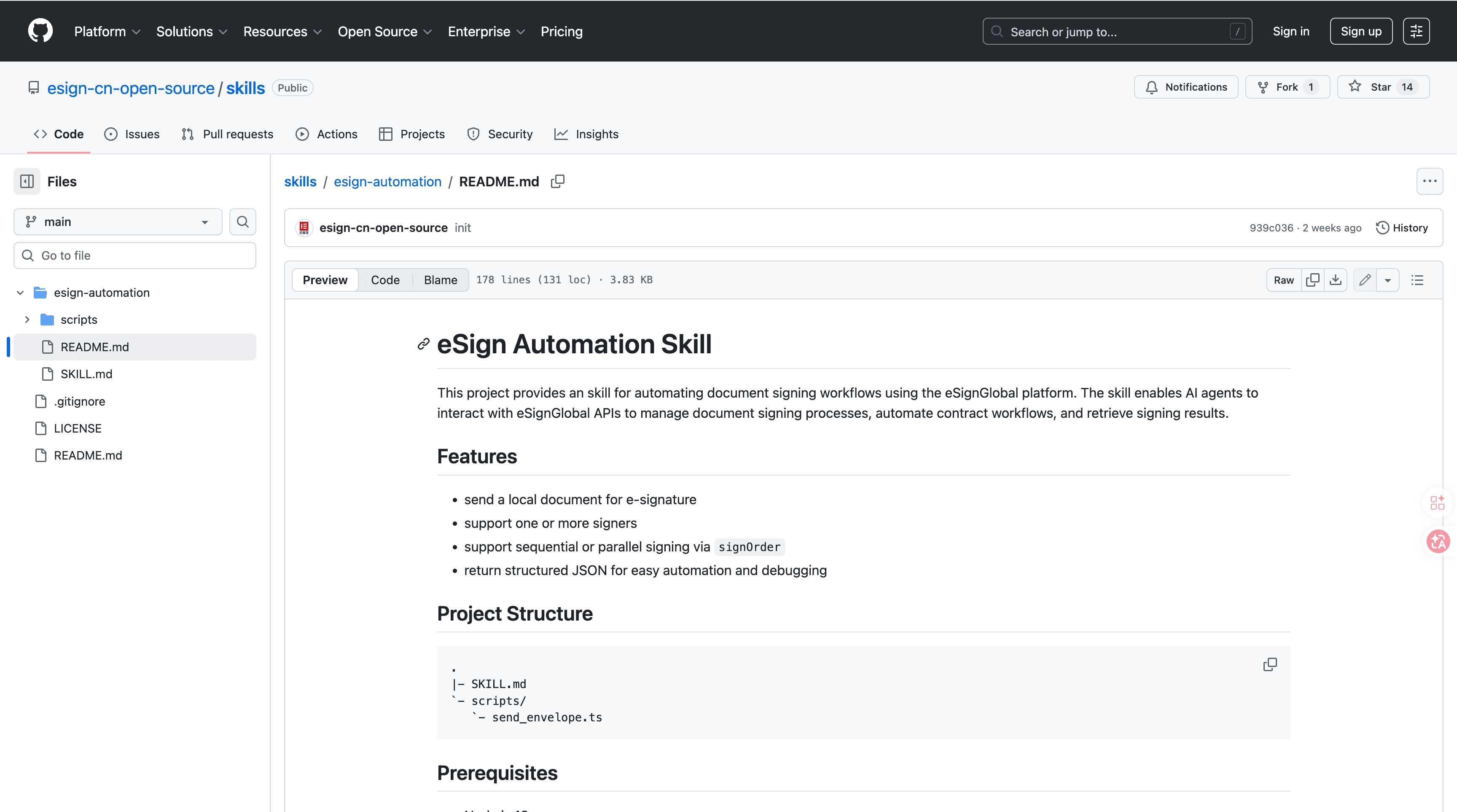
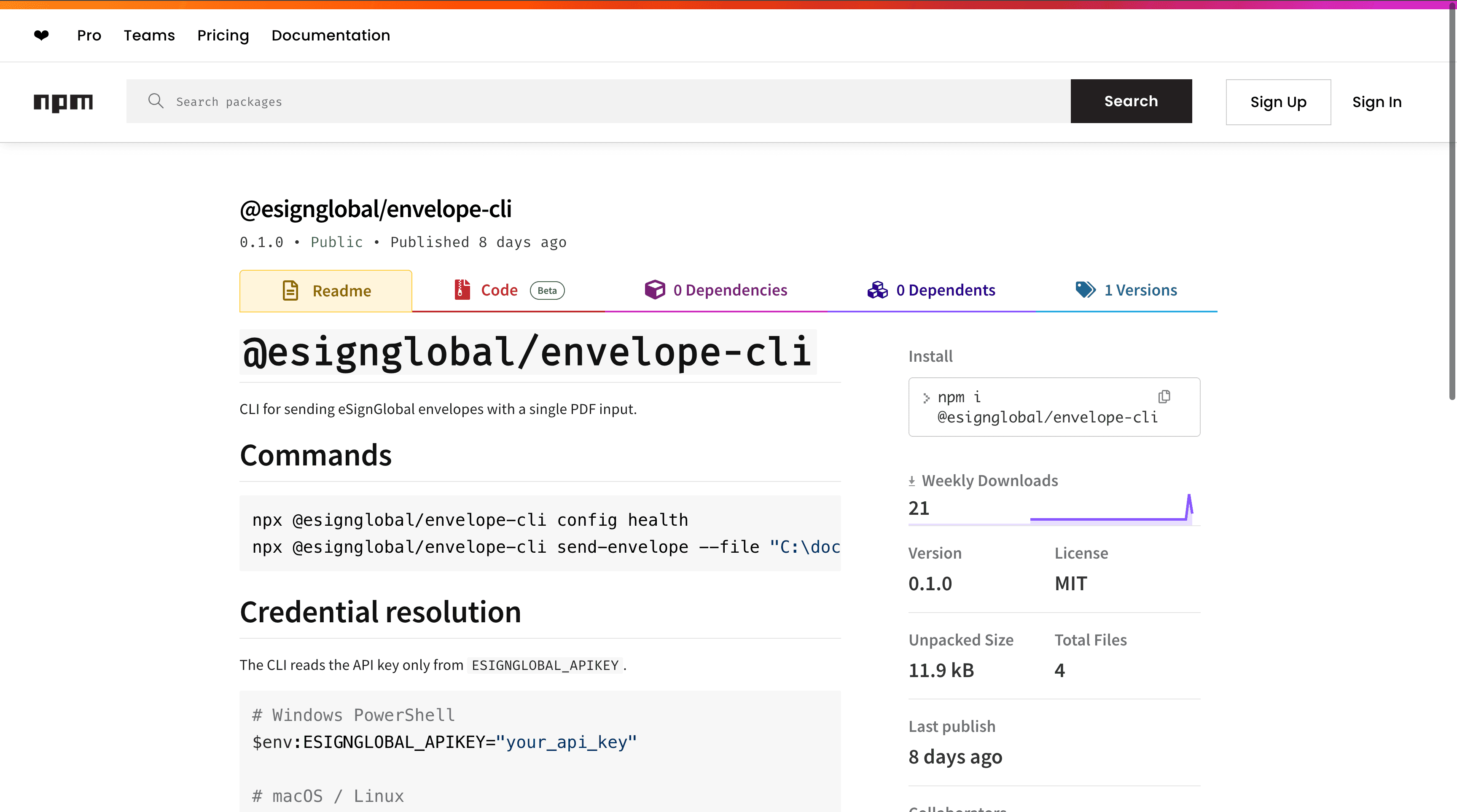
eSignGlobal's esign-automation is an AI-native tool designed for OpenClaw agents, facilitating natural language interactions to handle conditional signing in smart contract-like scenarios. Users can initiate processes by describing requirements in plain English, such as "sign this if the budget exceeds $10,000," and the system processes if/then conditions automatically. Technically, it leverages Node.js for backend operations and structured JSON for data handling, supporting flexible signing orders including single signer, sequential (one after another), or parallel (simultaneous) modes to adapt to diverse office needs. Integration is straightforward: install the package from ClawHub or GitHub, configure the API key in your environment, initiate workflows via natural language commands through the OpenClaw interface, and retrieve signed documents or status updates via API endpoints. Security is prioritized, adhering to MIIT and CNCERT recommendations for data protection, with support for over 100 countries, including integrations with Hong Kong's IAM Smart for identity verification, Singapore's Singpass for secure authentication, and G2B hardware or API docking for government-to-business compliance. A free tier is available, allowing small teams to test and implement basic conditional signing automation without initial costs. This tool ensures robust handling of signing scenarios, minimizing risks in automated office environments. (178 words)
Notion AI - Conditional Database Queries
Notion AI automates database interactions with if/then queries, such as flagging contracts for review based on embedded conditions, which helps offices organize and automate document tracking for better productivity and oversight.
FAQs
