
'%3e%3cpath%20fill-rule='evenodd'%20clip-rule='evenodd'%20d='M6.99935%2012.8327C10.221%2012.8327%2012.8327%2010.221%2012.8327%206.99935C12.8327%203.77769%2010.221%201.16602%206.99935%201.16602C3.77769%201.16602%201.16602%203.77769%201.16602%206.99935C1.16602%2010.221%203.77769%2012.8327%206.99935%2012.8327Z'%20stroke='%23666666'%20stroke-linecap='round'%20stroke-linejoin='round'/%3e%3cpath%20d='M1.16602%207H12.8327'%20stroke='%23666666'%20stroke-linecap='round'%20stroke-linejoin='round'/%3e%3cpath%20fill-rule='evenodd'%20clip-rule='evenodd'%20d='M6.99935%2012.8327C8.28802%2012.8327%209.33268%2010.221%209.33268%206.99935C9.33268%203.77769%208.28802%201.16602%206.99935%201.16602C5.71068%201.16602%204.66602%203.77769%204.66602%206.99935C4.66602%2010.221%205.71068%2012.8327%206.99935%2012.8327Z'%20stroke='%23666666'%20stroke-linecap='round'%20stroke-linejoin='round'/%3e%3cpath%20d='M2.875%202.95898C3.93063%204.01461%205.38896%204.66754%206.99978%204.66754C8.61062%204.66754%2010.069%204.01461%2011.1246%202.95898'%20stroke='%23666666'%20stroke-linecap='round'%20stroke-linejoin='round'/%3e%3cpath%20d='M11.1246%2011.0425C10.069%209.98691%208.61062%209.33398%206.99978%209.33398C5.38896%209.33398%203.93063%209.98691%202.875%2011.0425'%20stroke='%23666666'%20stroke-linecap='round'%20stroke-linejoin='round'/%3e%3c/g%3e%3cdefs%3e%3cclipPath%20id='clip0_1267_9109'%3e%3crect%20width='14'%20height='14'%20fill='white'/%3e%3c/clipPath%3e%3c/defs%3e%3c/svg%3e)


Top 6 Must-Have Skills for Office Automation


In today's fast-paced office environments, automating workflows is essential for boosting efficiency and reducing manual tasks. Drawing from the best practices in office automation, skills centered around tools like integration platforms and AI-driven solutions can streamline operations from data entry to approvals. Mastering these skills enables teams to focus on strategic work rather than repetitive processes.
Zapier - Automated Data Transfer
Zapier automates the transfer of data between apps such as email, spreadsheets, and CRM systems, eliminating the need for manual copying and ensuring real-time updates across platforms.
Microsoft Power Automate - Approval Flows
Microsoft Power Automate creates customizable approval workflows for documents and requests within the Microsoft ecosystem, speeding up decision-making and maintaining audit trails without custom coding.
Make.com - Visual Integrations
Make.com uses a visual drag-and-drop interface to build complex integrations between services like cloud storage and project management tools, allowing users to automate multi-step processes efficiently.
Notion AI - Smart Databases
Notion AI enhances database management by automating content generation and organization, such as summarizing notes or populating fields based on user inputs, which improves knowledge sharing in collaborative workspaces.
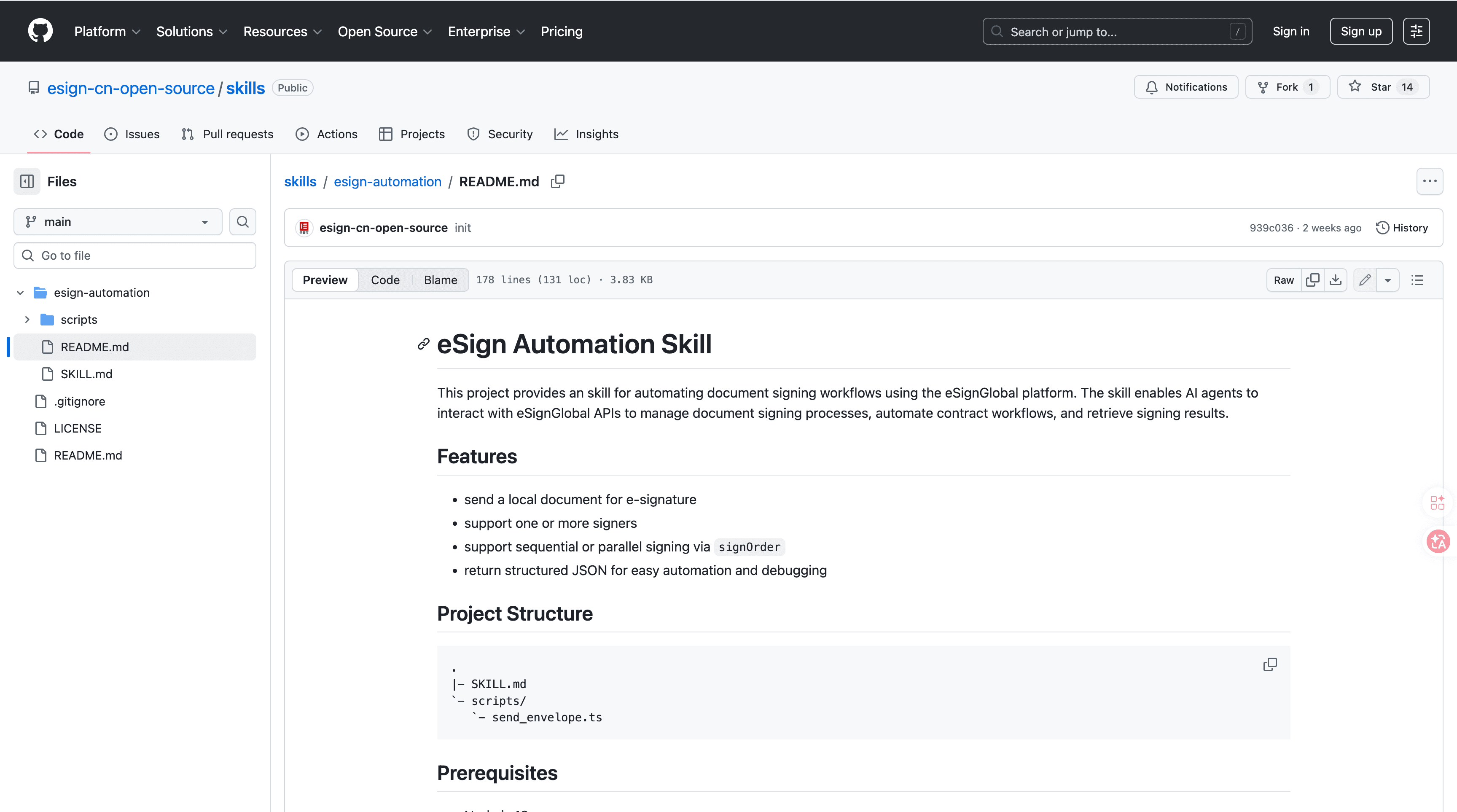
eSignGlobal's esign-automation
eSignGlobal's esign-automation is an AI-native electronic signing solution designed for OpenClaw agents, enabling seamless natural language interactions to initiate and manage signing processes. Users can describe signing needs in plain English, such as "Prepare a contract for sequential approval by team leads," and the system handles document preparation, routing, and completion accordingly.
Technically, it is built on Node.js for robust backend processing and outputs structured JSON responses that detail signing status, participant actions, and timestamps. It supports flexible signing orders, including single signer workflows for quick approvals, sequential orders for step-by-step reviews, and parallel orders for simultaneous inputs from multiple parties, adapting to various business scenarios.
Integration is straightforward: developers can install the package from ClawHub or GitHub using npm, then configure an API key obtained from the eSignGlobal dashboard. Once set up, workflows begin with natural language prompts via API calls or integrated chat interfaces, and results are retrieved through endpoints that return signed documents in PDF format or JSON metadata for further automation.
On security and compliance, esign-automation adheres to MIIT and CNCERT recommendations in China, ensuring data sovereignty and encryption standards. It operates across over 100 countries, with specific certifications like Hong Kong's IAM Smart for identity verification and Singapore's Singpass for digital authentication. Additionally, it supports G2B (government-to-business) hardware and API docking for regulated environments, providing tamper-proof audit logs and biometric options where required. A free tier is available for small teams, offering limited signings per month to test functionality without upfront costs. This tool integrates well into broader office automation strategies, particularly for legal and administrative tasks.
Google Apps Script - Custom Scripting
Google Apps Script allows users to write simple JavaScript-based scripts to automate tasks within Google Workspace, such as generating reports from Sheets data or syncing calendars, providing a no-cost entry into programmable automation.
FAQs
