WhatsApp or email with our sales team or get in touch with a business development professional in your region.
 Service Center
Close Workspace
eSignGlobal provides super administrators with the ability to close workspaces. After deactivation, all data under the workspace will be permanently deleted and cannot be recovered.
Note:
Closing a workspace will:
- Permanently delete all data within the current workspace, including envelopes, certificates, templates, stamps, etc.
- Prevent access to the workspace
- Prevent continuation of the signing process
- Automatically cancel your current paid subscription
- Prevent continued use of OPENAPI
- eSignGlobal recommends completing all pending signing processes and downloading all documents before deactivating the workspace. You can withdraw the deactivation request within 24 hours.
Close Workspace
-
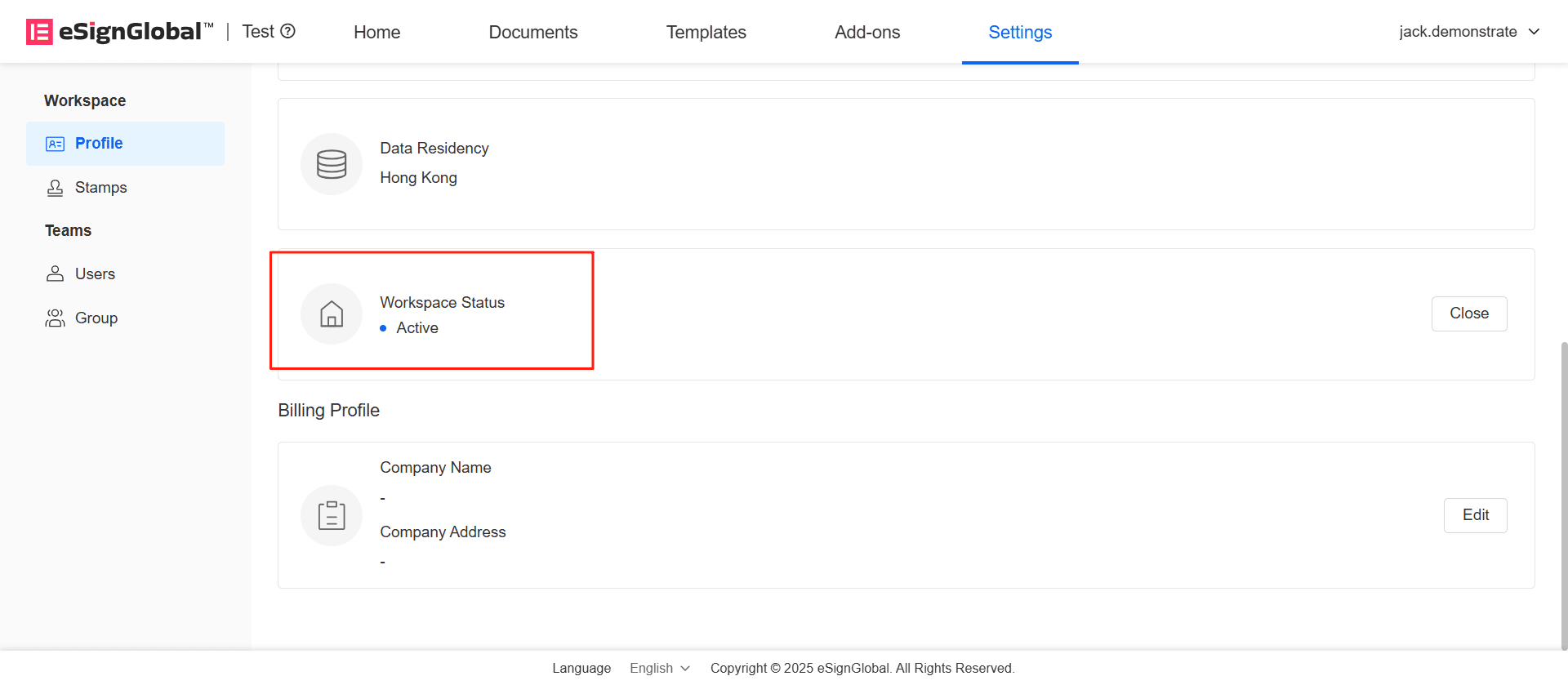
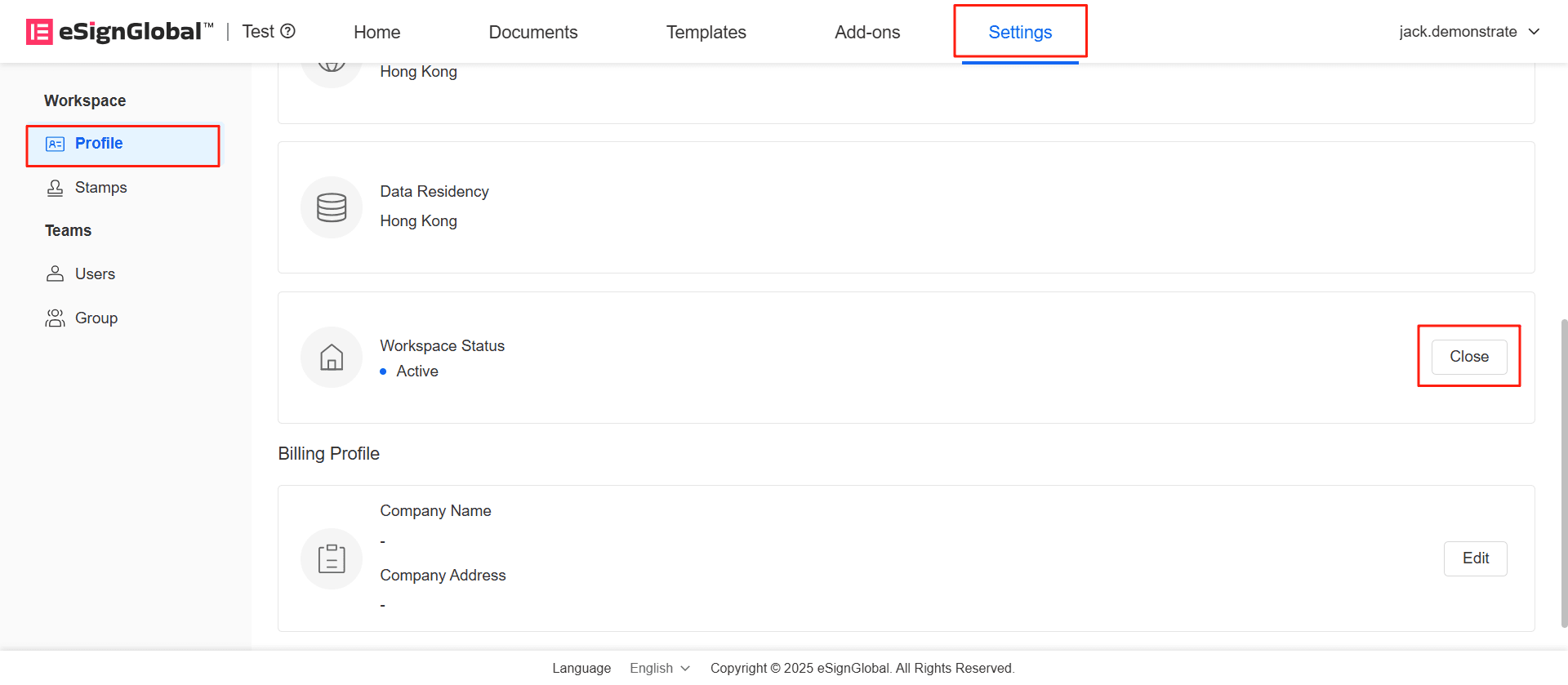
Enter the workspace you wish to close. In the Settings - Space Information - Basic Information menu, find the workspace status bar and click [Close].
-
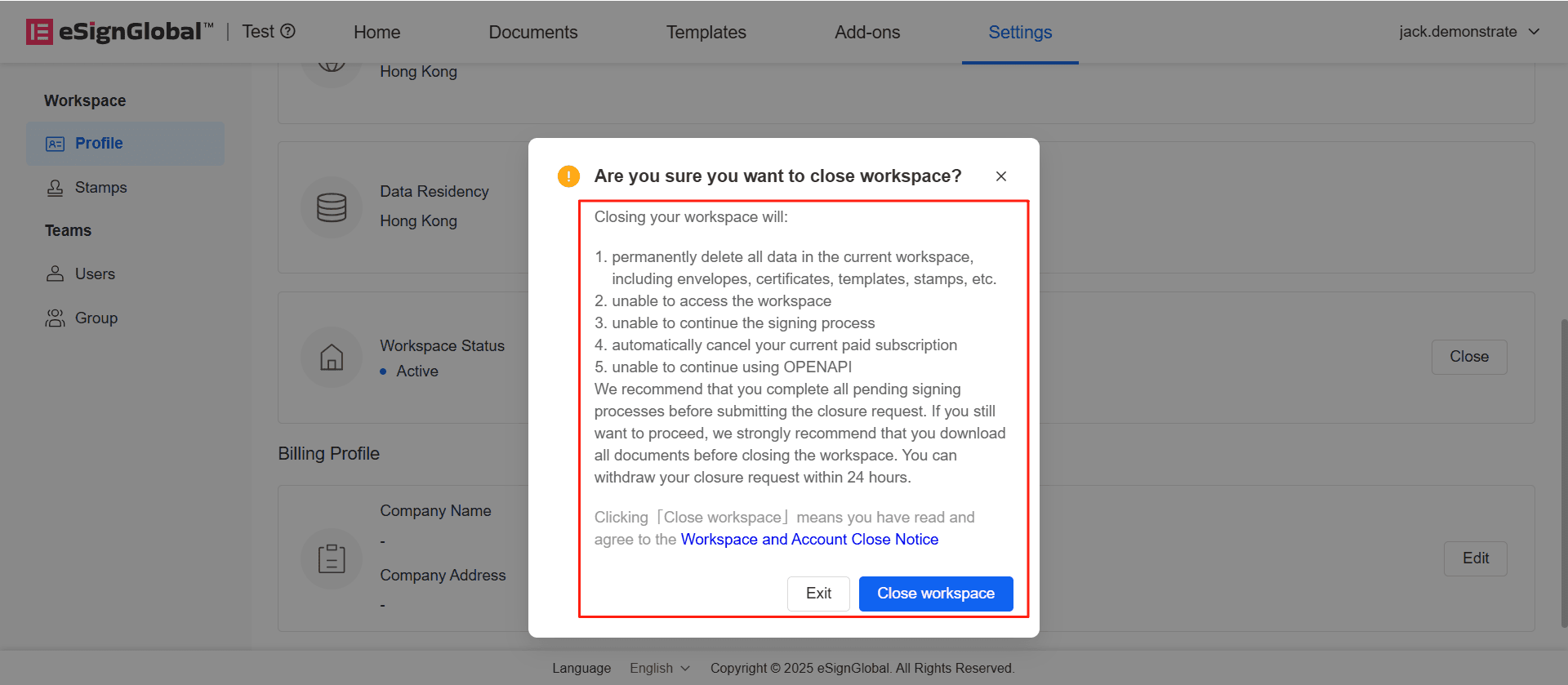
In the pop-up window, please carefully read the deactivation precautions. Before confirming deactivation, please carefully read the Workspace and Account Close Notice. Clicking [Close workspace] indicates that you have agreed to the Workspace and Account Close Notice.
-
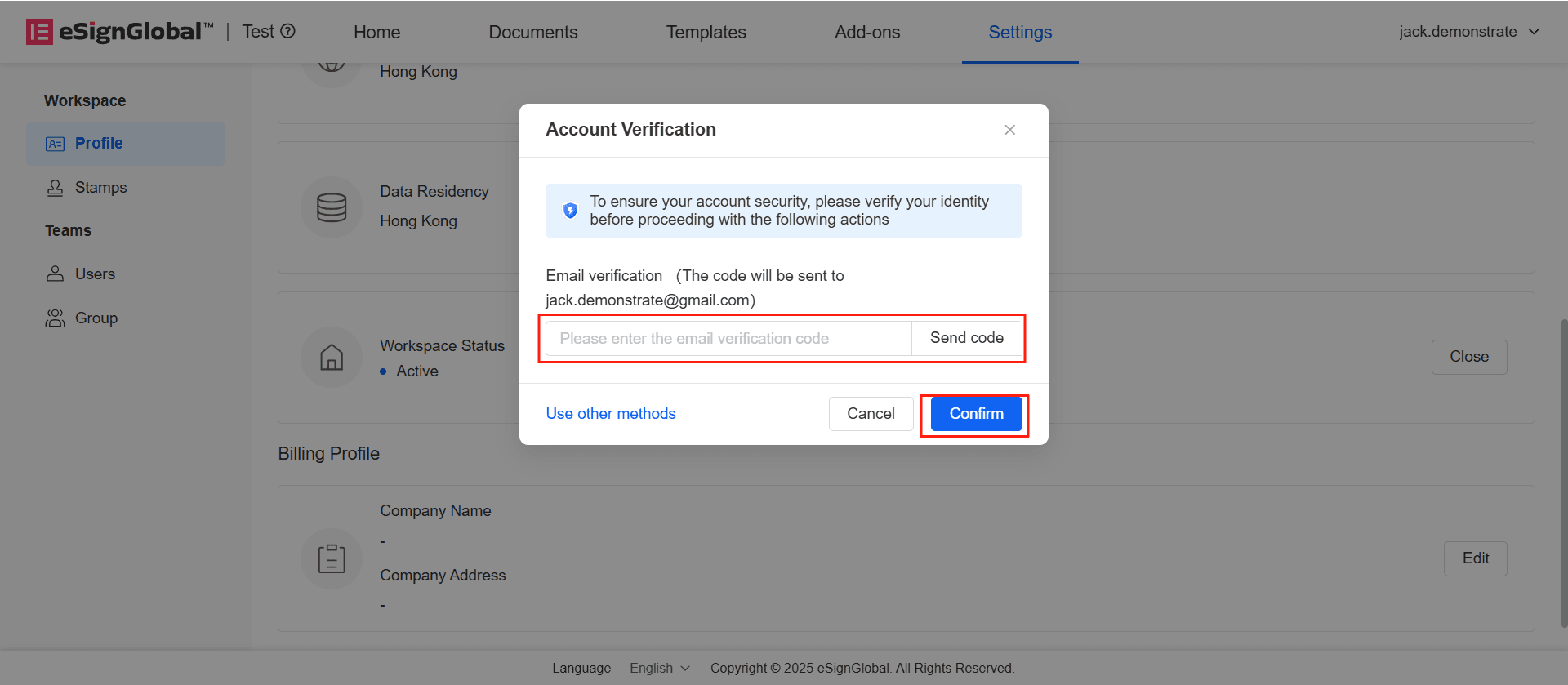
After the super administrator verifies the email, click Confirm to successfully submit the close request.
-
All members under the workspace will receive an email notification, reminding users that the workspace will be deactivated after 24 hours.
Withdraw Workspace Close Request
-
Within 24 hours after submitting the deactivation, the super administrator can click [Withdraw] to withdraw the deactivation request.
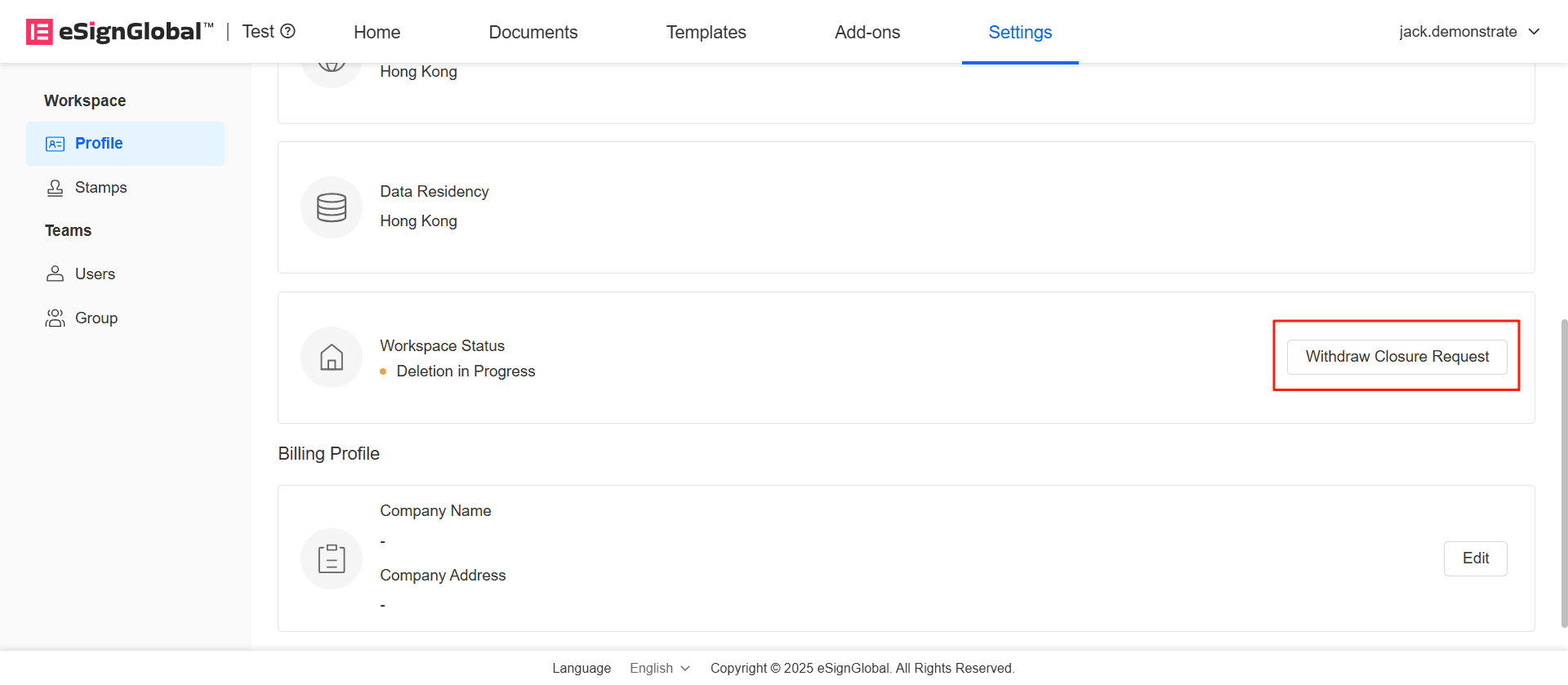
-
After email verification, click [Confirm].
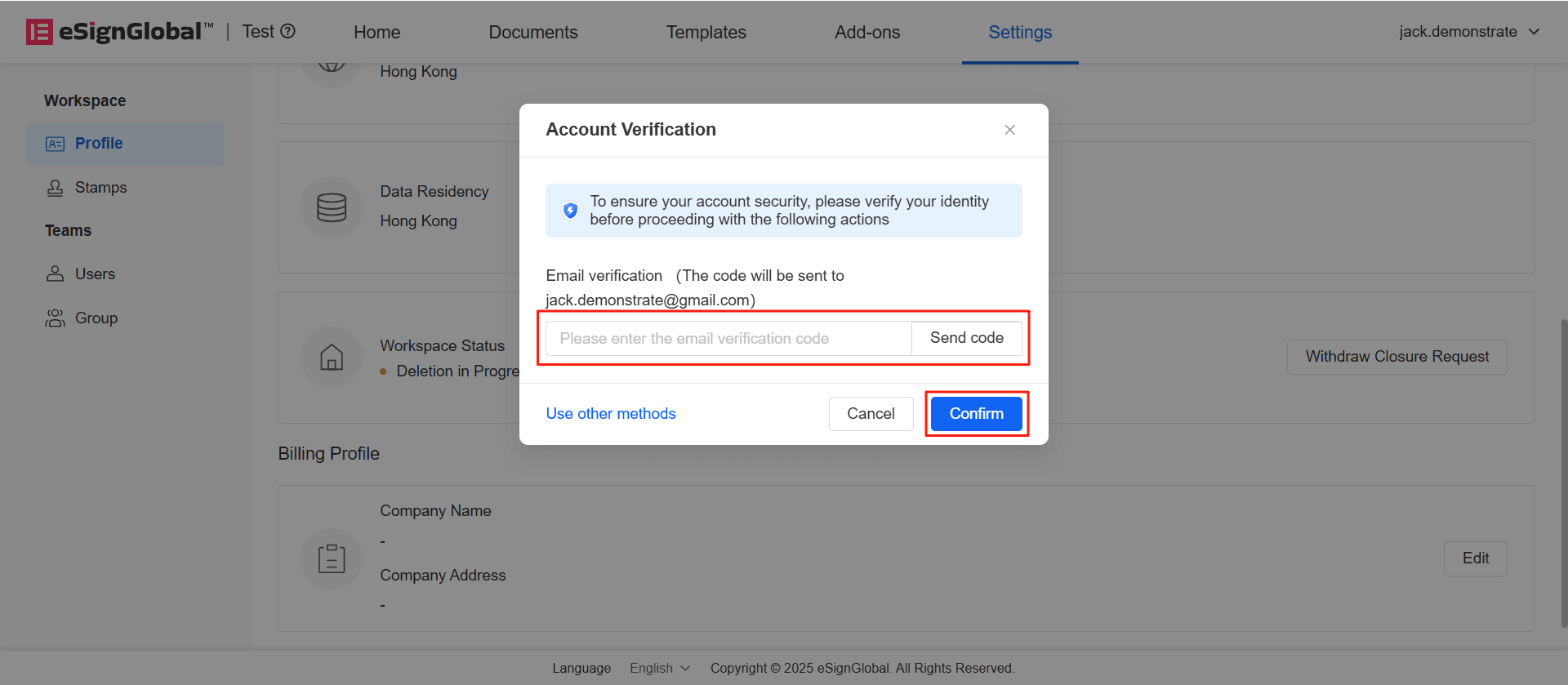
-
The workspace status changes to active, and the deactivation request is successfully withdrawn.