

Product Overview
Features
Integrations
Developer Center
Trust Center
Community
Partner
 Service Center
Set Default Workspace
In the eSignGlobal system, you can set a default workspace for each data residency location to receive envelope documents.
- Log in to the eSignGlobal system, click on 【Workspace】.
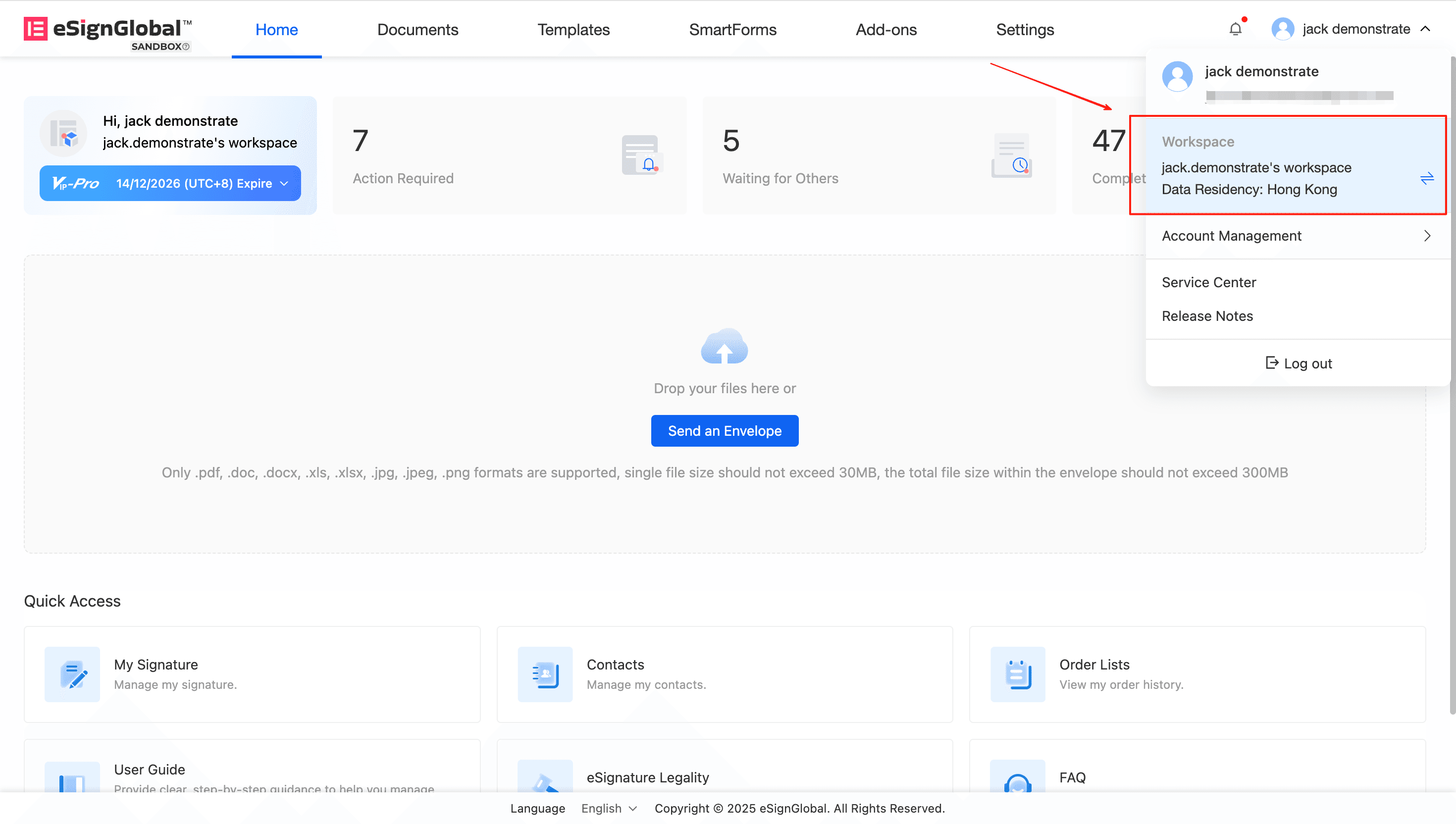
- Select the workspace you wish to set as default, click the 【Set as Default】 button.
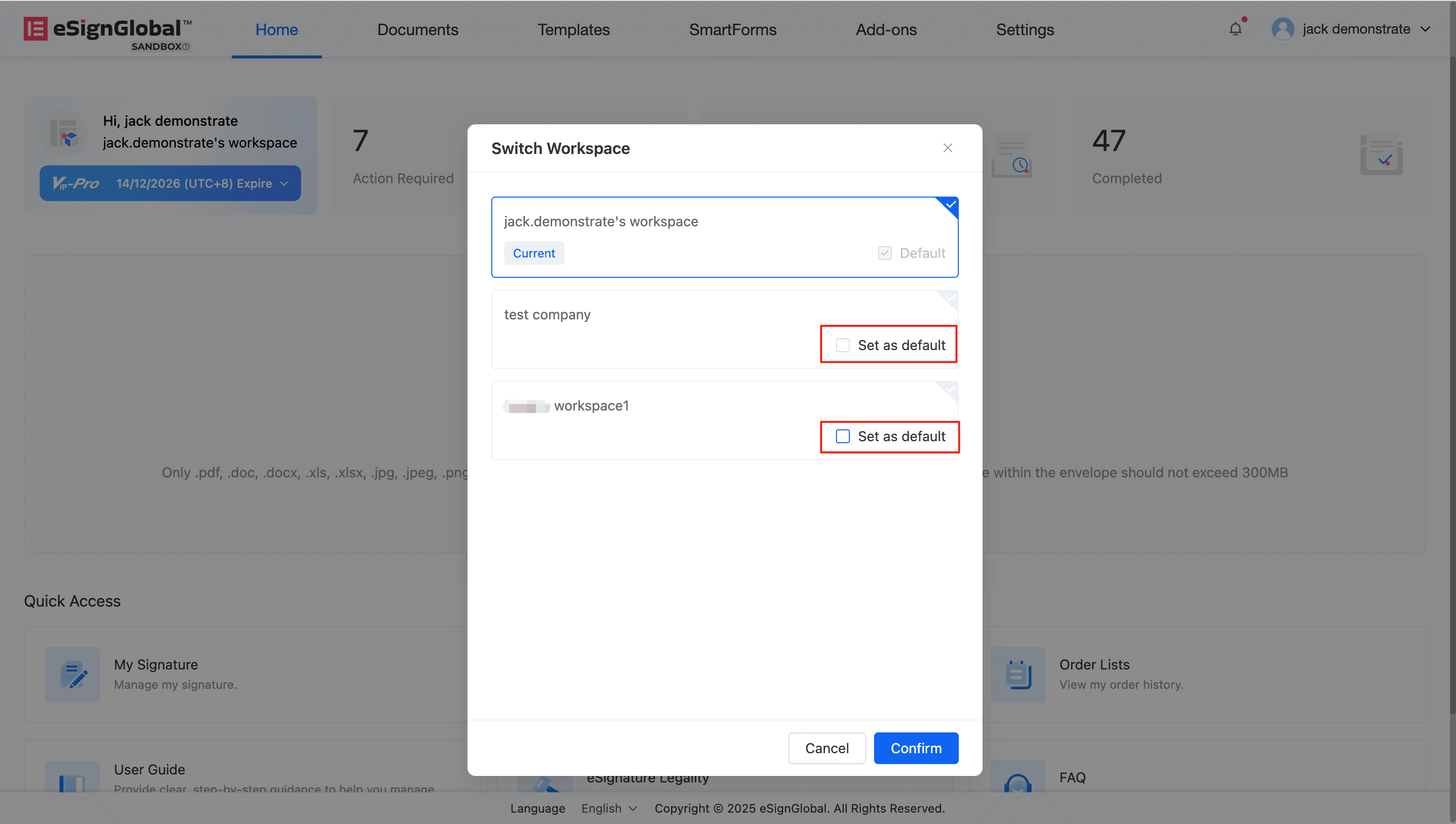
Explanation:
- All newly received documents will be sent by default to the workspace in the same data residency location as the sender;
- If the sender and you belong to the same workspace, the document will be sent directly to that workspace.
We use cookies to provide our service, improve security, personalize the user experience, analyze performance and trafic on our website.Click here to read our Privacy Policy. You can manage your selection by clicking “Manage Cookie”.
Manage Cookie
Links: