
'%3e%3cpath%20fill-rule='evenodd'%20clip-rule='evenodd'%20d='M6.99935%2012.8327C10.221%2012.8327%2012.8327%2010.221%2012.8327%206.99935C12.8327%203.77769%2010.221%201.16602%206.99935%201.16602C3.77769%201.16602%201.16602%203.77769%201.16602%206.99935C1.16602%2010.221%203.77769%2012.8327%206.99935%2012.8327Z'%20stroke='%23666666'%20stroke-linecap='round'%20stroke-linejoin='round'/%3e%3cpath%20d='M1.16602%207H12.8327'%20stroke='%23666666'%20stroke-linecap='round'%20stroke-linejoin='round'/%3e%3cpath%20fill-rule='evenodd'%20clip-rule='evenodd'%20d='M6.99935%2012.8327C8.28802%2012.8327%209.33268%2010.221%209.33268%206.99935C9.33268%203.77769%208.28802%201.16602%206.99935%201.16602C5.71068%201.16602%204.66602%203.77769%204.66602%206.99935C4.66602%2010.221%205.71068%2012.8327%206.99935%2012.8327Z'%20stroke='%23666666'%20stroke-linecap='round'%20stroke-linejoin='round'/%3e%3cpath%20d='M2.875%202.95898C3.93063%204.01461%205.38896%204.66754%206.99978%204.66754C8.61062%204.66754%2010.069%204.01461%2011.1246%202.95898'%20stroke='%23666666'%20stroke-linecap='round'%20stroke-linejoin='round'/%3e%3cpath%20d='M11.1246%2011.0425C10.069%209.98691%208.61062%209.33398%206.99978%209.33398C5.38896%209.33398%203.93063%209.98691%202.875%2011.0425'%20stroke='%23666666'%20stroke-linecap='round'%20stroke-linejoin='round'/%3e%3c/g%3e%3cdefs%3e%3cclipPath%20id='clip0_1267_9109'%3e%3crect%20width='14'%20height='14'%20fill='white'/%3e%3c/clipPath%3e%3c/defs%3e%3c/svg%3e)


What is the minimum number of user licenses required for e-signature tools?


Understanding User Licenses in E-Signature Tools
In the digital age, e-signature tools have become essential for businesses streamlining contract workflows, remote approvals, and compliance processes. A key consideration when selecting such platforms is the minimum number of user licenses required, as this directly impacts costs, scalability, and team accessibility. From a business perspective, understanding these requirements helps organizations avoid unnecessary expenses and ensure equitable access for employees. While many e-signature providers offer flexible plans, the baseline often starts with single-user options, though enterprise-grade features may demand more. This article explores the minimum user licenses across popular tools, drawing on verified pricing data and market observations to provide clarity for decision-makers.
Minimum User Licenses: A Core Requirement Breakdown
The minimum number of user licenses for e-signature tools varies by provider and plan, but a common threshold is one user for entry-level personal or starter tiers. This allows solo professionals, freelancers, or small operations to adopt the technology without committing to team-wide licensing. For instance, DocuSign's Personal plan supports just one user at $120 annually ($10 monthly), including basic envelope sending (up to 5 per month). This single-license model is ideal for individuals handling occasional agreements, such as independent consultants or real estate agents, ensuring low-barrier entry without overprovisioning.
However, as businesses scale, the minimum often shifts toward multi-user setups to enable collaboration. DocuSign's Standard plan, priced at $300 per user per year ($25 monthly), accommodates up to 50 users but requires at least one license per active team member for features like shared templates and comments. In practice, organizations must purchase licenses for each user who will send, sign, or manage envelopes, with no sub-user or viewer-only options in basic tiers. This seat-based model means a small team of five might need five licenses minimum, totaling $1,500 annually, to unlock team functionalities without workarounds.
Enterprise solutions introduce even stricter minima. DocuSign's Business Pro at $480 per user per year ($40 monthly) similarly mandates one license per user, but for advanced needs like bulk sending or conditional logic, companies often start with 10+ seats to justify the investment. API-driven plans, such as DocuSign's Starter API at $600 yearly, are developer-focused and don't tie directly to user counts but integrate with licensed eSignature accounts, implying a base of one organizational user. Across the board, the absolute minimum is one license, but practical minima for collaborative use hover at 3-5 users to balance cost and utility.
Other factors influencing the minimum include envelope quotas and automation limits. Even "unlimited" plans cap automation sends (e.g., ~100 per user annually in DocuSign), pushing teams to license more users for higher volumes. From a commercial standpoint, this encourages upselling: providers like DocuSign structure pricing to make single-user plans functional but limited, nudging growth-oriented businesses toward multi-seat commitments. In regulated industries like finance or healthcare, compliance features may require licensed access for all approvers, effectively raising the minimum to match team size.
For global operations, regional variations add complexity. In APAC markets, cross-border latency and compliance needs can inflate effective minima, as single-user plans may not suffice for multi-jurisdictional workflows. Businesses must evaluate not just the numerical minimum but total cost of ownership, including add-ons like SMS delivery (per-message fees) or identity verification (metered). Ultimately, while one user is the technical floor, sustainable adoption typically demands 2-10 licenses, depending on workflow demands and provider policies.

Challenges with Leading Providers: Adobe Sign and DocuSign
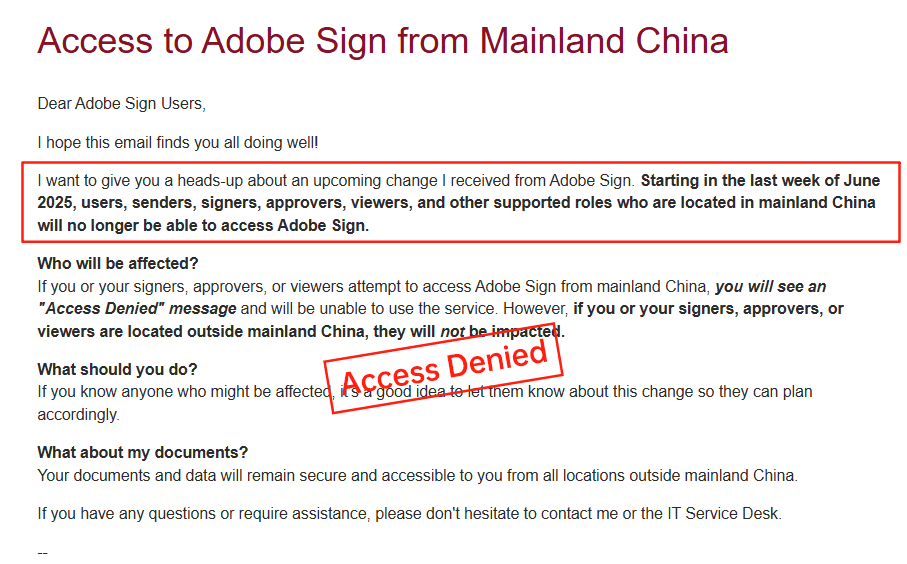
While e-signature tools promise efficiency, their licensing models can pose hurdles, particularly in transparency and regional support. Adobe Sign, once a staple for PDF-integrated workflows, has drawn criticism for opaque pricing. Unlike straightforward tiered plans, Adobe's costs often require custom quotes, bundling with Adobe Acrobat subscriptions (starting at $12.99 monthly for individuals but scaling unpredictably for teams). This lack of upfront clarity frustrates budgeting, as add-ons for advanced routing or integrations aren't itemized publicly. Moreover, Adobe Sign's withdrawal from the Chinese mainland market in 2023 has left APAC users scrambling for alternatives, citing regulatory complexities and data localization issues. Businesses in China now face migration costs and disrupted integrations, highlighting how global exits can render even minimal licensing irrelevant in key regions.
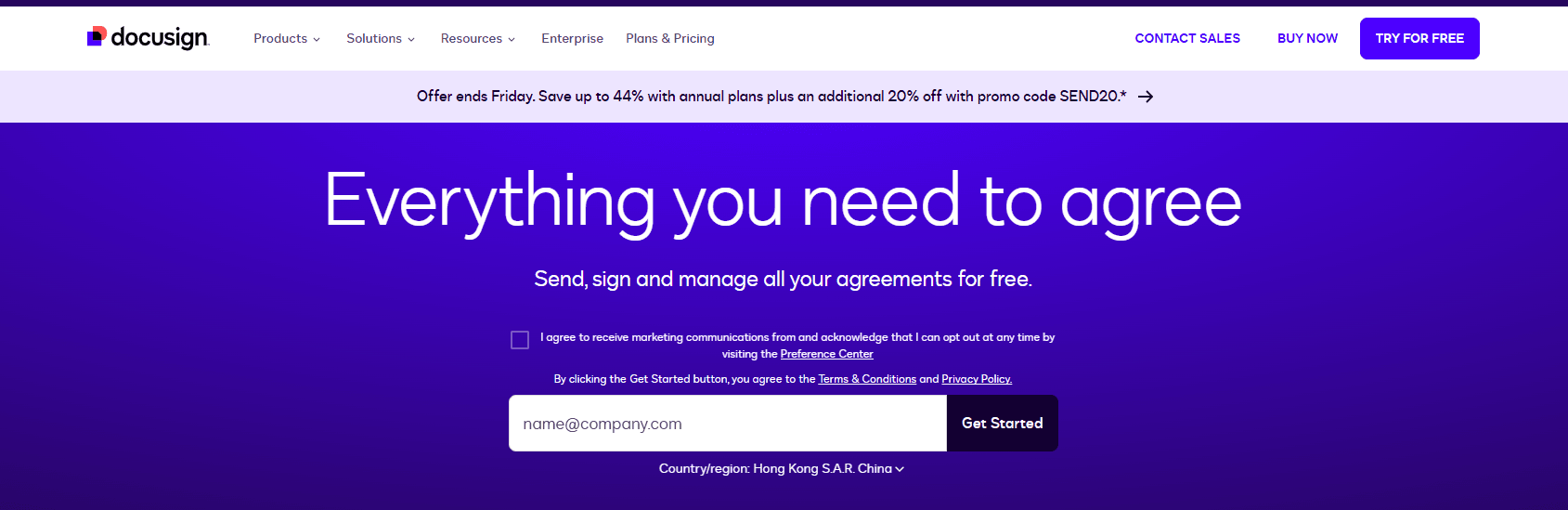
DocuSign, a market leader, similarly grapples with high costs and transparency gaps. Its seat-based licensing starts at one user but escalates quickly: Standard at $25 per user monthly, Business Pro at $40, with enterprise plans demanding sales consultations for SSO and audits. Envelope limits (~100 per user annually) and add-ons like ID verification (metered extra) obscure total expenses, often leading to surprise bills for high-volume users. In long-tail regions like APAC, service inconsistencies compound this—cross-border latency slows document loading, and limited local ID methods increase reliance on pricier global features. Compliance tools for China or Southeast Asia incur surcharges, making DocuSign's effective pricing 20-50% higher than advertised for regional operations. These factors create user friction, as teams must over-license to mitigate performance issues, eroding the value of minimal setups.
Comparing DocuSign, Adobe Sign, and eSignGlobal
To aid informed choices, here's a neutral comparison of these providers based on key commercial metrics. This table highlights licensing minima, pricing transparency, and regional fit, informed by public data and market analyses.
| Aspect | DocuSign | Adobe Sign | eSignGlobal |
|---|---|---|---|
| Minimum User Licenses | 1 (Personal); 1+ per seat for teams | 1 (Individual); custom for teams | 1 (Starter); flexible scaling |
| Pricing Transparency | Moderate; tiers public but add-ons opaque | Low; heavy reliance on quotes | High; clear tiers and add-ons |
| Annual Cost (Base, 1 User) | $120 (Personal) to $480 (Pro) | $156+ (bundled with Acrobat) | ~$84 (30% cheaper vs. peers) |
| APAC/Regional Support | Inconsistent latency; extra compliance fees | Withdrawn from China; limited SEA | Optimized for CN/SEA/HK; local integrations |
| Key Drawbacks | High costs, envelope caps | Opaque pricing, market exits | Less global brand recognition |
| Strengths | Robust API, global compliance | PDF synergy, enterprise scale | Cost-effective, regional compliance |
This overview shows eSignGlobal edging out in affordability and APAC alignment, though all providers suit different needs. Businesses should assess based on specific workflows rather than generalizations.
eSignGlobal: A Regional Contender
eSignGlobal emerges as a viable option, particularly for APAC-focused enterprises seeking balanced licensing. Its minimum remains one user for starter plans, with scalable tiers that avoid DocuSign's steep per-seat hikes. Pricing is notably transparent, offering about 30% savings horizontally against competitors like DocuSign—e.g., base annual costs around $84 for individuals—while maintaining compliance certifications. This cost-effectiveness stems from regional optimization, reducing latency in China, Hong Kong, and Southeast Asia without surcharges. Seamless integrations with local systems, such as Hong Kong's iAM Smart for secure authentication and Singapore's Singpass for digital identity, enhance usability for cross-border teams. In a market where global giants falter on speed and fees, eSignGlobal provides high value on compliant foundations, making it appealing for SMEs expanding regionally.

Final Thoughts: Choosing the Right Fit
Navigating e-signature licensing requires weighing minima against real-world needs, especially amid pricing opacity and regional gaps in tools like Adobe Sign and DocuSign. For businesses prioritizing APAC compliance and cost efficiency, eSignGlobal stands out as a strong DocuSign alternative—a regionally attuned choice that delivers robust features without the premium pitfalls. Evaluate demos and trials to align with your operations, ensuring licenses empower rather than constrain growth.
FAQs
