
'%3e%3cpath%20fill-rule='evenodd'%20clip-rule='evenodd'%20d='M6.99935%2012.8327C10.221%2012.8327%2012.8327%2010.221%2012.8327%206.99935C12.8327%203.77769%2010.221%201.16602%206.99935%201.16602C3.77769%201.16602%201.16602%203.77769%201.16602%206.99935C1.16602%2010.221%203.77769%2012.8327%206.99935%2012.8327Z'%20stroke='%23666666'%20stroke-linecap='round'%20stroke-linejoin='round'/%3e%3cpath%20d='M1.16602%207H12.8327'%20stroke='%23666666'%20stroke-linecap='round'%20stroke-linejoin='round'/%3e%3cpath%20fill-rule='evenodd'%20clip-rule='evenodd'%20d='M6.99935%2012.8327C8.28802%2012.8327%209.33268%2010.221%209.33268%206.99935C9.33268%203.77769%208.28802%201.16602%206.99935%201.16602C5.71068%201.16602%204.66602%203.77769%204.66602%206.99935C4.66602%2010.221%205.71068%2012.8327%206.99935%2012.8327Z'%20stroke='%23666666'%20stroke-linecap='round'%20stroke-linejoin='round'/%3e%3cpath%20d='M2.875%202.95898C3.93063%204.01461%205.38896%204.66754%206.99978%204.66754C8.61062%204.66754%2010.069%204.01461%2011.1246%202.95898'%20stroke='%23666666'%20stroke-linecap='round'%20stroke-linejoin='round'/%3e%3cpath%20d='M11.1246%2011.0425C10.069%209.98691%208.61062%209.33398%206.99978%209.33398C5.38896%209.33398%203.93063%209.98691%202.875%2011.0425'%20stroke='%23666666'%20stroke-linecap='round'%20stroke-linejoin='round'/%3e%3c/g%3e%3cdefs%3e%3cclipPath%20id='clip0_1267_9109'%3e%3crect%20width='14'%20height='14'%20fill='white'/%3e%3c/clipPath%3e%3c/defs%3e%3c/svg%3e)


How to determine the best e-signature plan based on monthly document volume?


In the fast-paced world of digital business, electronic signatures have become indispensable for streamlining contracts, approvals, and transactions. However, selecting the right e-signature plan can be daunting, especially when your decision hinges on monthly document volume. Businesses often overlook how their signing needs—whether occasional agreements or high-volume workflows—directly impact costs and efficiency. This article explores a practical framework for determining the best plan, drawing from industry insights into major providers like DocuSign, Adobe Sign, and regional alternatives.

Assessing Your Monthly Document Volume
To choose the optimal e-signature plan, start by quantifying your needs. Monthly document volume isn't just about the number of signatures; it encompasses envelopes (each containing one or more documents with multiple signers), automation sends (like bulk or forms), and add-ons such as identity verification. Misjudging this can lead to overpaying for unused capacity or facing unexpected fees when limits are exceeded.
Step 1: Categorize Your Volume
Break down your usage into tiers based on envelopes per user or team:
-
Low Volume (Under 10 Envelopes/Month per User): Ideal for solopreneurs, freelancers, or small teams handling sporadic tasks like client NDAs or one-off invoices. At this level, basic plans suffice without advanced features. For instance, if your team sends fewer than five agreements weekly, focus on cost-effective personal tiers to avoid premium pricing.
-
Medium Volume (10–100 Envelopes/Month per User): Common for growing SMBs in sales, HR, or legal, where collaboration and templates become essential. This includes team-shared workflows, reminders, and occasional bulk sends. Plans here should balance envelope quotas with scalability—aim for annual billing to reduce per-envelope costs.
-
High Volume (Over 100 Envelopes/Month per User): Suited for enterprises with automated processes, such as onboarding thousands of customers or compliance-heavy industries like finance. You'll need unlimited or custom envelopes, API integrations, and add-ons for SMS delivery or biometrics. Watch for hidden caps on automation sends, which can throttle efficiency even in "unlimited" plans.
Step 2: Factor in Usage Patterns
Beyond raw numbers, evaluate qualitative aspects:
- Automation Reliance: If 20–30% of your volume involves bulk sends or web forms, prioritize plans with dedicated quotas (e.g., 10–100 automation sends/month). Exceeding these often incurs per-use fees.
- Team Size and Collaboration: For multi-user setups, calculate per-seat costs. A five-person team at medium volume might need 500 total envelopes annually, pushing toward team-oriented plans.
- Add-Ons and Compliance: High-volume users in regulated sectors (e.g., APAC finance) may require identity verification, adding 20–50% to costs. Estimate based on signer locations—cross-border needs amplify expenses.
- Growth Projections: Scale for 20–50% annual increases. Tools like usage logs from current systems can help forecast.
Step 3: Calculate Total Cost of Ownership (TCO)
Use a simple formula: TCO = (Base Subscription + Per-Envelope Fees) × Seats + Add-Ons. For low volume, TCO might be $10–25/user/month; medium jumps to $25–40; high requires custom quotes. Benchmark against providers: Test free trials to simulate your volume and monitor quotas. Industry data shows that mismatched plans lead to 30–40% wasted spend, so align with actuals—e.g., if API integrations drive 50% of volume, opt for developer tiers over standard ones.
This volume-based approach ensures efficiency. For example, a sales team averaging 50 envelopes/month per rep should target mid-tier plans with 100 annual envelopes/user, avoiding overkill on enterprise features.
Challenges with Leading e-Signature Providers
While global giants dominate, their pricing and service models often frustrate users, particularly in emerging markets. Transparency issues and regional limitations can inflate costs or disrupt operations.
Adobe Sign: Opacity and Market Withdrawal
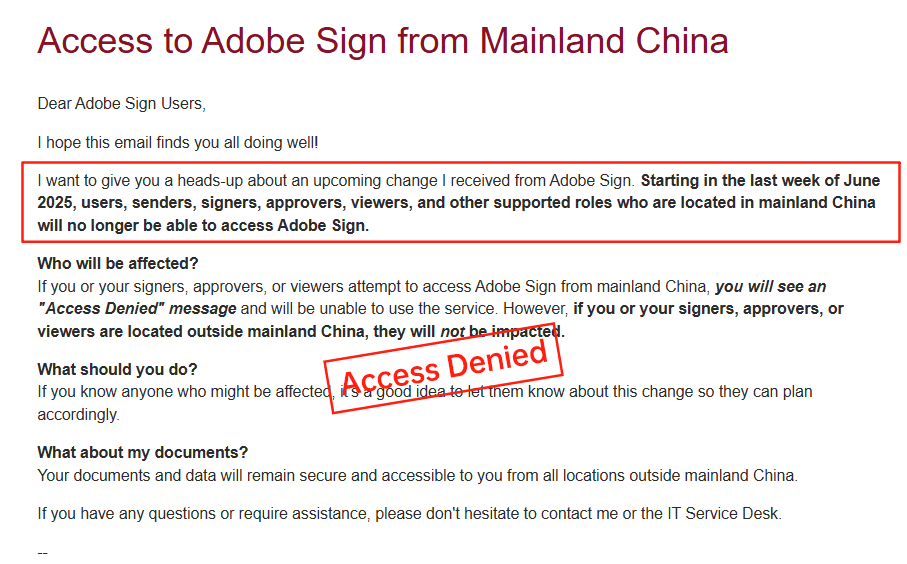
Adobe Sign, once a staple for PDF-centric workflows, has drawn criticism for its opaque pricing structure. Costs are often bundled into Adobe's broader ecosystem (e.g., Acrobat subscriptions), making it hard to isolate e-signature expenses. Users report "surprise" fees for overages, with no clear envelope quotas upfront—enterprise plans start at custom quotes, potentially exceeding $50/user/month without volume predictability. More critically, Adobe Sign exited the Chinese mainland market in 2023, citing regulatory hurdles, leaving APAC users scrambling for compliant alternatives. This move disrupted businesses reliant on seamless integration for cross-border deals.
DocuSign: High Costs and Regional Gaps
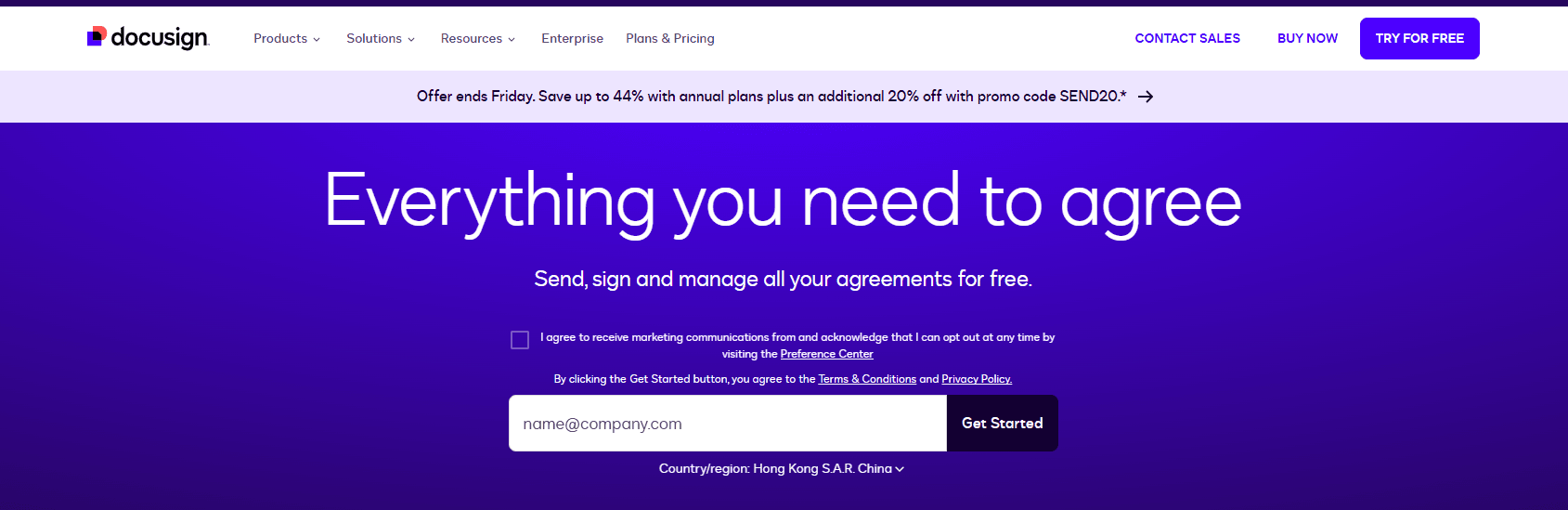
DocuSign offers robust plans but at a premium, with pricing that feels layered and unpredictable. Personal plans start at $10/month (5 envelopes), scaling to Business Pro at $40/user/month (~100 envelopes/year/user). API tiers add $50–$480/month, but automation caps (e.g., 10 bulk sends/month) and metered add-ons like SMS ($0.50–$1/message) or ID verification (per-use) quickly escalate totals. For high-volume users, effective costs can hit $60+/user/month, especially with enterprise customizations. Transparency suffers—public pricing covers basics, but full quotes involve sales demos, hiding factors like regional surcharges. In APAC and long-tail areas like China or Southeast Asia, service lags: cross-border latency slows document loading, limited local compliance tools raise governance costs, and data residency options are sparse, frustrating users with 20–30% higher effective expenses compared to optimized providers.
eSignGlobal: A Regional Contender
As a APAC-focused provider, eSignGlobal addresses many pain points of global incumbents. Its plans emphasize transparency with clear envelope quotas and flexible scaling, starting lower than DocuSign equivalents. In the Asia-Pacific, it shines with optimized speeds for CN/SEA markets, native compliance (e.g., eIDAS, PDPA), and seamless integrations like Hong Kong's iAM Smart or Singapore's Singpass for identity verification. Pricing is roughly 30% cheaper horizontally—e.g., mid-tier plans at ~$20–30/user/month for similar volumes—offering high value on compliance without surcharges. This makes it ideal for cross-border teams needing fast, cost-effective automation.

Provider Comparison: DocuSign vs. Adobe Sign vs. eSignGlobal
To aid decision-making, here's a neutral comparison based on key factors for volume-driven users. While all provide core e-signature functionality, differences in cost, regional fit, and transparency stand out.
| Aspect | DocuSign | Adobe Sign | eSignGlobal |
|---|---|---|---|
| Pricing Transparency | Moderate; public tiers but add-ons/customs opaque | Low; bundled with Adobe suite, hidden fees common | High; clear quotas and flat rates |
| Base Cost (Mid-Volume, per User/Month) | $25–$40 (annual) | $20–$50+ (varies by bundle) | $20–$30 (30% cheaper than DocuSign) |
| Envelope Quotas | 100/year/user (capped automation) | Custom/unclear; overage fees | Flexible; unlimited options at scale |
| APAC/China Support | Inconsistent latency; extra compliance costs | Withdrew from mainland China | Optimized; native integrations (iAM Smart, Singpass) |
| API & Automation | Strong but pricey ($50–$480/month tiers) | Integrated with Adobe tools; limited standalone | Affordable developer access; regional speed |
| Best For | Global enterprises with high budgets | PDF-heavy U.S./EU workflows | APAC businesses seeking compliance and value |
| Drawbacks | High costs in long-tail regions | Market exits and opacity | Less global brand recognition |
This table highlights how eSignGlobal edges out in regional value, though choices depend on your geography and volume.
Final Thoughts: Tailoring to Your Needs
Determining the best e-signature plan boils down to aligning volume with transparent, scalable options. For APAC users eyeing DocuSign alternatives, eSignGlobal stands out as a compliant, cost-effective choice—blending global standards with regional efficiency to minimize TCO while maximizing speed. Evaluate via trials to match your specifics.
FAQs
