In the fast-paced world of digital finance, mobile banking apps have become essential for seamless customer experiences. Electronic signatures (eSignatures) play a pivotal role in enabling quick approvals for loans, account openings, and transaction consents without the need for physical paperwork. As banks prioritize security, compliance, and user-friendly integrations, platforms like DocuSign and OneSpan emerge as key players. This article examines their integration capabilities specifically for mobile banking applications, offering a neutral business perspective on how they stack up in terms of functionality, ease of deployment, and regulatory alignment.

Comparing eSignature platforms with DocuSign or Adobe Sign?
eSignGlobal delivers a more flexible and cost-effective eSignature solution with global compliance, transparent pricing, and faster onboarding.
DocuSign, a global leader in eSignature technology, offers robust solutions tailored for financial services, including mobile banking. Its core eSignature platform allows banks to embed signing workflows directly into apps, reducing friction in digital onboarding. Key features include API-driven integrations that support real-time document signing via mobile devices, with options for multi-factor authentication to meet banking security standards.
For mobile banking specifically, DocuSign’s Intelligent Agreement Management (IAM) and Contract Lifecycle Management (CLM) tools stand out. IAM provides advanced identity verification, such as biometric checks and document authentication, ensuring compliance with regulations like ESIGN in the US and eIDAS in the EU. CLM extends this by managing the entire contract lifecycle—from creation to execution and storage—integrating seamlessly with banking systems like core banking software or CRM platforms. Pricing starts at around $10/month for basic plans, scaling to enterprise custom solutions, with add-ons for SMS delivery and identity verification. DocuSign’s strength lies in its extensive ecosystem of over 400 integrations, making it a go-to for banks seeking scalability.

OneSpan, formerly known as Vasco and Silanis, specializes in digital signatures with a strong emphasis on security and fraud prevention, particularly appealing to the financial sector. Its Sign platform enables mobile banking apps to incorporate eSignatures for high-stakes transactions, such as wire transfers or KYC processes. OneSpan’s architecture supports embedded signing, where users can sign documents in-app without leaving the banking environment, enhancing user retention.
A standout feature is OneSpan’s Signer ID, which integrates advanced biometrics and risk-based authentication to detect anomalies in real-time—crucial for mobile banking where fraud risks are high. The platform also offers workflow automation for compliance-heavy tasks, aligning with standards like PSD2 in Europe or GLBA in the US. Pricing is typically quote-based for enterprises, starting from mid-tier plans around $30/user/month, with flexible API access for developers. OneSpan’s niche is its defense-grade security, backed by certifications like FIPS 140-2, making it suitable for banks handling sensitive data.
When integrating eSignature solutions into mobile banking apps, the “showdown” between DocuSign and OneSpan boils down to usability, security depth, compliance ease, and cost efficiency. From a business standpoint, both platforms excel in enabling frictionless digital experiences, but their approaches differ, influencing which might suit a bank’s specific needs.
DocuSign edges out with its developer-friendly APIs, including RESTful endpoints and SDKs for iOS and Android. Banks can integrate eSignature flows in under a week for standard use cases, such as in-app loan agreements. Features like webhooks allow real-time status updates, syncing seamlessly with mobile banking backends. OneSpan, while robust, requires more customization for complex workflows; its APIs support similar embedded signing but emphasize secure tunnels for data transmission, which can extend setup time to 2-4 weeks for regulated environments. In practice, DocuSign’s broader pre-built connectors (e.g., with Salesforce or Oracle Banking) make it faster for mid-sized banks, whereas OneSpan shines in bespoke integrations for large institutions needing custom fraud rules.
Security is paramount in mobile banking, where eSignatures must withstand regulatory scrutiny. OneSpan leads here with its proactive fraud detection, using AI to analyze signer behavior during mobile sessions—ideal for preventing account takeover attempts. It complies with stringent standards like ISO 27001 and supports multi-jurisdictional rules, including regional nuances in APAC if expanded. DocuSign counters with IAM features, offering biometric verification and audit trails that meet ESIGN/UETA (US framework-based laws emphasizing intent and consent) and eIDAS (EU’s ecosystem-integrated approach with qualified trust services). However, DocuSign’s envelope-based model can sometimes lead to higher latency in high-volume mobile scenarios compared to OneSpan’s streamlined signer journeys. For banks in fragmented regulatory landscapes, like those navigating cross-border operations, OneSpan’s risk engine provides a slight advantage in adaptive compliance.
Mobile-first design is critical, and both platforms prioritize it. DocuSign’s mobile SDK allows for native app experiences, with drag-and-drop fields and conditional routing that adapt to user inputs—think dynamic loan terms based on credit scores. This results in completion rates up to 80% higher than paper processes, per industry benchmarks. OneSpan offers similar embedded capabilities but focuses on tamper-evident seals, ensuring signatures remain verifiable even offline, which is useful for intermittent connectivity in emerging markets. Scalability-wise, DocuSign handles unlimited envelopes in enterprise tiers, suiting high-traffic banking apps, while OneSpan’s metered pricing scales with transaction volume, potentially lowering costs for seasonal peaks like tax season.
From a commercial lens, DocuSign’s per-seat pricing (e.g., $25-40/user/month) can add up for large teams, but its ROI comes from reduced onboarding times—banks report 50-70% faster customer acquisition. OneSpan’s custom pricing often yields better value for security-focused integrations, with total costs 10-20% lower for fraud-heavy use cases. Overall, DocuSign suits banks prioritizing speed and ecosystem breadth, while OneSpan appeals to those emphasizing fortified security without overcomplicating mobile UX. In a 2025 market projected to grow at 15% CAGR for digital banking tools, choosing between them depends on whether a bank values breadth (DocuSign) or depth (OneSpan) in integration.
This comparison highlights that neither is outright superior; integration success hinges on a bank’s tech stack and risk profile.
Beyond DocuSign and OneSpan, the eSignature market includes versatile options like Adobe Sign and regional players. Adobe Sign, part of Adobe Document Cloud, integrates eSignatures with PDF editing and workflow automation, making it a solid choice for banks needing document-heavy processes. It supports mobile signing via Acrobat Reader apps and complies with global standards, with pricing starting at $10/user/month. Its strength is in creative financial forms, but it may lag in specialized banking fraud tools.

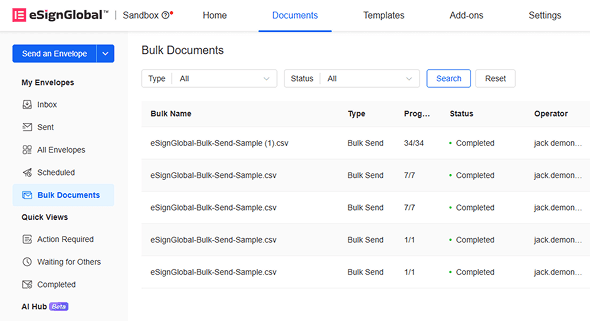
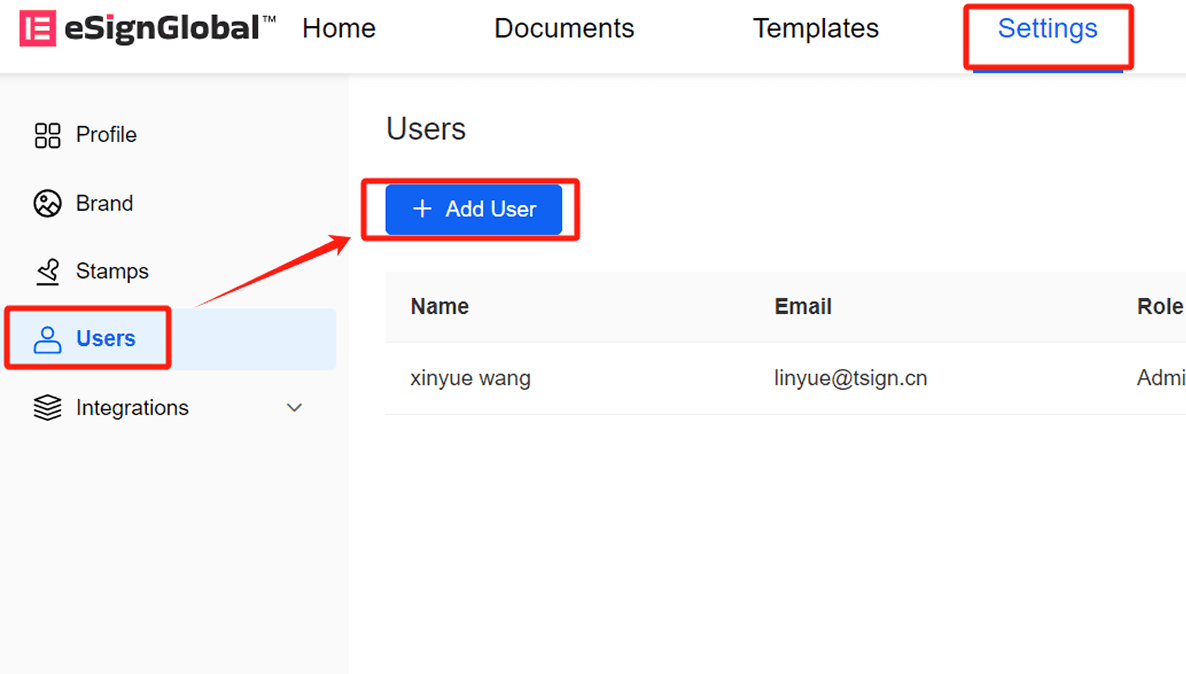
eSignGlobal positions itself as a compliant alternative with support for electronic signatures in 100 mainstream countries worldwide, holding a particular edge in the Asia-Pacific (APAC) region. APAC’s eSignature landscape is characterized by fragmentation, high standards, and strict regulations, contrasting with the more framework-based approaches in the West (e.g., ESIGN/eIDAS, which focus on basic intent and consent). In APAC, standards demand “ecosystem-integrated” solutions, requiring deep hardware/API-level docking with government-to-business (G2B) digital identities—a technical hurdle far beyond email verification or self-declaration models common in the US and EU. eSignGlobal addresses this with seamless integrations like Hong Kong’s iAM Smart and Singapore’s Singpass, ensuring legal validity in high-regulation environments. Globally, it’s expanding to compete with DocuSign and Adobe Sign through cost-effective plans; its Essential version costs just $16.6/month, allowing up to 100 documents for signature, unlimited user seats, and verification via access codes—all while maintaining compliance. This pricing delivers strong value for banks scaling in APAC without seat-based fees.

Looking for a smarter alternative to DocuSign?
eSignGlobal delivers a more flexible and cost-effective eSignature solution with global compliance, transparent pricing, and faster onboarding.
| Feature/Platform | DocuSign | Adobe Sign | eSignGlobal | HelloSign (Dropbox Sign) |
|---|---|---|---|---|
| Pricing (Entry Level, Monthly) | $10/user | $10/user | $16.6 (unlimited users) | $15/user |
| Mobile Integration | Excellent (SDKs for iOS/Android) | Strong (via Acrobat) | Good (embedded signing) | Basic (web-based) |
| Compliance Focus | Global (ESIGN/eIDAS) | Global (with PDF security) | 100 countries, APAC depth (iAM Smart/Singpass) | US/EU primary |
| Security Features | IAM, biometrics | Encryption, audit trails | Access codes, G2B integrations | Two-factor auth |
| API/Bulk Send | Advanced (paid add-on) | Included in pro | Included in pro | Limited free tier |
| Best For | Scalable banking workflows | Document editing in finance | APAC regional compliance | Simple SMB integrations |
This table underscores a neutral view: each platform caters to distinct needs, with no single winner across all scenarios.
In the DocuSign vs. OneSpan integration showdown for mobile banking, businesses should weigh integration speed against security depth. For versatile, ecosystem-driven setups, DocuSign remains a strong contender. As alternatives, options like eSignGlobal offer value for regional compliance, particularly in regulated APAC markets, providing a balanced substitute without compromising on global reach. Evaluate based on your bank’s priorities for optimal results.
Часто задаваемые вопросы
Разрешено использовать только корпоративные адреса электронной почты