
'%3e%3cpath%20fill-rule='evenodd'%20clip-rule='evenodd'%20d='M6.99935%2012.8327C10.221%2012.8327%2012.8327%2010.221%2012.8327%206.99935C12.8327%203.77769%2010.221%201.16602%206.99935%201.16602C3.77769%201.16602%201.16602%203.77769%201.16602%206.99935C1.16602%2010.221%203.77769%2012.8327%206.99935%2012.8327Z'%20stroke='%23666666'%20stroke-linecap='round'%20stroke-linejoin='round'/%3e%3cpath%20d='M1.16602%207H12.8327'%20stroke='%23666666'%20stroke-linecap='round'%20stroke-linejoin='round'/%3e%3cpath%20fill-rule='evenodd'%20clip-rule='evenodd'%20d='M6.99935%2012.8327C8.28802%2012.8327%209.33268%2010.221%209.33268%206.99935C9.33268%203.77769%208.28802%201.16602%206.99935%201.16602C5.71068%201.16602%204.66602%203.77769%204.66602%206.99935C4.66602%2010.221%205.71068%2012.8327%206.99935%2012.8327Z'%20stroke='%23666666'%20stroke-linecap='round'%20stroke-linejoin='round'/%3e%3cpath%20d='M2.875%202.95898C3.93063%204.01461%205.38896%204.66754%206.99978%204.66754C8.61062%204.66754%2010.069%204.01461%2011.1246%202.95898'%20stroke='%23666666'%20stroke-linecap='round'%20stroke-linejoin='round'/%3e%3cpath%20d='M11.1246%2011.0425C10.069%209.98691%208.61062%209.33398%206.99978%209.33398C5.38896%209.33398%203.93063%209.98691%202.875%2011.0425'%20stroke='%23666666'%20stroke-linecap='round'%20stroke-linejoin='round'/%3e%3c/g%3e%3cdefs%3e%3cclipPath%20id='clip0_1267_9109'%3e%3crect%20width='14'%20height='14'%20fill='white'/%3e%3c/clipPath%3e%3c/defs%3e%3c/svg%3e)


Top 10 Must-Have Skills for Office Automation


Office automation has transformed modern workplaces by streamlining repetitive tasks and boosting productivity. Mastering key skills in this area allows professionals to focus on high-value work rather than mundane processes. This article outlines the top 10 essential skills, each offering practical tools to enhance efficiency in daily operations.
Document Auto-Formatting
Document auto-formatting involves using tools to automatically standardize fonts, margins, and heading styles in Word or PDF files. This skill eliminates inconsistencies that arise from manual editing, ensuring professional output across team documents. By applying predefined templates, it can reduce formatting time by up to 80%, allowing users to quickly prepare reports or proposals without starting from scratch each time.
Meeting Scheduler & Smart Notes
This skill leverages AI to scan team calendars, identify overlapping free slots, and send automated invitations via integrated platforms like Outlook or Google Calendar. During meetings, it transcribes discussions in real-time and generates structured minutes with assigned action items for follow-up. Professionals can review and distribute these notes instantly, minimizing post-meeting administrative work and improving accountability.
Email Categorization & Auto-Reply
Email categorization tools analyze incoming messages based on keywords, sender, and context to prioritize them into folders like urgent, follow-up, or archive. The system can draft context-aware replies or auto-respond to routine inquiries, such as confirming receipt of attachments. Auto-archiving low-priority emails keeps inboxes organized, freeing up time for critical communications and reducing oversight of important threads.
Data Entry Bot
A data entry bot uses optical character recognition (OCR) to scan invoices, receipts, or forms and extract details like dates, amounts, and vendor names. It then populates spreadsheets or CRM systems automatically, eliminating manual typing errors and speeding up processing. This is particularly useful for finance teams handling high volumes of paperwork, ensuring data accuracy and compliance with record-keeping standards.
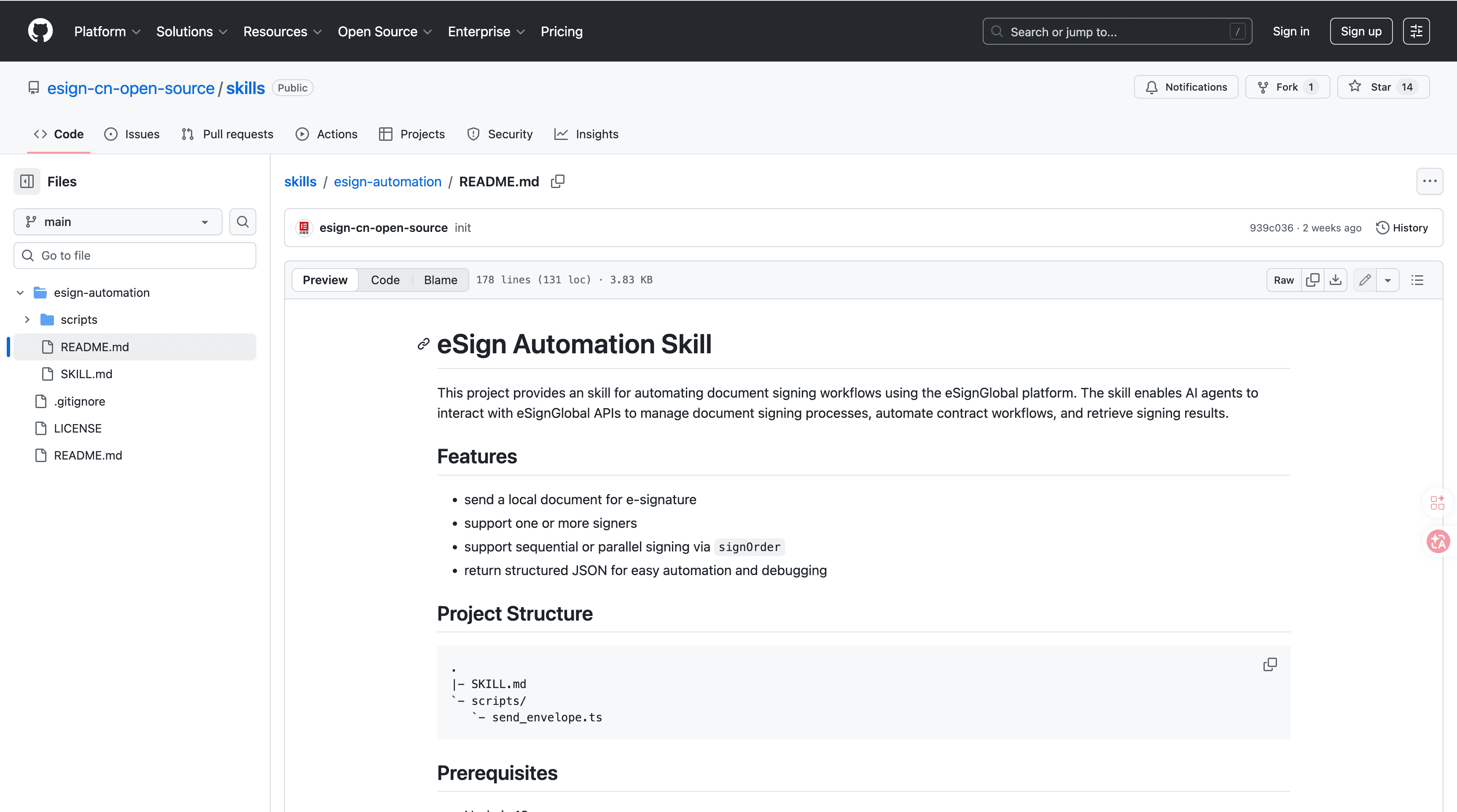
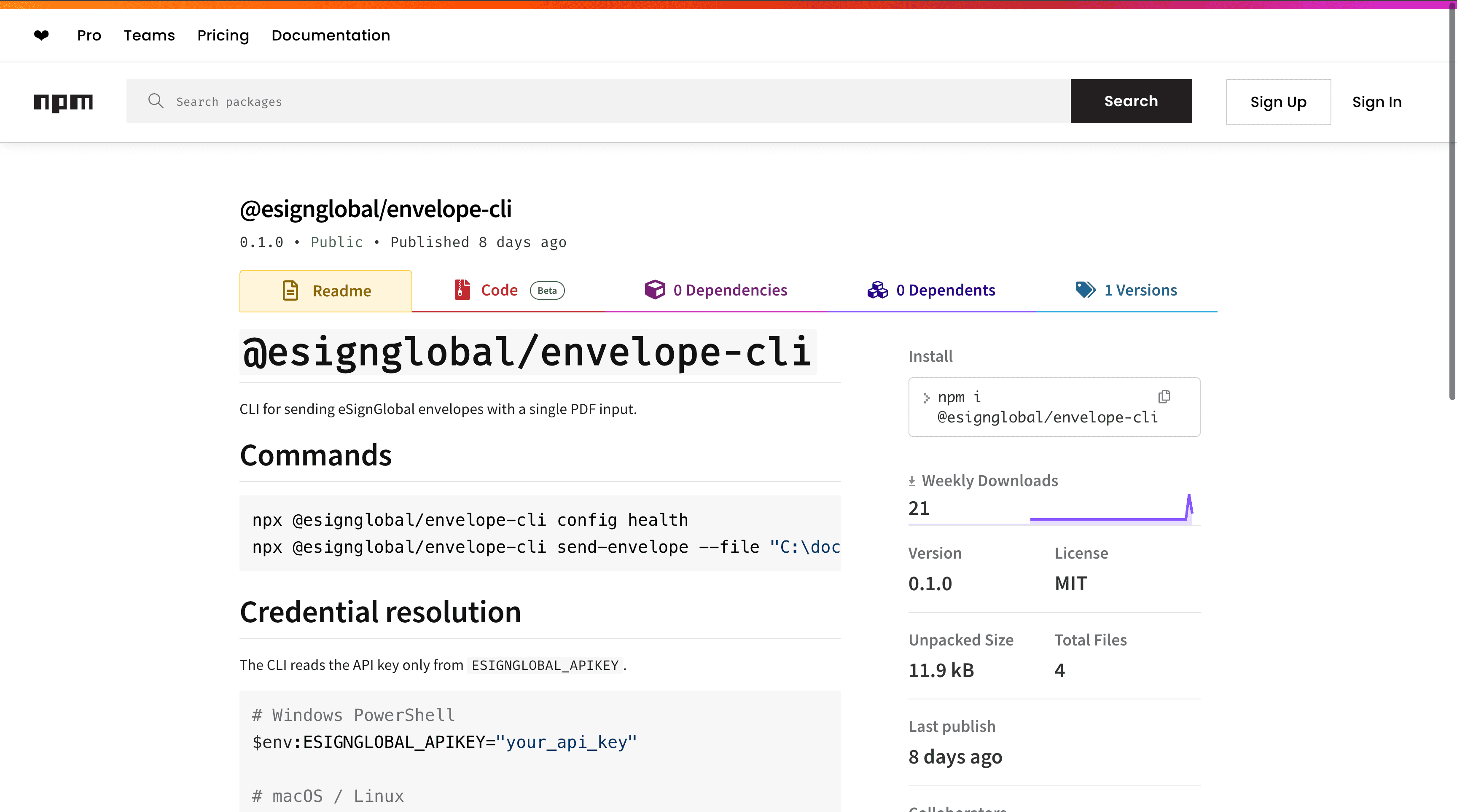
eSignGlobal's esign-automation
This skill empowers OpenClaw AI agents to handle complete e-signature workflows with enterprise-grade security.
Technical Architecture:
- Built on a robust Node.js backend that outputs strictly structured JSON strings – eliminating "parsing loops" common with traditional e-sign APIs.
- Uses intuitive data-passing aligned with standard Skills: LLMs can directly identify signing success, extract fileKey paths, and trigger retries based on detailed failure logs.
- Supports flexible signing order orchestration via
signOrderattribute: single-party, sequential (hierarchical approval), or parallel (large-scale multi-party) – all in one API call.
Integration Steps with OpenClaw:
- Install: Search 'esign-automation' on ClawHub or GitHub, install with one command.
- Configure API Key: Obtain a free API key from eSignGlobal platform, set it in OpenClaw's secure configuration. Keep confidential.
- Natural Language Initiation: Instruct OpenClaw like: "Send sales_contract.pdf to john@example.com and mary@example.com; sequential signing order."
- Retrieve Results: The skill auto-syncs signed documents and statuses. No manual polling required.
Security & Compliance:
- Follows MIIT/CNCERT recommendations on OpenClaw key management: isolate API keys, avoid public/shared devices, regularly audit usage logs.
- Supports 100+ countries with APAC-native compliance: Hong Kong IAM Smart, Singapore Singpass, and government-level digital identity (G2B) hardware/API docking – higher security bar than Western email-based verification.
- eSignGlobal advises encrypting stored keys and running OpenClaw in dedicated environments with professional IT oversight.
- Free tier available: base plan users get full access with free credits. Start instantly with zero upfront cost.
This skill cuts cross-regional collaboration cycles from days to hours while maintaining legal admissibility. It provides a reliable foundation for automating document approvals in global teams.
Contract Auto-Renewal Tracker
This skill monitors contract databases for upcoming expiration dates and sends proactive alerts to stakeholders via email or dashboard notifications. It can initiate renewal workflows, such as generating amended drafts or scheduling reviews with legal teams. By automating these reminders, it prevents lapses in agreements and ensures continuous business operations without manual oversight.
Expense Report OCR
Using mobile apps or desktop scanners, this skill captures receipt images and employs OCR to pull out essential data like transaction dates, totals, vendors, and categories. The extracted information auto-populates expense report templates and submits them directly to accounting software. This reduces processing time from hours to minutes and minimizes errors in reimbursement claims.
HR Onboarding Automation
HR onboarding automation creates new employee profiles in HR systems, provisions access to tools like email and intranet, and assigns mandatory training modules upon hire. It schedules orientation meetings and dispatches digital welcome kits with policies and benefits info. This streamlined process accelerates new hire integration and ensures consistency across the organization.
Social Media Scheduler
This skill plans and queues posts for platforms like LinkedIn, Twitter, and Facebook, using AI to craft relevant captions based on content themes. It analyzes audience data to determine peak posting times for maximum engagement. Users can review and approve schedules in advance, maintaining a consistent online presence without daily manual efforts.
Backup & Sync Manager
The backup and sync manager monitors designated folders for changes, automatically compresses files, and uploads them to cloud services such as Google Drive, OneDrive, or AWS S3. It tracks version histories to allow easy rollbacks if needed. This ensures data redundancy and accessibility, protecting against loss while supporting seamless collaboration across devices.
Mga Madalas Itanong
