

 Service Center
Application Management
Before using the functions in this user manual, you need to understand the application restrictions corresponding to different versions:
- Experience Version: Application functions are not supported
- Basic Version: Application functions are not supported
- Professional Version: Application functions are supported
Using eSignGlobal, you can achieve multi-platform interconnection and efficiently build applications through API interfaces.
Installing Plugins
-
Install the “Application” plugin.

Adding Applications
-
Enter the workspace: Select “Settings” > “Applications”.
-
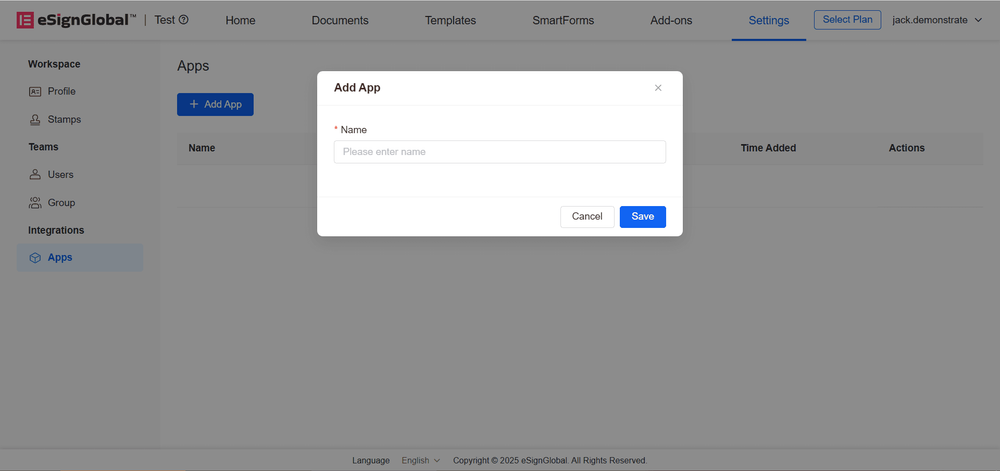
Click the “Add Application” button.

-
Fill in the application name and click “Save”.
-
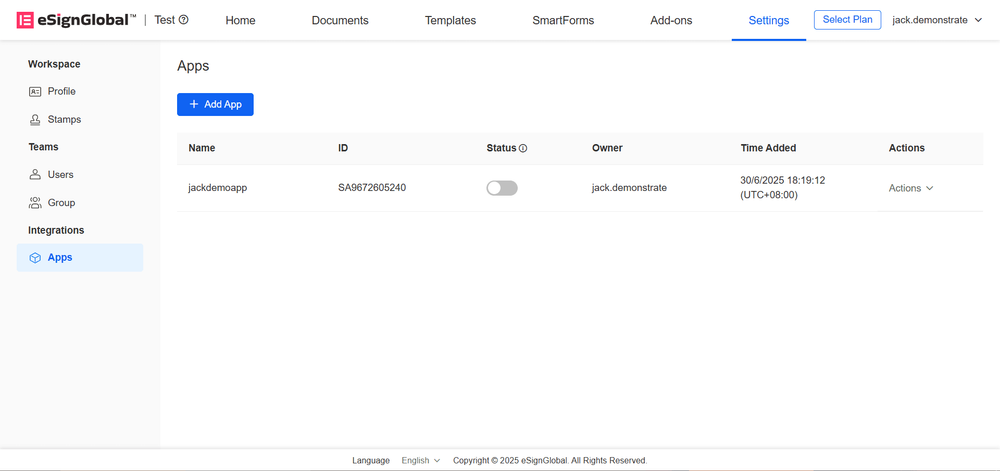
After successful saving, the application data will automatically appear on the list page.
Editing Applications
-
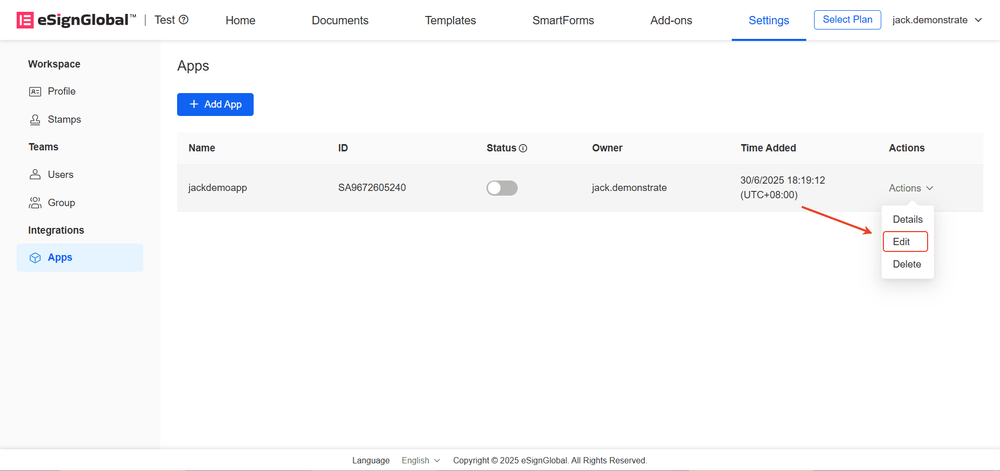
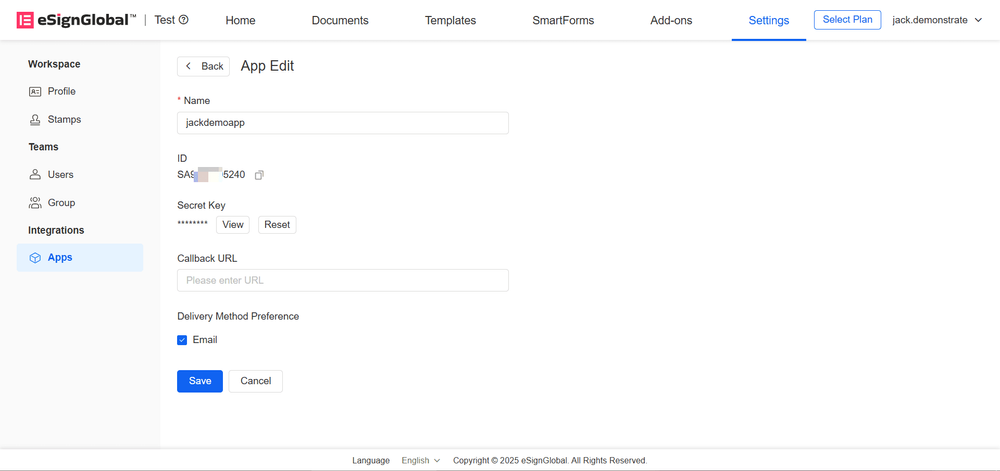
Click the “Edit” button
-
Supports modifying application name, callback address, and notification preference. After modification, click the “Save” button
Deleting Applications
-
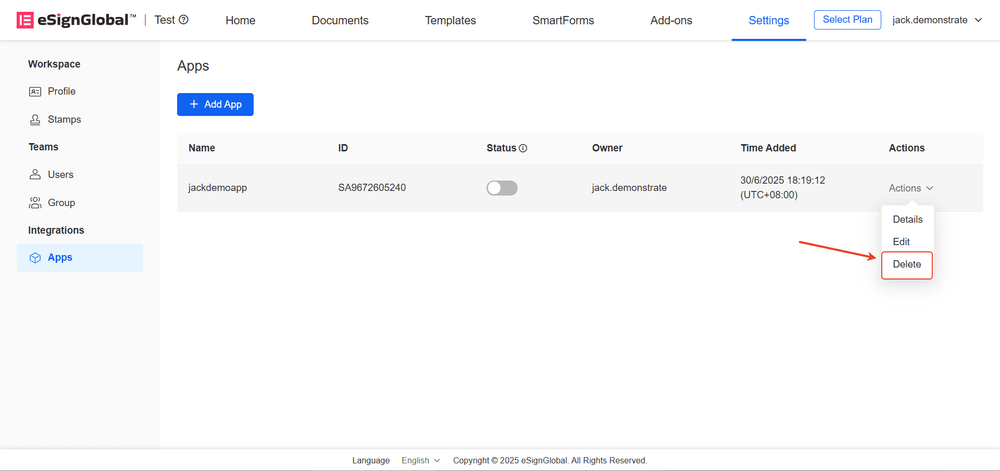
Click the “Delete” button.
-
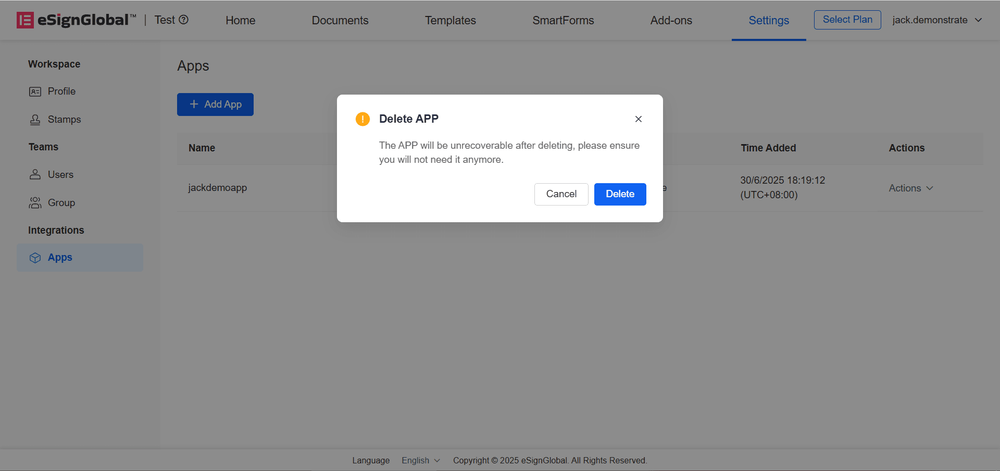
Confirm deletion, click “Delete”; cancel operation, click “Cancel”.
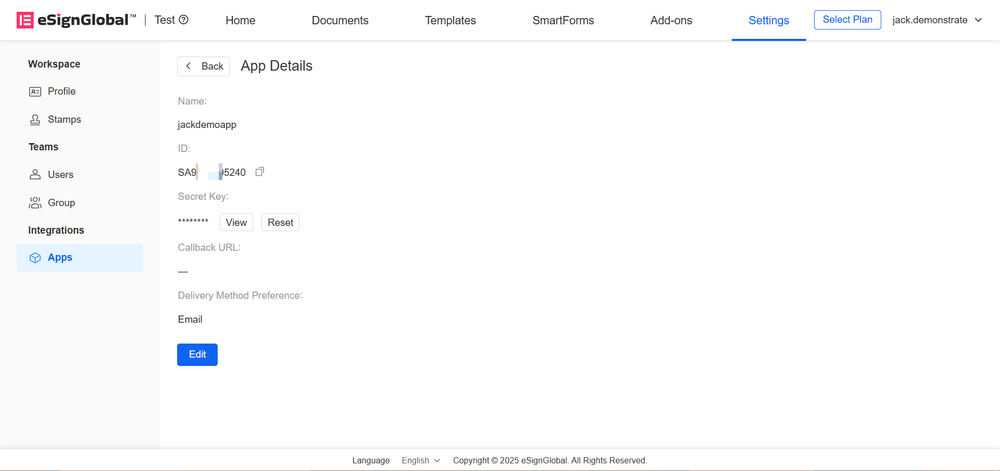
Viewing Application Details
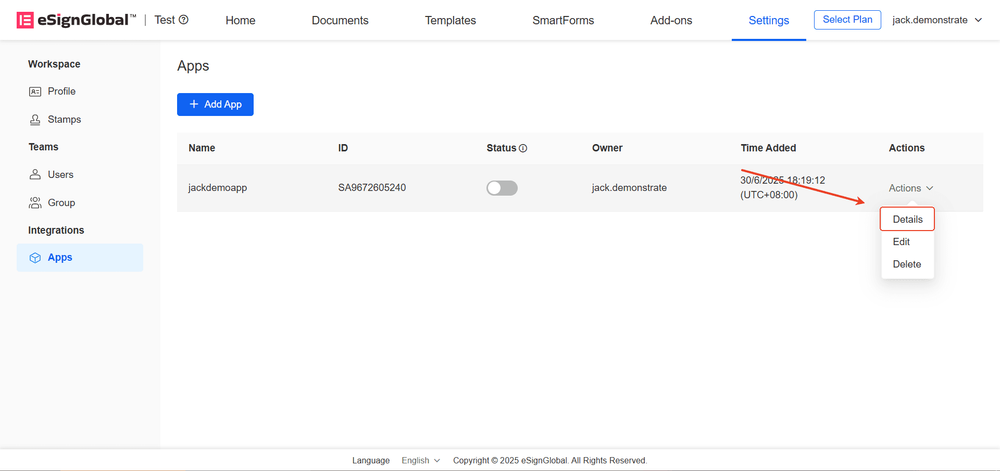
- Click “Details”.
-
The details page will display application name, APPID, Secret Key, and other parameters.
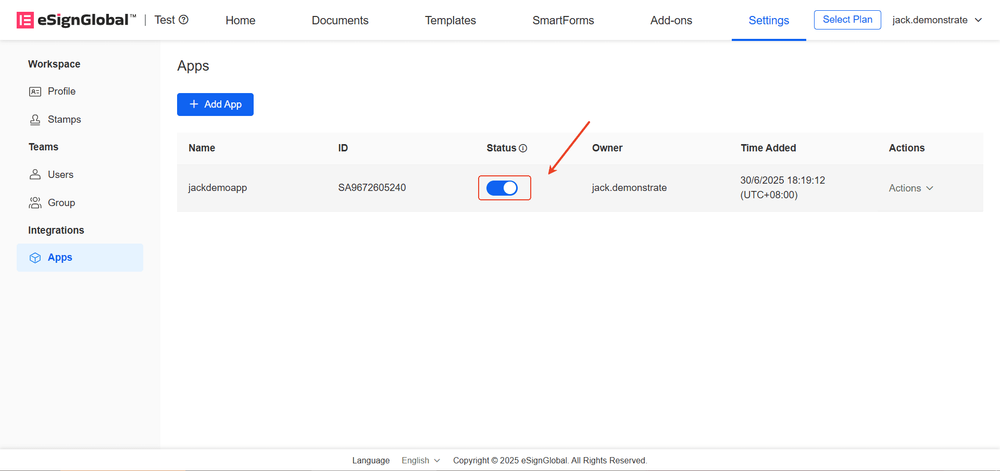
Enabling Applications
- Click “Activate” to immediately activate the application.
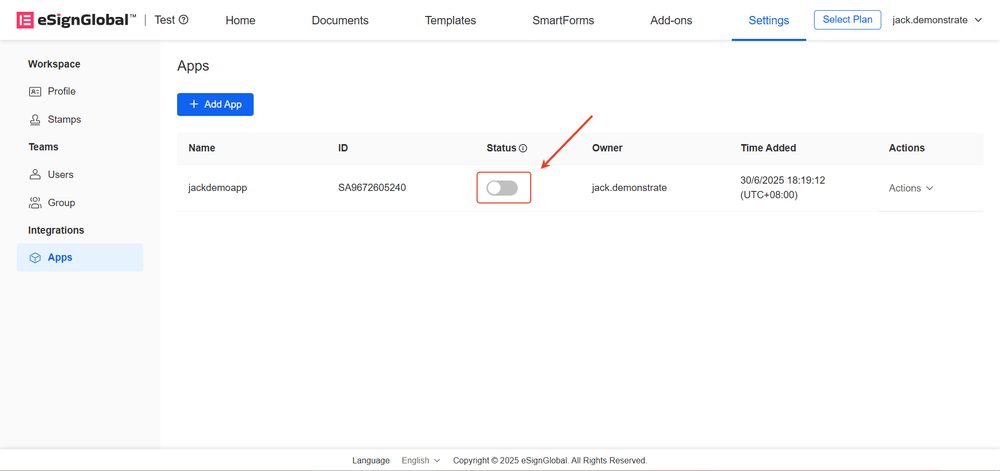
Disabling Applications
- Click “Disable” to pause the application service.