

 Service Center
Download Signed Document
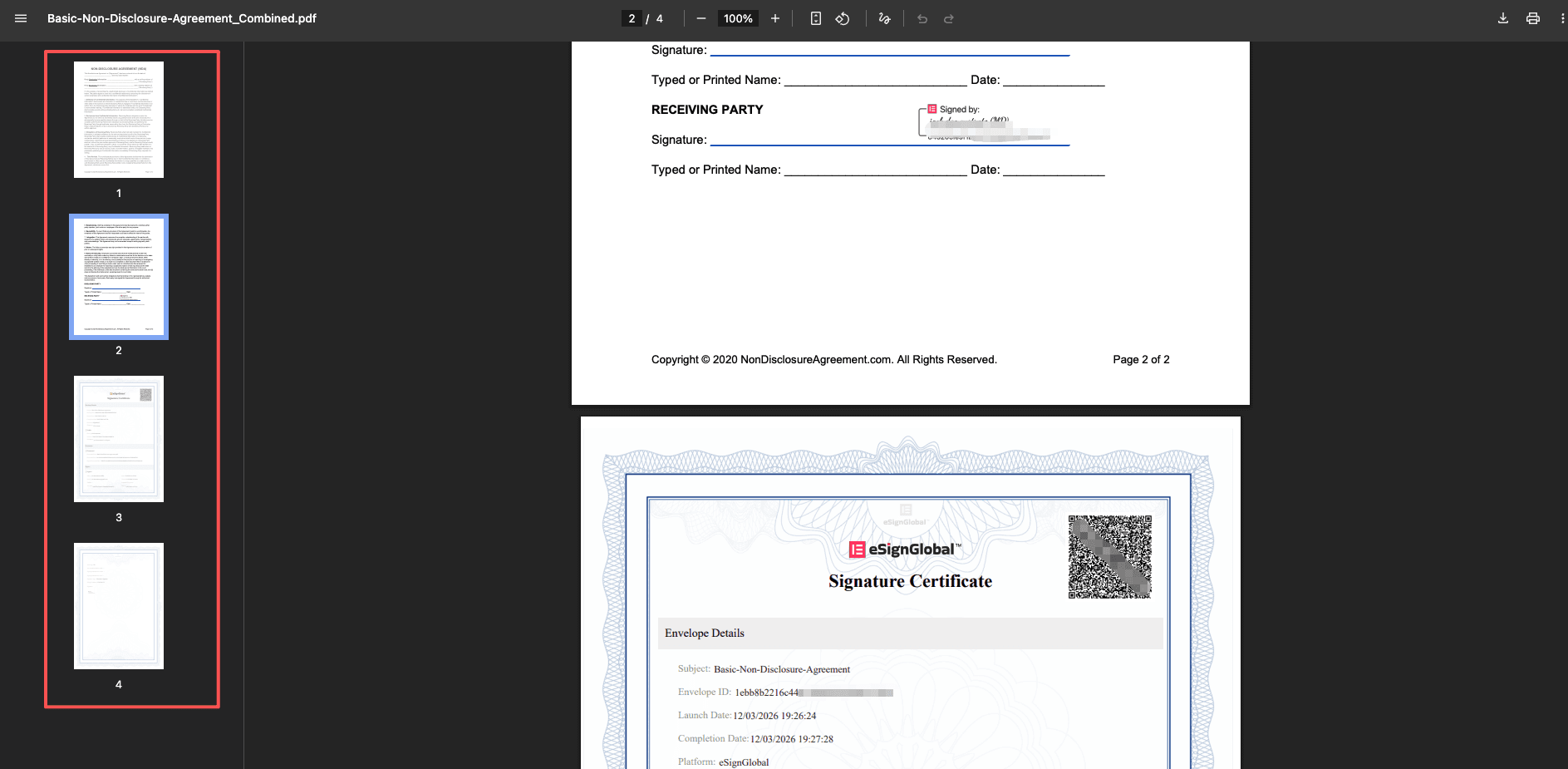
After completing the signing in eSignGlobal, you can download a compressed package containing the signed documents, attachments, and certificates. At the same time, in order to improve local archiving and auditing efficiency, you can also set preferences to obtain an additional single PDF file that merges the “Signed Documents” and “Evidence Report” in the downloaded archive file, ensuring a complete chain of evidence.
Download Signed Documents
Note:
- File format: zip
- Contains: Signed documents, attachments, certificates
- Downloadable roles: Envelope initiator, signer, CC
- Envelope downloadable status: Completed
-
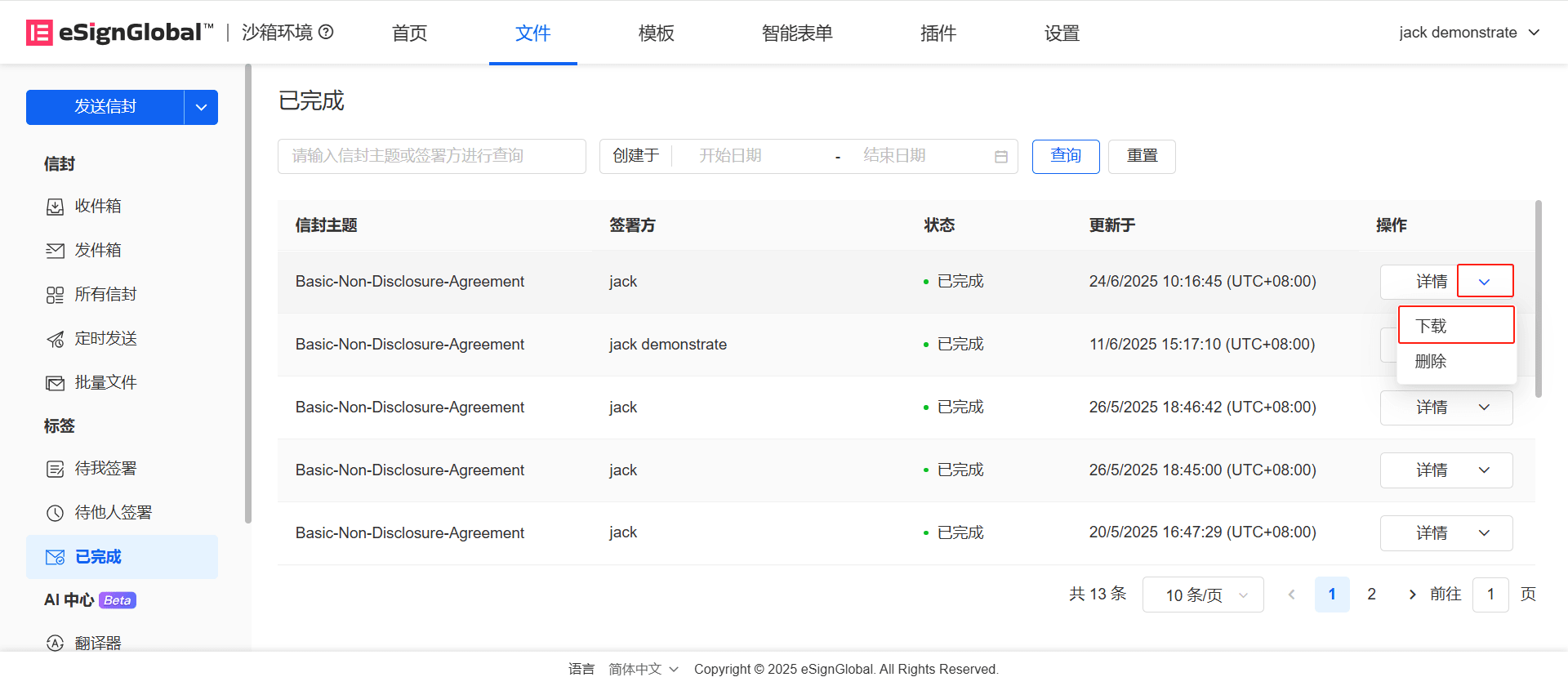
When the envelope is signed, click the drop-down arrow on the right side of the details and select Download.
-
The envelope will be saved to the default path set by the browser.
Enable File Merging Preferences
Note:
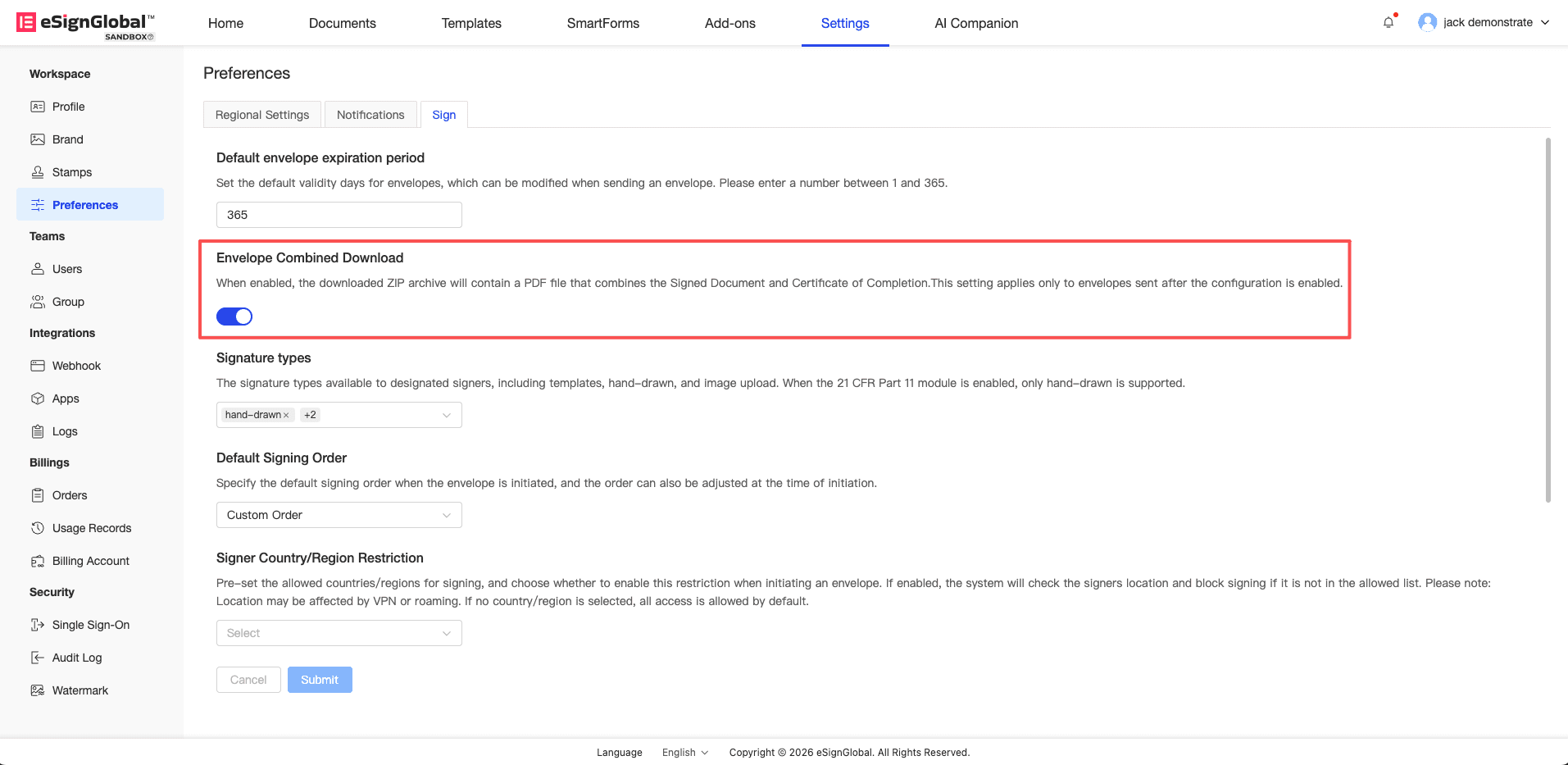
- After enabling this option, a PDF file merging the “Signed Documents” and “Evidence Report” will be added to the downloaded ZIP package of the completed envelope.
-
Go to Settings and click to enter the Preferences page.
-
Find File Download Settings in the preferences, and check the Include merged file of signed documents and evidence report switch.
Download and View Merged Files
Note:
- If your envelope contains any strongly compliant TSP digital signatures, the system will not execute the merging policy because the merging operation will destroy the legal digital signature structure of the original file. The ZIP package will not contain a merged file with the Combined suffix, and will still provide independent and scattered source files and proof files.
-
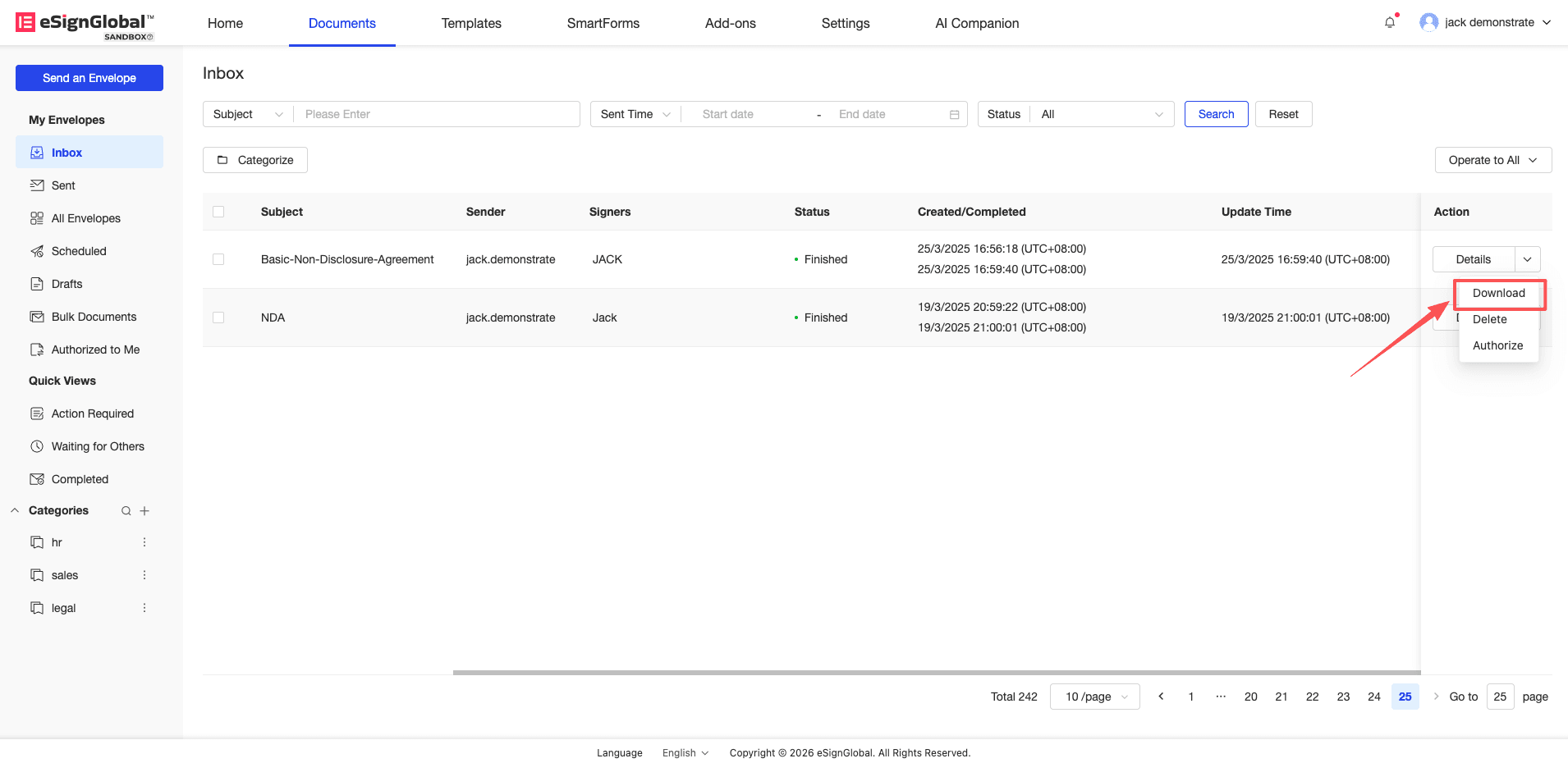
Find the signed envelope with the status Completed, perform the download operation, and unzip the downloaded ZIP package.
-
In the unzipped folder, you can find a merged file ending with
_Combined.pdf, which has a complete evidence report attached to the end.