


 Service Center
Transfer SuperAdmin
eSignGlobal provides the super administrator handover function to ensure seamless transfer of management rights, safeguarding the continuity of team collaboration and stable business operations.
Note:
-
Only the super administrator of the workspace has the handover permission; non-super administrators cannot perform this operation.
-
After the handover is successful, the original super administrator will be automatically downgraded to a member, only able to view and manage resources created by themselves.
-
The following resources will not be automatically transferred to the new super administrator:
-
Templates, envelopes, stamps, applications, and other resources created by the original super administrator;
-
Resources accessed through applications created by the original super administrator will also be limited to their personal creation scope.
-
-
It is recommended to transfer or share important resources to the new super administrator before the handover to ensure business continuity
-
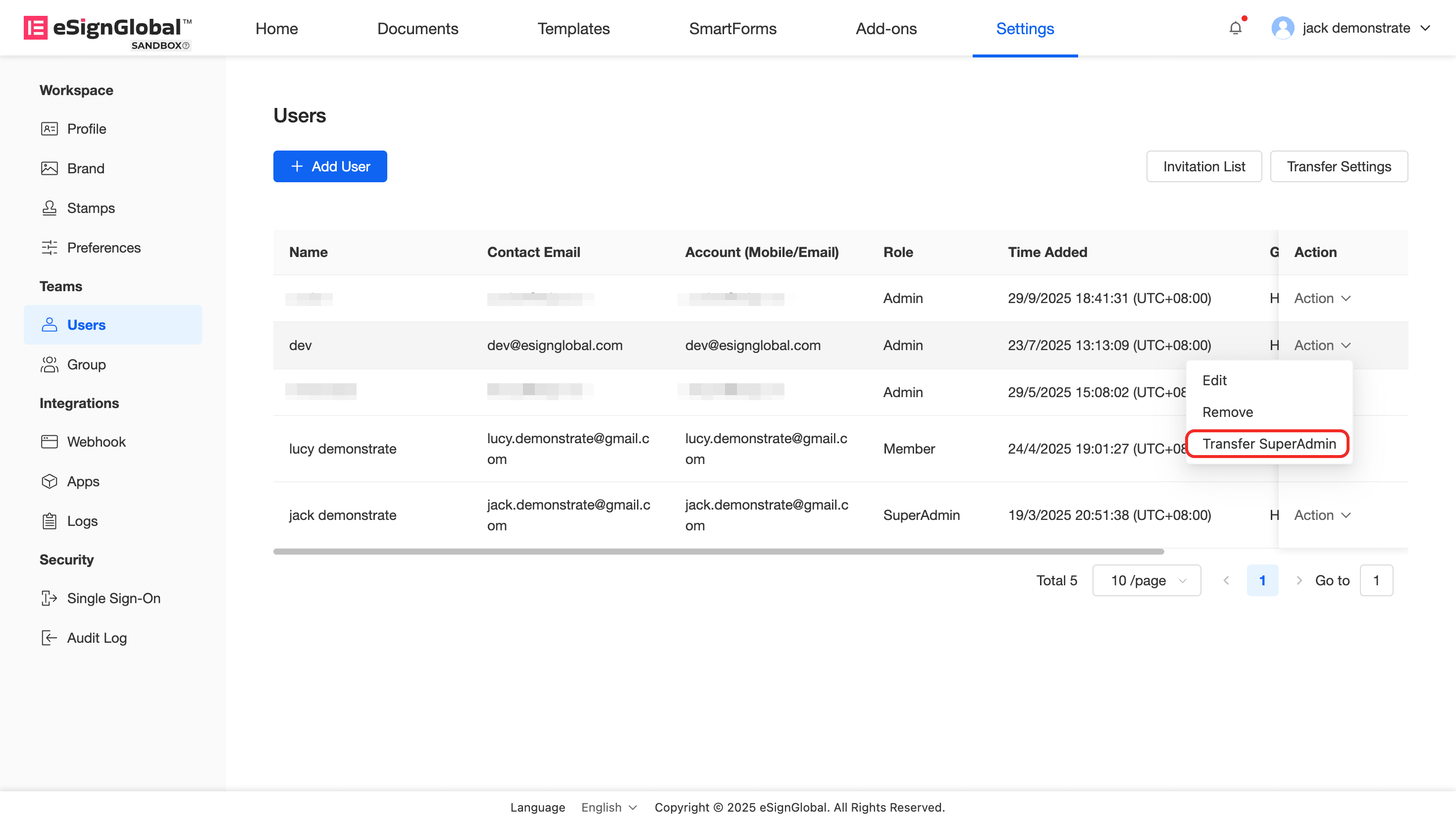
Enter the workspace: select [Settings] > [Users].
-
Select the user you wish to set as the new super administrator, and click the [Transfer SuperAdmin] button in the operation bar.
-
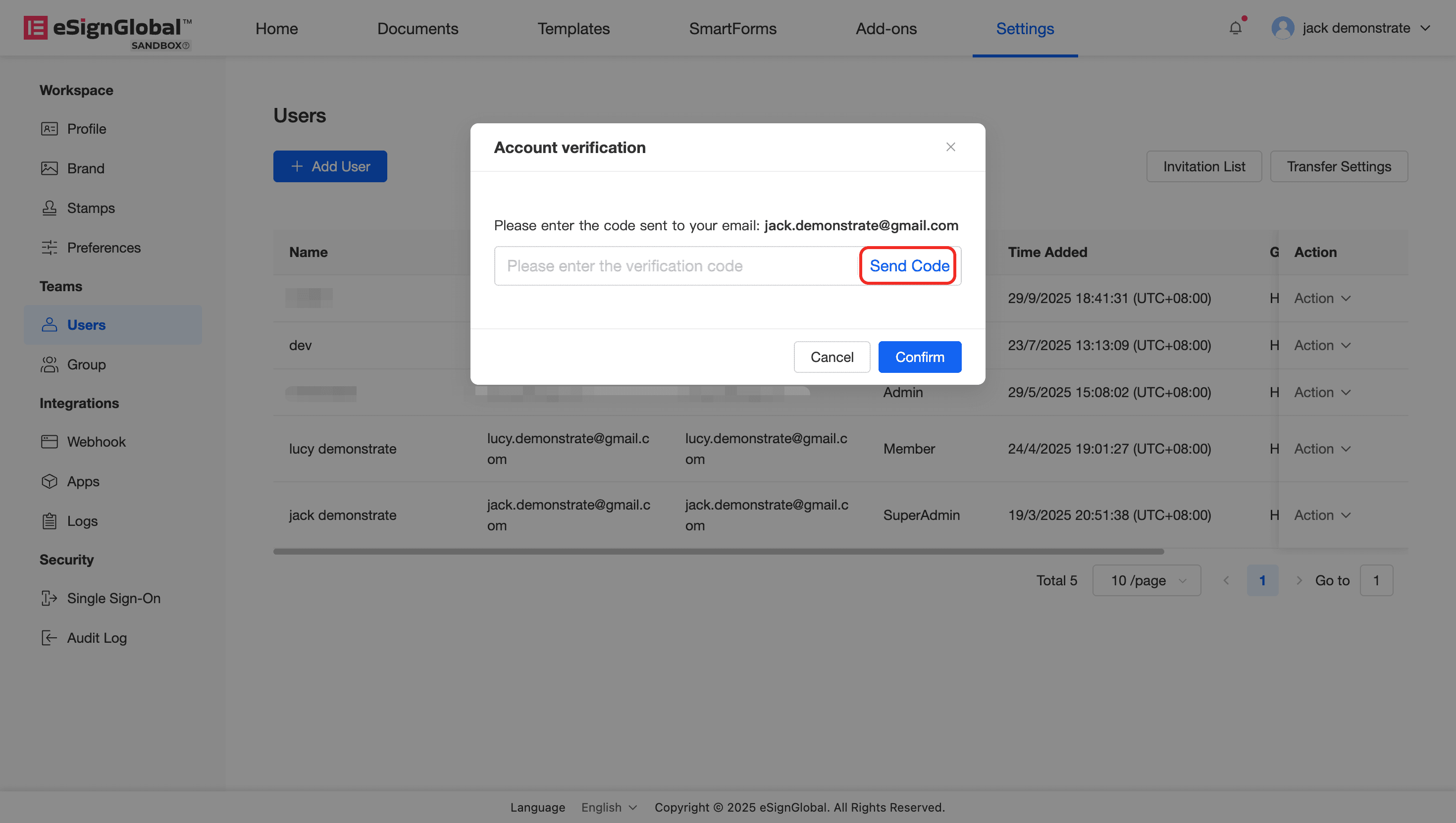
Click the [Send Code] button to complete identity verification of the current super administrator account.
-
After verification is passed, click [Confirm] to complete the role handover.


